Summary
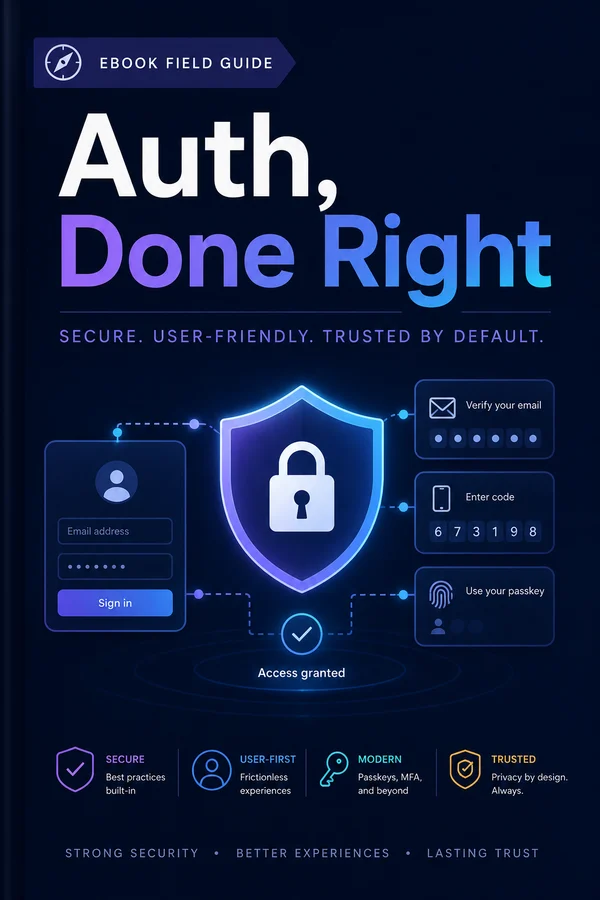
Sessions, cookies, password hashing, and the subtle things people get wrong, a practical, build-along guide to authentication that's secure by default, without reaching for a SaaS.
Why Auth Is Where People Get Burned
Authentication is the part of an app where mistakes are quiet, expensive, and personal. A slow page annoys users; a broken auth system leaks their accounts. And the mistakes are subtle, the code looks like it works, logs people in, logs them out, and only reveals its hole when someone goes looking for one. That gap between "appears to work" and "is actually secure" is where people get burned.
What makes auth uniquely treacherous:
- The happy path is easy and misleading. Registering a user and checking a password is twenty lines. It'll demo perfectly. But the demo doesn't exercise the timing attack, the session-fixation hole, the password-reset flow that leaks whether an account exists. The easy 80% lulls you; the dangerous 20% is invisible until it's exploited.
- The failure mode is catastrophic, not graceful. A bug in your billing math costs some money. A bug in your auth hands an attacker someone else's account, their data, their identity, your reputation, possibly a regulatory problem. The blast radius is total.
- Attackers probe it specifically. No one fuzzes your About page. Everyone with bad intent pokes at your login, your reset flow, your session handling, because that's where the keys are. Auth is the one part of your app that's under active attack from day one.
This guide builds authentication the careful way, a real, session-based system you understand end to end, secure by default, without reaching for a SaaS on day one. We'll do passwords properly, sessions and cookies the right way, the full login flow, the reset and verification flows that don't leak, multi-factor, the authentication-versus-authorization distinction, OAuth, and the attack catalogue with its defenses. And we'll end honestly: the line where rolling your own stops being worth it and a provider is the right call.
A note on philosophy first. The goal is not to make you reinvent cryptography. You should never write your own password hashing or token primitives, and we won't. The goal is to understand the system well enough to assemble it correctly from trustworthy parts and to recognize the holes, whether you build it or buy it. Auth is one place where understanding isn't optional, because the 70/30 Engineer guide's point about owning what you ship is never sharper than when what you ship is the thing protecting everyone's account. Let's start with the landscape.
The Landscape
Before writing code, two decisions shape everything: how you keep someone logged in, and whether you build it or buy it. Let's get the tradeoffs straight so the rest of the guide makes sense.
Sessions vs. tokens: how 'logged in' is remembered. After someone proves who they are, you need to remember it on every subsequent request. Two models:
- Server-side sessions (what this guide builds). You store a session record on the server (a row in your database) and give the browser a cookie holding a random session ID. Each request, you look up the session. The win: you control it completely. You can revoke a session instantly (delete the row), see who's logged in, and the cookie holds nothing sensitive (just a random ID). The cost: a database lookup per request, trivial for the vast majority of apps. For a normal web app, sessions are the right default, and they're simpler and safer to get right.
- Stateless tokens (JWTs). You give the browser a signed token containing the user's identity, and verify the signature on each request instead of looking anything up. The appeal is no server-side storage and easy scaling across services. The cost is real and underrated: you can't easily revoke a token before it expires (logout becomes hard), and people get the storage and validation subtly wrong constantly. JWTs make sense for APIs and service-to-service auth; for a web app's login they're usually solving a scaling problem you don't have while adding a revocation problem you didn't need. Reach for them deliberately, not by default.
Roll-your-own vs. a provider. The other axis. Building it yourself (this guide) gives you full control, no per-user cost, no third party owning your users, and a system you understand. A provider (Auth0, Clerk, Supabase Auth, and friends) gives you a hardened, maintained system fast, with MFA and social login built in, at the cost of money per user, a dependency, and less control. Both are legitimate; which depends on your situation, and the final chapter is devoted to drawing that line. For now: you should understand how auth works regardless, because even if you buy it, you need to recognize when it's configured wrong.
This guide builds server-side sessions, rolled by hand, because it's the model that teaches the most and fits the most apps, the same one the Hypermedia Stack guide wires into a real app. Everything from here assembles that, correctly. We start with the thing people get wrong first: passwords.
Passwords, Properly
Passwords are where the most basic, most catastrophic auth mistakes happen, and they're entirely avoidable, because the right approach is a single well-chosen library call. Let's nail it.
Never store a password. Store a hash. A password hash is a one-way transformation: you can compute the hash from the password, but not the password from the hash. So you store the hash, and when someone logs in, you hash what they typed and compare. If your database leaks, assume it might, the attacker gets hashes, not passwords. Storing plaintext passwords is the cardinal sin of auth, and it still happens; do not be that breach.
Use a password-hashing function built for the job. Not every hash is suitable. md5 and sha256 are fast, which is exactly wrong for passwords, fast means an attacker can try billions of guesses a second against a stolen hash. You want a hash that's deliberately slow and memory-hard, designed to resist brute force. In order of preference:
- Argon2 (argon2id), the current best, memory-hard, winner of the password-hashing competition. Use it if your platform has a good library.
- bcrypt: older but battle-tested and still perfectly good, available everywhere.
- scrypt: also fine.
In Node, using argon2:
import argon2 from "argon2";

// on registration:
const hash = await argon2.hash(plaintextPassword);   // store `hash`

// on login:
const ok = await argon2.verify(storedHash, submittedPassword);
That's the whole thing. The library handles salting for you, mixing in a random value per password so two users with the same password get different hashes, and so precomputed "rainbow table" attacks don't work. You don't manage the salt yourself; it's baked into the hash string the library returns. (If you ever find yourself writing salt-handling by hand, stop, the library does it correctly and you probably won't.)
The rules that matter, beyond the hash:
- Never write your own crypto. Use the vetted library. This is the one area of programming where "I'll just implement it myself" is almost always a mistake.
- Password rules that actually help: length over complexity. A long passphrase beats a short string with a required symbol. Enforce a reasonable minimum length, skip the silly composition rules that just produce
Password1!, and, importantly, check submitted passwords against lists of known-breached ones (the "have I been pwned" range API does this without you ever seeing the password). The most useful password rule is "not one of the millions already in breach dumps." - Never set a maximum length so low it hurts, never truncate silently, and never log the password, not in plaintext, not anywhere, not "just for debugging."
Get hashing right and a database breach is an inconvenience, not a catastrophe. Now, once someone's password checks out, you have to remember they're logged in, which is sessions and cookies.
Sessions & Cookies
Once a password checks out, HTTP's statelessness becomes your problem: the next request has no memory that this person just logged in. Sessions solve it, and the cookie that carries the session is where a surprising number of vulnerabilities live or die, so let's get both right.
The session model. On successful login, you create a session: a record on the server with a long, random, unguessable ID. You store it (a row in your database is perfect, the Postgres guide's territory) and send the ID to the browser in a cookie. On every later request, the browser sends the cookie back, you look up the session by its ID, and you know who they are. Crucially, the cookie holds only the random ID, never the user's identity or anything sensitive, the real data stays on the server, keyed by an ID that means nothing to anyone who steals it without your database.
// on login, after the password verifies:
const sessionId = crypto.randomBytes(32).toString("hex");  // long & random
await db.query(
  `INSERT INTO sessions (id, user_id, expires_at) VALUES ($1, $2, $3)`,
  [sessionId, user.id, new Date(Date.now() + 30 * 86400 * 1000)]
);
setCookie("sid", sessionId, COOKIE_OPTIONS);
The cookie flags: four settings that are the difference between secure and exploitable. A session cookie set carelessly is how sessions get stolen. The non-negotiable options:
const COOKIE_OPTIONS = {
  httpOnly: true,   // JS can't read it — blocks theft via XSS
  secure: true,     // only sent over HTTPS — blocks network sniffing
  sameSite: "lax",  // not sent on cross-site requests — blocks CSRF
  path: "/",
  maxAge: 30 * 86400,
};
Each one closes a specific attack:
- `httpOnly` keeps JavaScript from reading the cookie, so a cross-site scripting bug can't exfiltrate the session. Always on for session cookies.
- `secure` means the cookie is only ever sent over HTTPS, so it can't be sniffed on the wire. Always on in production (the Boring Stack guide's automatic TLS makes this free).
- `sameSite: lax` stops the browser sending the cookie on most cross-site requests, which defangs CSRF (more in the attacks chapter).
laxis the sane default;strictis tighter but breaks some legitimate flows. - `maxAge` / `expires` bounds the session's life so a stolen cookie doesn't work forever.
Session lifecycle details that matter: store an expiry and enforce it server-side (don't trust the cookie's own expiry alone); regenerate the session ID on login (issue a fresh ID when privilege changes, which kills session-fixation attacks); and make logout actually delete the server-side session row, not just clear the cookie, so a copied cookie stops working the instant they log out. That server-side revocation is the whole reason sessions beat stateless tokens for a web app.
With hashing and sessions in hand, you have the two halves of "prove it, then remember it." Let's assemble them into the actual login flow.
The Login Flow
Now we assemble the pieces (hashing from chapter three, sessions from chapter four) into the three flows every app needs: register, log in, log out. Seeing them whole and correct is the point.
Register. Validate input, hash the password, create the user, start a session:
export async function register(email: string, password: string) {
  if (!isValidEmail(email) || password.length < 12)
    throw new BadRequest("Invalid email or password too short");

  const hash = await argon2.hash(password);
  try {
    const user = await db.one(
      `INSERT INTO users (email, password_hash) VALUES ($1, $2) RETURNING id`,
      [email.toLowerCase(), hash]
    );
    return startSession(user.id);
  } catch (err) {
    if (isUniqueViolation(err))                          // email already registered
      throw new BadRequest("Could not create account");  // deliberately vague
    throw err;
  }
}
Log in. Look up the user, verify the password, start a session, and notice the careful sameness of the failure responses:
export async function login(email: string, password: string) {
  const user = await db.maybeOne(
    `SELECT id, password_hash FROM users WHERE email = $1`, [email.toLowerCase()]
  );

  // Always do a hash verify, even if the user doesn't exist, so the
  // response takes the same time either way (defeats timing/enumeration).
  const ok = user
    ? await argon2.verify(user.password_hash, password)
    : await argon2.verify(DUMMY_HASH, password);   // burn the same time

  if (!user || !ok) throw new Unauthorized("Invalid email or password");
  return startSession(user.id);
}
Log out. Delete the server-side session and clear the cookie, both, in that order:
export async function logout(sessionId: string, res: Response) {
  await db.query(`DELETE FROM sessions WHERE id = $1`, [sessionId]);
  clearCookie(res, "sid");
}
Three details there are doing security work you'd miss if you weren't looking:
- The error messages are deliberately vague and identical. "Invalid email or password", never "no such user" or "wrong password." Telling an attacker which was wrong lets them enumerate who has an account. Same message, whether the email is unknown or the password is wrong.
- Login does a password verify even when the user doesn't exist. If a real user triggers an expensive hash check and a fake one returns instantly, the timing difference tells an attacker which emails are registered. Burning the same time either way closes that leak. (The same instinct drives registration's vague "could not create account.")
- Logout deletes the session server-side. Clearing the cookie alone leaves the session valid for anyone who copied it. Deleting the row is what actually logs them out everywhere.
That's a complete, careful login system. But the flows attackers love most aren't login. They're the recovery flows. Password reset first.
Password Reset Without Holes
Password reset is the flow attackers probe hardest, because it's a deliberate backdoor into accounts, by design, it lets someone who doesn't know the password gain access. Build it carelessly and you've built an account-takeover machine. Here's the flow that doesn't leak.
The shape of a safe reset:
- User requests a reset for an email address.
- You generate a random, single-use, expiring token, store its hash, and email the user a link containing the token.
- User clicks the link, you verify the token, and let them set a new password.
- You invalidate the token (and ideally all their existing sessions).
The details are where it's won or lost:
Don't reveal whether the account exists. When someone requests a reset, respond identically whether or not the email is registered: "If that email has an account, we've sent a reset link." Say "no account found" for unknown emails and you've handed attackers an account-enumeration oracle. Same response, every time; the email only actually sends if the account exists.
The token must be random, hashed at rest, single-use, and short-lived.
const token = crypto.randomBytes(32).toString("hex");   // unguessable
await db.query(
  `INSERT INTO password_resets (user_id, token_hash, expires_at)
   VALUES ($1, $2, now() + interval '1 hour')`,
  [user.id, sha256(token)]            // store the HASH, not the token
);
// email a link: https://app.example.com/reset?token=<token>- Random and long so it can't be guessed or brute-forced.
- Stored hashed, like a password, so a database leak doesn't hand out live reset tokens. You email the raw token; you store only its hash.
- Single-use: delete it the moment it's used, so a leaked or reused link is dead.
- Short-lived: an hour, not a week. The window for a stolen email to be abused should be small.
On successful reset, kill all existing sessions. If the reset was triggered because the account was compromised, the attacker may have an active session. Setting a new password should log out everyone, delete all the user's session rows, so the reset actually evicts an intruder rather than just adding a second valid password.
Rate-limit the request endpoint. Without a limit, the reset form becomes a way to spam someone's inbox (or probe for accounts via side channels). Cap requests per email and per IP.
The through-line: a reset flow is a controlled bypass of your password check, so every property that protects a password (unguessable, hashed at rest, time-bounded, single-use) has to protect the reset token too, plus the enumeration discipline from the login chapter. Get it right and it's a convenience; get it wrong and it's the front door. Email verification is the gentler cousin of this flow, and it's next.
Email Verification
Email verification confirms that the person who signed up actually controls the email address they used. It's lower-stakes than password reset, nobody takes over an account through it, but it matters for keeping out fake signups, stopping one person from squatting another's email, and making sure your reset flow (which trusts the email) is trusting a real mailbox. Mechanically, it's the reset flow's gentler cousin, so it'll look familiar.
The flow:
- On registration, generate a random verification token, store its hash, email a link.
- User clicks; you verify the token and mark the account
email_verified = true. - The token is single-use and expiring, same as a reset token.
const token = crypto.randomBytes(32).toString("hex");
await db.query(
  `INSERT INTO email_verifications (user_id, token_hash, expires_at)
   VALUES ($1, $2, now() + interval '24 hours')`,
  [user.id, sha256(token)]
);
// email: https://app.example.com/verify?token=<token>
The properties carry over from reset tokens, random, hashed at rest, single-use, expiring (a day is reasonable here; verification is less urgent than a reset). A couple of things specific to verification:
Decide what 'unverified' is allowed to do. Verification is only useful if it gates something. Common policies: let unverified users in but nag them and restrict sensitive actions; or block login until verified. The strict version (no access until verified) is cleaner but adds friction; the lenient version (access with a banner, block the risky stuff) is friendlier. Pick deliberately, the mistake is verifying emails and then never actually using the verified flag for anything.
Don't leak existence here either. "Resend verification email" should behave the same whether or not the address is registered and unverified, for the same enumeration reasons as reset. The pattern is consistent across all these email flows: same response regardless of account state, the truth only travels to a real inbox.
Make re-sending easy and rate-limited. Verification emails get lost, delayed, spam-filtered. A friendly "resend" button is essential, capped so it can't be used to flood an inbox.
Email verification rounds out the email-based flows. Now, for accounts that need more than a password, the next layer of assurance: a second factor.
Multi-Factor
A password proves you know a secret. Multi-factor authentication adds a second, independent proof, something you have, so a stolen or guessed password isn't enough on its own. It's the single biggest security upgrade you can offer users, and the common form (TOTP, the six-digit codes from an authenticator app) is surprisingly simple to implement correctly.
How TOTP works. When the user enables MFA, you generate a random secret and show it to them (as a QR code their authenticator app scans). From then on, both you and their app can compute the same time-based six-digit code from that shared secret and the current time. It changes every 30 seconds. At login, after the password checks out, you ask for the current code and verify it. The user's phone and your server never communicate; they just independently derive the same number from the same secret and clock. Use a vetted library. You do not implement the TOTP algorithm yourself.
import { authenticator } from "otplib";

// enabling MFA: generate and store the secret (encrypted), show a QR code
const secret = authenticator.generateSecret();
// store `secret` against the user; render the otpauth:// URI as a QR code

// at login, after password verifies:
const valid = authenticator.verify({ token: submittedCode, secret });
if (!valid) throw new Unauthorized("Invalid code");
Recovery codes: the part people forget, and the cause of permanent lockouts. A phone gets lost, wiped, or stolen. If the authenticator app is the only second factor, the user is locked out of their account forever. So when MFA is enabled, generate a set of one-time recovery codes, show them once, and tell the user to save them somewhere safe. Each works once as an alternative second factor. Store them hashed (they're as sensitive as passwords) and cross them off as used.
The things to get right:
- Store the TOTP secret encrypted at rest. It's the key to the second factor; a database leak that hands out plaintext TOTP secrets has defeated the point of MFA.
- Allow a small time window. Clocks drift; accept the code from the adjacent 30-second step or two so a slightly-off phone clock doesn't cause spurious failures. Libraries handle this with a window setting.
- Verify a code before _enabling_ MFA, not just at login, make the user enter a code from their freshly-scanned secret to confirm it's set up correctly, so they don't lock themselves out the moment they turn it on.
- Recovery codes are mandatory, not optional. MFA without a recovery path is a lockout machine.
TOTP plus recovery codes covers the overwhelming majority of MFA needs without SMS (which is phishable and SIM-swappable) or hardware keys (great, but more than most apps need). With authentication thoroughly covered, proving who you are, there's a distinct second question every app has to answer: what you're allowed to do.
Authorization vs Authentication
Everything so far has been authentication, proving who you are. There's a second, separate question every app must answer on nearly every request: authorization, what you're allowed to do. They're constantly confused (they even abbreviate confusingly: authN vs authZ), and the confusion is the source of a whole class of serious bugs.
The distinction, sharply: authentication is the bouncer checking your ID at the door. Authorization is whether your ticket gets you into the VIP room. Logging in correctly tells you who someone is; it says nothing about whether this user may delete that invoice. A system that nails authentication and forgets authorization is one where any logged-in user can access anyone's data, one of the most common and most damaging vulnerabilities in real apps (the "insecure direct object reference": /invoices/123 works for invoice 123 even though it belongs to someone else).
The rule that prevents the whole bug class: check ownership/permission on every request that touches data, not just that the user is logged in.
// WRONG — authenticated but not authorized
app.get("/invoices/:id", requireLogin, async (req) => {
  return db.one(`SELECT * FROM invoices WHERE id = $1`, [req.params.id]);
  // any logged-in user can read ANY invoice
});

// RIGHT — the query itself enforces ownership
app.get("/invoices/:id", requireLogin, async (req) => {
  return db.maybeOne(
    `SELECT * FROM invoices WHERE id = $1 AND owner_id = $2`,
    [req.params.id, req.user.id]            // scoped to the current user
  );
});
Notice the fix lives in the query: scope every data access to what the current user is allowed to see, so the database can't hand back someone else's row even if the ID is guessed. This is the single most effective authorization habit, and it's the same boundary the Hypermedia Stack guide enforces with Directus policies, don't grant blanket access and hope the URLs stay secret.
Models of authorization, from simplest up:
- Ownership: "you can touch your own things." The
owner_idcheck above. Most apps need mostly this. - Roles (RBAC): users have roles (admin, member, viewer) and roles grant permissions. "Admins can delete; members can edit; viewers can read." The common next step once you have teams.
- Fine-grained / policy-based: rules per resource ("editors of this document"). Powerful, more complex; reach for it when roles aren't expressive enough, not before.
Two durable principles. Deny by default, a request is forbidden unless something explicitly allows it, so a forgotten check fails closed (no access) rather than open (everyone in). And check authorization on the server, every time, hiding a delete button in the UI is not authorization; an attacker calls the endpoint directly. The button is a courtesy; the server check is the security.
Authentication and authorization together are the whole access story for an app you control. But users increasingly want to log in with an account they already have, which is OAuth.
OAuth & Social Login
"Log in with Google" is something users expect, and it can genuinely improve security. You're outsourcing the password to a provider who does it well, and many users would rather not create another account. But OAuth (specifically OpenID Connect, the login-focused layer on top) has its own mechanics and its own ways to get it wrong, so let's demystify the redirect dance.
How it actually works, stripped down:
- User clicks "Log in with Google." You redirect them to Google with your app's ID and a
statevalue you generated. - Google authenticates them (their problem, not yours) and asks if they consent to sharing their identity with your app.
- Google redirects back to your app with a short-lived authorization code and your
state. - Your server exchanges that code (plus your secret) with Google for the user's verified identity, their email, name, a stable ID.
- You find or create a user with that identity and start your own session (chapter four). From here they're logged into your app via your normal session, OAuth just replaced the password step.
The critical detail in step 5: OAuth gets you the user's identity; it doesn't replace your session system. You still issue your own session cookie and run your own authorization. Social login is a way to authenticate, slotted in where the password check used to be, not a separate parallel universe.
The things people get wrong:
- Validate the `state` parameter. That random value you sent in step 1 must come back unchanged in step 3. It ties the response to the request you initiated and blocks CSRF on the login flow. Skipping it is a real vulnerability, not a nicety.
- Exchange the code server-side, with your client secret. The token exchange (step 4) happens on your server, never in the browser, because it uses your app's secret. Use the provider's official library, the flow has sharp edges (PKCE, nonce validation) that libraries handle and hand-rolling fumbles.
- Decide how social and password accounts relate. The thorny product question: if someone registered with a password and later "logs in with Google" using the same email, is that the same account? Decide deliberately, usually: match on verified email and link them, or you'll get duplicate accounts and confused users.
- Don't trust an email from the provider unless it's marked verified. Providers tell you whether they've verified the email; only treat it as proof of ownership if they have.
When to add it: when your users would genuinely prefer it (consumer apps, B2B where everyone has Google/Microsoft accounts), not reflexively. It's a real feature with real maintenance, and a password system that works is not improved by bolting on three social providers nobody uses. Add it for your users, not for the badge.
With all the flows covered, let's step back and look at the attacks they defend against, named, so you can check your own system against them.
Attacks & Defenses
You've built the defenses chapter by chapter; here they are gathered as a catalogue, the named attacks against an auth system and the specific thing that stops each one. Keep this as a checklist; running your own auth past it is exactly the kind of verification the 70/30 Engineer guide insists on for anything you own.
Credential stuffing & brute force. Attackers try millions of username/password pairs (leaked from other breaches) or guess passwords directly. Defenses: rate-limit login attempts (per account and per IP), lock or slow accounts after repeated failures, require MFA for sensitive accounts, and check passwords against breach lists so reused-and-leaked passwords can't be set in the first place.
Account enumeration. Attackers figure out which emails have accounts, to target them. Defenses: identical responses and timing whether or not an account exists, at login, registration, password reset, and verification. We built this in throughout: same vague message, same time spent. The whole system has to be consistent, because one leaky endpoint undoes the others.
CSRF (cross-site request forgery). A malicious site tricks the user's browser into making an authenticated request to your app (their cookie rides along automatically). Defenses: SameSite=lax cookies (which alone stops most of it), plus CSRF tokens on state-changing form submissions for defense in depth. This is why the cookie flags from chapter four matter.
XSS (cross-site scripting). An attacker injects JavaScript into your page that steals session cookies or acts as the user. Defenses: httpOnly cookies (so the script can't read the session), plus, the real fix, escaping all user-supplied content so the script never runs (the exact XSS discipline the Hypermedia Stack guide hammers). XSS defeats a lot of auth, so it's as much an auth concern as an output one.
Session hijacking & fixation. Stealing a valid session ID, or forcing a known one onto a victim. Defenses: long random session IDs, httpOnly+secure+SameSite cookies, regenerating the session ID on login, server-side expiry, and real logout (deleting the row).
Timing attacks. Inferring secrets from how long a response takes, e.g. which emails are registered, or comparing tokens byte by byte. Defenses: constant-time comparison for tokens (your crypto library's timingSafeEqual), and the equal-time login from chapter five.
Phishing & stolen credentials. The user is tricked into giving their password to a fake site. Defenses: you can't fully prevent it, but MFA dramatically limits the damage (the password alone isn't enough), and it's the strongest argument for offering it.
The meta-defense, and the honest reason this chapter exists: auth security is a system, not a feature. One leaky endpoint (a reset flow that reveals account existence, a missing httpOnly, an authorization check forgotten on one route) undermines all the careful work elsewhere. Run the whole catalogue against your system, not just the parts you remember. And if that sounds like a lot to keep correct forever, you're feeling exactly the pressure the last chapter is about.
When to Reach for a Provider
You now understand auth well enough to build it, which is exactly what makes you qualified to decide whether you should. This guide spent eleven chapters showing that rolling your own auth is entirely doable; this chapter is the honest counterweight, because for a lot of teams a provider is the right call, and knowing where that line is matters as much as the code.
The case for rolling your own (what we built): full control, no per-user cost, no third party owning your users' accounts or your login flow, no dependency that can change pricing or get acquired, and a system you understand completely. For a solo builder or small team on the Boring Stack, session-based auth in your own database is genuinely a good, cheap, durable choice, and now you can build it correctly.
The case for a provider (Auth0, Clerk, Supabase Auth, WorkOS, and friends): they've hardened the system over years against attacks you haven't thought of, they ship MFA, social login, magic links, and SSO out of the box, and they take the ongoing security burden off you, the part people underestimate. Auth isn't write-once; it's a thing attackers keep probing and standards keep evolving. A provider's whole business is keeping up; yours probably isn't.
The honest decision framework:
- Roll your own when the auth needs are standard (email/password, maybe social), the team can own the responsibility, per-user provider costs would bite, or you specifically want control and no third party in the login path. Most small, simple apps fit here.
- Reach for a provider when you need enterprise features fast (SSO/SAML is a huge one, building SAML yourself is a genuine tar pit), when compliance pushes you toward an audited system, when the team can't commit to owning security long-term, or when auth simply isn't where you want to spend scarce engineering attention. B2B selling to enterprises almost always tips this way.
- The thing that should _not_ drive the decision: "auth is hard so I'll just buy it" without understanding it. Even with a provider, misconfiguration is on you, a provider set up wrong is as insecure as bad hand-rolled code. The understanding from this guide is what lets you configure a provider correctly, recognize when it's wrong, and know what it's actually doing for you.
The synthesis, which is the whole point: understand auth regardless of whether you build or buy. If you build, you build it correctly. If you buy, you configure it correctly and know what you're paying for. The failure mode is treating auth as a black box either way, hand-rolling it without understanding the attacks, or buying it without understanding the configuration. You no longer have that excuse.
That's authentication, done right: passwords hashed properly, sessions and cookies locked down, the recovery flows that don't leak, MFA, the authZ/authN distinction, OAuth, and the attack catalogue, plus the judgment to know when to hand it to someone else. Pair it with the Hypermedia Stack guide to see this wired into a real app, and Postgres for App Developers for the database underneath the sessions. Whatever protects your users' accounts, now you understand it.
About Roger
I'm Roger Stringer. I build things, break them, and write up what I learned so you don't have to learn it the hard way. These Field Guides come straight out of that work.
Working on something bigger? I take on a handful of fractional CTO engagements, helping founders and teams set technical direction, build AI-powered workflows, and actually ship the hard parts. If you're wrestling with the kind of problem this guide covers and want someone in your corner who's done it before, that's exactly what I help with. Drop me a line.
And if a guide helped, got something wrong, or you just want to compare notes, I'd love to hear from you:
- Email: roger.stringer@hey.com
- X: @freekrai
- GitHub: github.com/freekrai
- LinkedIn: linkedin.com/in/rogerstringer
New guides go up as I hit problems worth documenting. Follow along wherever suits you.