Summary
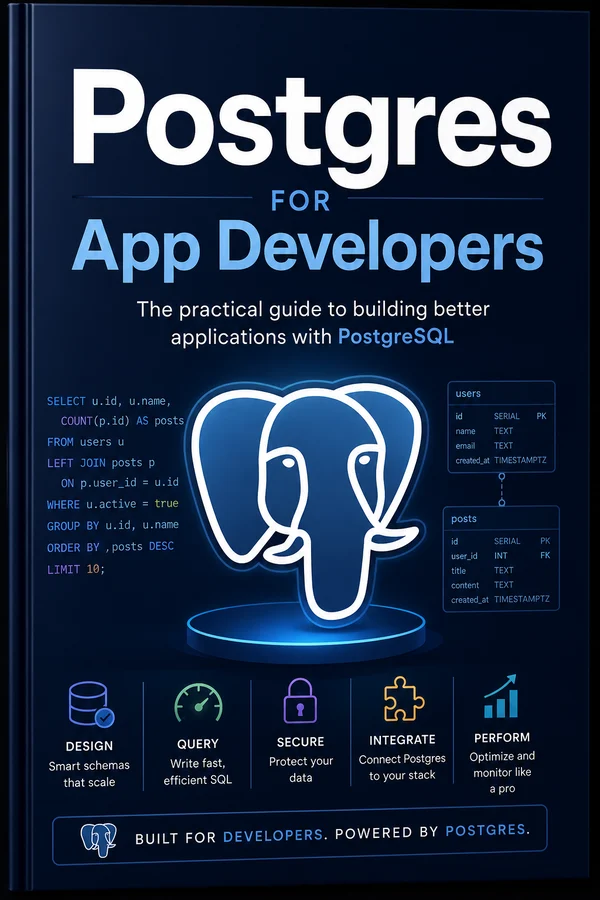
Not DBA theory, the 20% of Postgres that carries 80% of real apps: schema design, indexing, transactions, the query patterns that matter, and the gotchas that bite in production.
Why Postgres, and Why Learn It
Most app developers treat the database as a dumb box they put things in and take things out of, the ORM hides it, and they never look underneath until something is slow or broken at 2am, at which point they're debugging a system they never learned. This guide is the antidote: the slice of Postgres an application developer actually needs, taught as a tool you understand rather than a black box you fear.
Why Postgres specifically? Because it's become the default for good reasons: free and open source, astonishingly capable (a rock-solid relational core plus JSON, full-text search, and more), superbly documented, and everywhere. Every host runs it, and the Boring Stack guide's Coolify spins one up in a click. Learn Postgres and the knowledge transfers to nearly every job and project you'll touch. It's the safe, boring, excellent choice.
This is deliberately not a database-administration course. You won't find replication topologies, planner internals, or how to tune a thousand-connection cluster. You'll find the 20% that carries 80% of real apps:
- Schema design that holds up as the app grows, tables, types, constraints.
- Keys and relationships: modeling the connections your app depends on.
- Indexes: the single biggest lever on performance, and the most misunderstood.
- Querying well: joins and the patterns you'll write daily.
- Transactions, concurrency, and locking: keeping data correct when many things happen at once (the vote-counting race the Background Jobs and Hypermedia Stack guides keep promising to solve properly).
- JSON, migrations, reading `EXPLAIN`, and the production gotchas that bite.
The payoff is concrete: you'll design schemas that don't paint you into a corner, write queries that don't fall over at scale, understand why something is slow instead of guessing, and keep your data correct under concurrency. The database stops being the scary part of the stack and becomes one of the most powerful tools in it. Let's start where every app starts, designing the schema.
Schema Design That Holds Up
The schema is the foundation everything else sits on, and schema mistakes are the most expensive to fix, because once there's data and code depending on a bad shape, changing it is surgery. A little care here saves a lot of pain later, and the good news is that good schema design is mostly a few solid habits, not deep theory.
Use the right types, specifically. Postgres has rich types; use them instead of defaulting everything to text. timestamptz for points in time (always with the timezone (more below), integer/bigint for whole numbers, numeric for money (never float) floating point and money is how you lose cents), boolean for flags, uuid for IDs you want unguessable, text for strings (Postgres text has no penalty over varchar, so just use text). The right type is documentation, validation, and storage efficiency in one.
Let constraints enforce your rules. A constraint is a guarantee the database keeps for you, no matter what buggy code does:
CREATE TABLE users (
  id          uuid PRIMARY KEY DEFAULT gen_random_uuid(),
  email       text NOT NULL UNIQUE,           -- no duplicates, no nulls
  status      text NOT NULL DEFAULT 'active'
                CHECK (status IN ('active','suspended','deleted')),
  created_at  timestamptz NOT NULL DEFAULT now()
);
Every constraint there is doing work: NOT NULL stops missing data, UNIQUE stops duplicate emails (the Auth guide leaned on exactly this), CHECK stops invalid statuses, the default now() means you never forget a timestamp. Push invariants into the database, because application code is where bugs live and the database is the last line of defense, a rule enforced by a constraint can't be violated by a forgotten check in some handler.
A few habits that age well:
- Always `timestamptz`, never `timestamp`. Store points in time with timezone awareness (effectively UTC) so you never get bitten by ambiguous local times.
- `NOT NULL` by default; allow null deliberately. A nullable column is a question ("what does absent mean here?"); make each one a conscious choice, not an accident.
- Don't over-normalize early: and don't denormalize prematurely. Start normalized (each fact in one place), and denormalize only when a measured performance need demands it.
- Name things consistently:
snake_case, plural tables,idprimary keys,thing_idforeign keys. Boring consistency makes every later query predictable.
Get the types and constraints right and the database enforces correctness for you. The next piece of structure is how tables connect, keys and relationships.
Keys & Relationships
Relational databases are relational, the power is in how tables connect, and keys are the machinery of those connections. Get them right and your data has integrity the database enforces; get them wrong and you get orphaned rows, duplicate data, and queries you can't trust.
Primary keys: every table needs one. A primary key uniquely identifies each row. Two good choices:
- `bigint` auto-increment (
bigserial/ identity), simple, small, fast, sequential. A great default. The downside: IDs are guessable and reveal how many rows you have (/users/4tells an attacker you're small, the Auth guide's enumeration concern). - `uuid` (
gen_random_uuid()), unguessable, generatable anywhere without coordination, doesn't leak counts. Slightly larger and not sequential. Reach for these when IDs are exposed in URLs or APIs.
Pick per table based on whether the ID is public. Both are correct; the choice is about exposure, not religion.
Foreign keys: the relationships, enforced. A foreign key says "this column points at a row in another table, and the database will make sure that row exists":
CREATE TABLE posts (
  id        bigserial PRIMARY KEY,
  author_id bigint NOT NULL REFERENCES users(id) ON DELETE CASCADE,
  title     text NOT NULL
);
That REFERENCES users(id) does real work: you cannot insert a post with an author_id that doesn't exist, and you cannot leave posts pointing at a deleted user. Referential integrity, the guarantee that relationships are always valid, is one of the best reasons to use a relational database, and skipping foreign keys "for flexibility" throws away exactly that guarantee.
The ON DELETE behaviour is a decision worth making consciously:
- `CASCADE`: delete the user, their posts go too. Right when the child can't exist without the parent.
- `RESTRICT` (default), refuse to delete the user while posts exist. Right when you want to prevent accidental data loss.
- `SET NULL`: keep the posts, null out the author. Right when the child outlives the parent.
The three relationship shapes, which cover nearly everything:
- One-to-many: a user has many posts. The most common; a foreign key on the "many" side (
posts.author_id), as above. - Many-to-many: posts have many tags, tags have many posts. Modeled with a join table (
post_tagswithpost_idandtag_id), which is just two one-to-many relationships back to back. - One-to-one: a user has one profile. A foreign key with a
UNIQUEconstraint, or the same primary key in both tables. Less common; often a sign the data could just be more columns.
Index your foreign keys. Postgres indexes primary keys automatically but not foreign keys, and you almost always query by them ("all posts by this author"). An unindexed foreign key is one of the most common causes of a mysteriously slow app, which is the perfect segue to the chapter that matters most for performance.
Indexes: The 20% That Matters
If you learn one thing about database performance, learn indexes. They're the single biggest lever on how fast queries run, the most common fix for a slow app, and the most misunderstood feature in the database. Most app performance problems are a missing index, and most of the rest are too many.
What an index actually is. Without one, finding rows that match a condition means the database reads every row in the table and checks each, a "sequential scan." Fine for a hundred rows; catastrophic for a million. An index is a separate, sorted data structure (a B-tree) that lets the database jump straight to the matching rows without reading the rest, like the index at the back of a book versus reading every page. Add an index on users.email and "find the user with this email" goes from reading the whole table to an instant lookup.
CREATE INDEX idx_posts_author_id ON posts (author_id);When to add one. Index the columns you filter, join, or sort by:
- Foreign keys: you query by them constantly ("posts where author_id = X"), and Postgres doesn't index them automatically. The most commonly missing index.
- Columns in `WHERE` clauses: anything you look rows up by: email, slug, status, a timestamp range.
- Columns you `ORDER BY`: an index can return rows already sorted, skipping an expensive sort.
- Composite indexes for queries that filter on multiple columns together:
CREATE INDEX ON posts (author_id, created_at)makes "this author's posts, newest first" fast. Order matters, put the column you filter by equality first.
How to tell one is missing. A query that's slow, on a table that's grown, filtering or joining on an unindexed column. The definitive answer comes from EXPLAIN (its own chapter): a "Seq Scan" on a big table where you expected a fast lookup is the telltale sign.
The cost: indexes aren't free, so don't index everything. Every index has to be updated on every insert, update, and delete to the table, so each one slows writes slightly and uses disk. The art is indexing what you query and nothing more:
- Don't index columns you never filter on. An index nobody uses is pure cost.
- Don't duplicate. A composite index on
(a, b)already covers queries onaalone, so you don't also need an index on justa. - Unique indexes do double duty: a
UNIQUEconstraint is enforced by an index, so it speeds up lookups and enforces uniqueness (yourusers.email).
The mental model: indexes make reads fast and writes slightly slower, so index your read patterns and measure. For a read-heavy app (most apps), generous indexing of your query patterns is exactly right. Now let's write the queries those indexes accelerate.
Querying Well
Most of what an app does to its database is query it, and writing queries well, especially joins, is the day-to-day skill that separates someone who fights the database from someone who wields it. This is the handful of patterns you'll use constantly, done right.
Joins: combining related tables. The relational core. You stored posts and users separately (good. Each fact in one place); a join brings them back together:
-- every post with its author's name
SELECT posts.title, users.name
FROM posts
JOIN users ON users.id = posts.author_id;
The join types you actually need:
- `INNER JOIN` (just
JOIN), rows that match on both sides. "Posts that have an author." The default and most common. - `LEFT JOIN`: all rows from the left table, matched rows from the right, nulls where there's no match. "All users, and their posts if any", including users with zero posts. Reach for this when you want to keep the left side regardless.
- That's 90% of it.
RIGHTandFULLjoins exist but you'll rarely need them.
Aggregation: counting and summarizing. GROUP BY collapses rows into summaries:
-- how many posts each author has written
SELECT author_id, count(*) AS post_count
FROM posts
GROUP BY author_id;count, sum, avg, min, max over groups cover most reporting needs. Filter groups with HAVING (after aggregation), filter rows with WHERE (before), mixing them up is a common confusion.
The patterns and pitfalls worth internalizing:
- Select only the columns you need, not
SELECT *. Fetching columns you'll ignore wastes bandwidth and blocks some index optimizations. Be specific. - The N+1 query problem: the most common app-database performance killer. Your code loads 50 posts, then loops and runs a separate query for each post's author: 1 + 50 queries. Fix it with a single join (or a batched
WHERE author_id IN (…)). ORMs cause this constantly with lazy loading; learn to spot the burst of identical queries in your logs. - Filter and paginate in the database, not in your app.
WHERE,ORDER BY,LIMIT/OFFSET(or keyset pagination for big tables) belong in the query. Pulling a million rows into your app to filter them in code is how you run out of memory, the database is built to filter; let it. - Let the database do set work. Counting, summing, deduplicating, joining, far faster in SQL than in a loop in your application. The instinct to fetch raw rows and process them in app code is usually the slow path.
The theme: the database is a powerful query engine, and querying well means pushing work into it, joins instead of loops, aggregates instead of app-side counting, filtering at the source. Do that and your app stays fast and your code stays simple. But the moment more than one thing writes at once, a new class of problem appears: keeping data correct under concurrency, starting with transactions.
Transactions & Isolation
A transaction groups several database operations into one all-or-nothing unit: either every step happens, or none does. It's the feature that keeps your data correct when an operation involves multiple changes, and getting it right is the difference between a reliable app and one that occasionally corrupts itself in ways you can't reproduce.
The classic example, and why you need it. Transferring money between accounts is two steps: subtract from one, add to the other. If the process crashes between them, you've destroyed money, subtracted but never added. A transaction makes the two steps atomic:
BEGIN;
  UPDATE accounts SET balance = balance - 100 WHERE id = 1;
  UPDATE accounts SET balance = balance + 100 WHERE id = 2;
COMMIT;   -- both happen; if anything fails, ROLLBACK and neither does
If anything between BEGIN and COMMIT fails, you ROLLBACK and the database is exactly as it was, no half-finished state. Any time a logical operation is more than one write, it probably belongs in a transaction, so a failure can't leave your data half-changed. The Background Jobs guide's "enqueue the job in the same transaction as the data change" trick is exactly this: the row and its follow-up job commit together or not at all.
ACID, briefly, because it's what transactions guarantee. Atomicity (all-or-nothing, above), Consistency (constraints hold before and after), Isolation (concurrent transactions don't see each other's half-done work), and Durability (once committed, it survives a crash). You don't need to recite these. You need to know the database provides them, so you can lean on transactions instead of hand-rolling correctness in app code.
Isolation levels: the one subtlety worth knowing. When transactions run concurrently, how much can they see of each other? Postgres defaults to Read Committed: each statement sees data committed before it started, fine for most apps, but it allows a subtle trap. Read a value, make a decision, write based on it, and a concurrent transaction can change that value in between, so your decision was based on stale data. (This is the vote-counting race again, from the transaction angle.) The fixes:
- For most apps, Read Committed plus careful writes is enough: especially atomic updates (
SET balance = balance - 100, which reads and writes in one indivisible step) sidestep the trap entirely. - For the cases that need it, a stricter isolation level (
REPEATABLE READorSERIALIZABLE) makes the database detect and reject conflicting concurrent transactions, so you retry instead of corrupting. Reach for it on the genuinely contended, correctness-critical operations.
Transactions keep a single operation correct. But when many operations contend for the same rows, you need the next layer: locking and explicit concurrency control.
Concurrency & Locking
Here's the chapter that finally solves the race condition the Hypermedia Stack, Background Jobs, and Auth guides all kept pointing at. When two operations touch the same row at the same time, they can corrupt each other, and the database gives you precise tools to prevent it.
The race, concretely. Two requests upvote the same question at the same moment. Each runs: read votes (both see 4), add one (both compute 5), write 5. Two upvotes, but the count went from 4 to 5, not 6. A vote vanished. This is the read-modify-write race, and it's everywhere, vote counts, inventory, balances, anything you read, change, and write back.
Fix #1: don't read-modify-write: let the database do the arithmetic atomically. The cleanest solution, and the one to reach for first. Instead of reading the value into your app and writing it back, tell the database to do the increment itself, in one indivisible statement:
-- atomic: the database reads and writes as one locked operation
UPDATE questions SET votes = votes + 1 WHERE id = $1;
There's no window between read and write for another transaction to slip in, because there's no separate read, the database serializes the whole votes + 1 internally. This single change fixes the vast majority of counter races, and it's why every one of those other guides said "the real fix is an atomic update."
Fix #2: row locks, when you must read first. Sometimes you genuinely need to read a row, decide something in app code, and write back, and you need to stop anyone else touching that row in between. SELECT … FOR UPDATE locks the row until your transaction ends:
BEGIN;
  SELECT balance FROM accounts WHERE id = 1 FOR UPDATE;  -- locked now
  -- ... decide in app code; no one else can modify row 1 ...
  UPDATE accounts SET balance = ... WHERE id = 1;
COMMIT;  -- lock released
Other transactions wanting that row wait until you commit. Powerful, but locks cost concurrency (others wait), so hold them briefly and only when an atomic update won't do.
`SKIP LOCKED`: the queue trick. The variant the Background Jobs guide leaned on: SELECT … FOR UPDATE SKIP LOCKED claims a row but skips rows already locked by others, so multiple workers each grab a different job instead of fighting over the same one. It's the elegant heart of database-backed queues.
Deadlocks: the hazard to know about. Two transactions each hold a lock the other wants, and both wait forever. Postgres detects this and kills one with an error, so it's not fatal, but you should retry the killed transaction. The way to avoid deadlocks in the first place: always acquire locks in a consistent order (e.g. always lock the lower account ID first), so two transactions can't grab them in opposite orders and trap each other.
The hierarchy to remember: atomic updates first (no lock you manage, no race), row locks when you must read-then-write, and consistent lock ordering to avoid deadlocks. Master this and concurrency stops being the thing that mysteriously corrupts your data. Now, a different kind of flexibility Postgres offers, storing JSON.
JSON in Postgres
Postgres can store and query JSON, which blurs the line between a relational database and a document store, and that's a double-edged tool. Used well, jsonb gives you flexibility exactly where you need it; used as a default, it throws away the integrity and queryability that made you choose a relational database in the first place.
`jsonb`: binary JSON, the one to use. Postgres has json (stores the text) and jsonb (stores a parsed binary form). Use jsonb. It's faster to query and can be indexed. You can store a document in a column, query inside it, and even index paths within it:
CREATE TABLE events (
  id    bigserial PRIMARY KEY,
  type  text NOT NULL,
  data  jsonb NOT NULL            -- flexible payload
);

-- query inside the JSON
SELECT * FROM events WHERE data->>'user_id' = '42';
SELECT * FROM events WHERE data @> '{"source": "mobile"}';  -- contains
When `jsonb` is the right call:
- Genuinely variable-shaped data: webhook payloads, event data, third-party API responses where the structure differs per record and you don't control it.
- Sparse or rarely-queried attributes: a bag of optional settings or metadata you mostly read whole, not filter on.
- Staging data before you know its final shape: capture now in JSON, formalize into columns once the structure settles.
When a plain column is better: and this is the more important rule: anything you filter, join, sort, or constrain on should be a real column, not a JSON field. The trap is reaching for jsonb because it feels flexible and then discovering you can't easily enforce that user_id is valid, can't foreign-key it, can't index it as cheaply, and every query is uglier. If you find yourself constantly digging the same key out of JSON, that key wanted to be a column. Relational structure (columns, types, constraints, foreign keys) is a feature, not a limitation, and JSON opts out of all of it.
The balance to strike: model the structured, queried part of your data as proper columns and relationships; use `jsonb` for the genuinely unstructured edges. A column for the things you query, a JSON bag for the variable extras. Reach for JSON as a precise tool, not as an escape from schema design, the schema is what's protecting you. Speaking of changing the schema: as the app grows, you'll need to evolve it safely, which is migrations.
Migrations Without Tears
Your schema will change (new columns, new tables, new constraints) and doing that safely on a database with real data and live traffic is its own skill. Get migrations right and schema change is routine; get them wrong and you take the app down or corrupt data. The principles are few and they matter enormously.
Migrations are versioned, ordered changes to your schema, in code. Each migration is a small script ("add this column," "create this table") that runs in order, tracked so the database knows which have been applied. They live in your repo alongside the code that depends on them, run as part of deployment, and, crucially, are the same migrations in development, staging, and production, so every environment's schema matches. Whatever tool you use (your framework's migrator, or a standalone one), the discipline is the same: schema changes are committed, reviewed, and run automatically, never hand-typed into production.
Forward-only, and reviewed. Treat migrations as forward-moving history. Once a migration has run in production, you don't edit it. You write a new migration for the next change. Editing an already-applied migration means dev and prod diverge, which is exactly the stale-schema nightmare. (The same forward-only rule the Boring Stack and Context Engineering guides apply to their artifacts.) And review them like code, a bad migration is one of the few things that can hurt every environment at once.
The safety rules that keep migrations from causing outages:
- Additive changes are safe; destructive ones need care. Adding a nullable column or a new table is safe. Nothing breaks. Dropping or renaming a column can break running code that still expects it. Sequence destructive changes carefully (below).
- Deploy schema and code in a compatible order. The classic outage: you drop a column in a migration, but the old app version (still running during a rolling deploy) queries it and errors. The safe pattern for risky changes is expand, then contract: first add the new thing and make the code work with both old and new, deploy; then, once nothing uses the old thing, remove it in a later migration. Two small steps, zero downtime.
- Beware locks on big tables. Some schema changes lock the table while they run, which on a large, busy table freezes your app. Creating an index locks writes unless you use
CREATE INDEX CONCURRENTLY; some column changes rewrite the whole table. On a small table none of this matters; on a million-row table the wrong migration is an outage. Know which operations lock. - Test migrations on real-shaped data. A migration that's instant on your empty dev database can take ten minutes and lock a production table with millions of rows. Test against a copy of production-scale data before running the scary ones.
The mindset: migrations are deploys to your most precious, hardest-to-restore asset, your data, so they get the same rigor as code, plus extra care for ordering and locks. Routine additive changes are nothing to fear; the destructive and the large need the expand-contract dance and a tested plan. With the schema able to evolve safely, let's talk about diagnosing why a query is slow, reading EXPLAIN.
Reading EXPLAIN
At some point a query will be slow and you'll need to know why, and the answer is never guessing, it's EXPLAIN. This is the tool that turns "the database feels slow" into "this query is doing a sequential scan on a million-row table because it's missing an index," and learning to read it is what makes you able to fix performance instead of cargo-culting around it.
`EXPLAIN ANALYZE` shows you the plan, and the reality. Prefix any query with it and Postgres tells you how it intends to execute, and with ANALYZE, actually runs it and reports what happened:
EXPLAIN ANALYZE
SELECT * FROM posts WHERE author_id = 42 ORDER BY created_at DESC;
You get a tree of operations with estimated and actual costs and row counts. You don't need to understand every line. You need to recognize a few key things.
The signals that matter, in plain terms:
- `Seq Scan` (sequential scan): the database read the whole table. On a small table, fine. On a big table where you filtered by a column, this is the smell of a missing index, the number-one thing
EXPLAINreveals. See a Seq Scan on a large table in a query you run often, and you've found your fix: add the index, runEXPLAINagain, watch it become anIndex Scan. - `Index Scan`: the database used an index to jump to the rows. Usually what you want; it means your index is doing its job.
- The actual time and rows:
ANALYZEshows real numbers. A step that estimated 10 rows but actually processed 100,000 means the planner's stats are off (sometimes fixed byANALYZE-ing the table to refresh statistics), and it's where the time is going. - Nested loops over big row counts: a join executed as "for each of these millions of rows, look up the other table" is often slow; it can signal a missing index on the join column or a query the planner is handling badly.
How to actually use it:
- Find the slow query. Postgres can log queries over a time threshold (
log_min_duration_statement); that's how you find what toEXPLAINinstead of guessing. - `EXPLAIN ANALYZE` it, and look for the Seq Scan on a big table or the step burning the most actual time.
- Form a hypothesis: usually "missing index on the filtered/joined column", make the change, and
EXPLAINagain to confirm the plan improved and the time dropped.
That loop (measure, read the plan, fix the specific thing, re-measure) is exactly the verification discipline the 70/30 Engineer guide preaches, applied to the database. Performance work stops being mysterious when you can see what the database is actually doing. With diagnosis in hand, let's cover the broader performance and scaling basics.
Performance & Scaling Basics
Before anyone reaches for sharding or read replicas or a fancier database, there's a stack of cheap, high-impact wins that handle the performance needs of the overwhelming majority of apps. Scaling Postgres is mostly not doing exotic things. It's doing the basics well and in order.
The wins, roughly in order of impact-per-effort:
- Index your query patterns. Said already, worth repeating: the single biggest lever. Most "the app got slow as we grew" problems are a query that was fine on 1,000 rows doing a Seq Scan on 1,000,000. Find it with
EXPLAIN, add the index, done. - Fix the N+1 queries. The other most common app-level killer (the querying chapter): a burst of per-row queries that should be one join. Collapsing these often gives a dramatic speedup for zero infrastructure change.
- Use connection pooling. Each database connection costs memory, and Postgres handles a limited number well. An app that opens a fresh connection per request will exhaust the database under load. A connection pooler (PgBouncer, or the pool built into your framework/ORM) keeps a managed set of connections that requests share, essential the moment you have real concurrency, and a frequent cause of mysterious "too many connections" outages when missing. On a managed host (the Boring Stack guide's Coolify, or any cloud Postgres) this is often a setting to switch on.
- Cache the expensive, rarely-changing reads. A query that's costly and runs constantly on data that barely changes is a candidate for caching (in memory, or Redis), but cache deliberately, because a stale cache is its own bug. Reach for it after indexing, not instead of it.
- Don't fetch what you don't need. Select specific columns, paginate, push filtering into the query (the querying chapter). A lot of "slow database" is really "app pulling far more data than it uses."
When you genuinely outgrow one Postgres, and most apps never do, the ladder goes: a bigger database server first (vertical scaling, the same "scale up before out" instinct from the Boring Stack guide), then read replicas (copies that serve read queries, taking load off the primary) for read-heavy workloads, and only much later partitioning or sharding, which add real complexity. The honest message: you are almost certainly nowhere near needing the exotic stuff. A single well-indexed, well-pooled Postgres on a decent server handles a genuinely large app. Reach for distributed-database complexity when you've measured that you need it, not because a blog post made you nervous.
The theme matches every infrastructure guide here: do the simple, boring things well (index, pool, fix N+1, cache carefully, scale up) and you'll get far further on one Postgres than the complexity-merchants would have you believe. The last thing standing between you and trusting that database: keeping the data safe.
Backups, Safety & Production Gotchas
The database holds the thing you most can't afford to lose, your users' data, so we end where it matters most: keeping it safe, and the production sharp edges that bite app developers specifically. Everything else in this guide makes the database fast and correct; this makes it survivable.
Backups: the same gospel as the Boring Stack guide, because it's the most important thing. A database without a tested, off-site backup is a disaster waiting for a date. The non-negotiables:
- Automated, regular backups (
pg_dumpon a schedule, or your host's snapshotting). Daily is the floor. - Off-site, so the server dying doesn't take the backups with it.
- Tested restores: a backup you've never restored is a hope, not a backup. Practise the restore once, calmly, before you need it in a panic.
If you're on a managed Postgres (the Boring Stack guide's Coolify, or cloud Postgres), turn on automated backups the moment you create the database. This is survival, not convenience.
Production gotchas that catch app developers:
- The unindexed foreign key. The most common one, worth a third mention: Postgres doesn't index foreign keys automatically, you query by them constantly, and the app mysteriously slows as it grows. Index them.
- Connection exhaustion. No pooler, traffic climbs, the database hits its connection limit, and everything errors with "too many connections." Pool your connections before you need to.
- The accidental full-table lock. A careless migration (adding an index without
CONCURRENTLY, a rewrite on a huge table) freezes the app mid-deploy. Know which operations lock, and test big migrations on real-shaped data. - `SELECT *` and over-fetching in hot paths, pulling columns and rows you don't use, which scales badly precisely when traffic is highest.
- Floating-point money. Storing currency as
floatand watching cents drift. Usenumeric. (The schema chapter; it bears repeating because it's silent and embarrassing.) - No timezone awareness.
timestampinstead oftimestamptz, and a daylight-saving boundary produces wrong times. Alwaystimestamptz. - Migrations that diverge between environments. Editing an applied migration, so dev and prod drift apart. Forward-only, always.
The safety mindset, in one line: the database is the most precious and least replaceable part of your stack, so treat changes to it (schema, big queries, deletes) with proportionally more care than the rest of your code, and never operate it without backups you've actually tested.
That's the 20% of Postgres that carries 80% of real apps: a schema with the right types and constraints, keys and relationships with real integrity, indexes on your query patterns, queries that push work into the database, transactions and locking that keep data correct under concurrency, JSON used as a precise tool, migrations that don't cause outages, EXPLAIN to diagnose slowness, the boring scaling wins, and backups you can trust. The database stops being the scary box and becomes what it should be, one of the most powerful, reliable tools you have. It sits underneath the Hypermedia Stack, Background Jobs, and Auth guides; now you understand the foundation they all stand on.
About Roger
I'm Roger Stringer. I build things, break them, and write up what I learned so you don't have to learn it the hard way. These Field Guides come straight out of that work.
Working on something bigger? I take on a handful of fractional CTO engagements, helping founders and teams set technical direction, build AI-powered workflows, and actually ship the hard parts. If you're wrestling with the kind of problem this guide covers and want someone in your corner who's done it before, that's exactly what I help with. Drop me a line.
And if a guide helped, got something wrong, or you just want to compare notes, I'd love to hear from you:
- Email: roger.stringer@hey.com
- X: @freekrai
- GitHub: github.com/freekrai
- LinkedIn: linkedin.com/in/rogerstringer
New guides go up as I hit problems worth documenting. Follow along wherever suits you.