Summary
Two people can use the exact same AI agent and get wildly different results. It's almost never the prompting. One of them built a system underneath the tool (a layer that gives the agent a persistent identity, a real memory, and a set of skills it runs the same way every time) and the other is still re-explaining themselves at the start of every session.
This is a field guide to building that system, in three moves. First, the OS itself: a plain-files architecture you can stand up this afternoon on whatever agent you already use, built around three pillars, personality, memory, and skills. Second, the pivot, graduating that static setup onto Hermes, Nous Research's open-source, self-hosted agent, so the files stop being a brief you read aloud and become a teammate that runs on its own. And third, where it's all heading: coordinating many agents to plan, execute, and monitor real goals, with the orchestration, shared memory, and governance that make a true agentic OS. Everything here is portable by design, and you build it one working piece at a time, starting with a single agent that actually knows you.
The Re-Briefing Tax
Last week I opened a fresh agent session and the first thing I typed was three paragraphs explaining who I am, how I write, what stack I'm on, and which folders not to touch. Again. For something like the four-hundredth time.
Most people have quietly accepted that this is just how AI works. You re-explain yourself every session, you get output that could've been written for anyone, and you call the whole ritual "prompting." It feels like the cost of doing business with a machine that has no memory.
It isn't. The gap between someone who gets mediocre results from an agent and someone who gets an actual teammate is almost never prompting skill. It's that one of them built a system underneath the tool and the other is paying the re-briefing tax, session after session, forever.
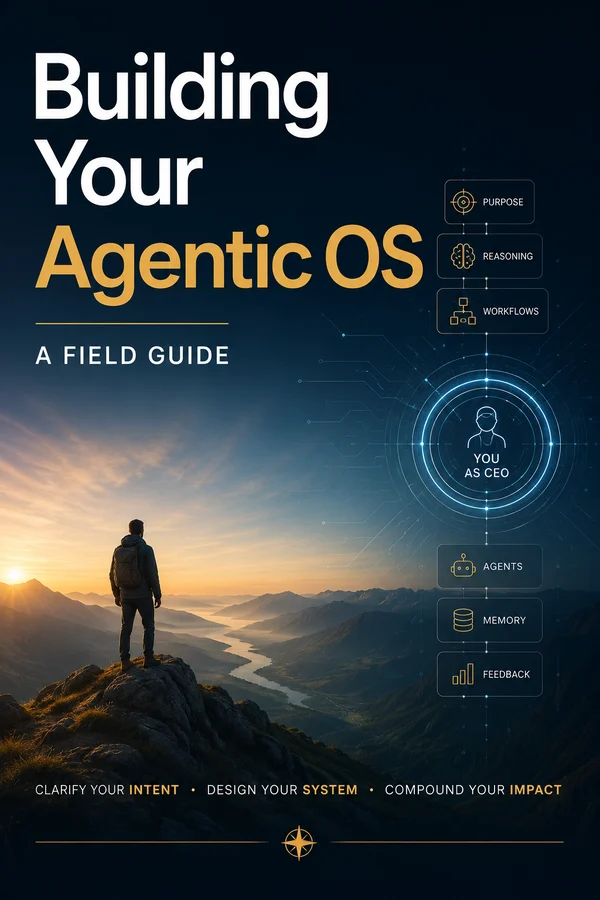
That system is what I've started calling an agentic OS, an operating system not for your computer, but for the agents working on top of it. At its simplest, it's a layer of files and conventions that gives an agent three things a default chatbot will never have on its own: a personality that knows how you want it to show up, a memory that survives past the end of the conversation, and a set of skills it runs the same proven way every time instead of improvising from scratch.
Taken all the way, though, it's bigger than one agent. A fully realized agentic OS is a foundational layer that coordinates many agents to plan, execute, and monitor multi-step goals, the way a real operating system schedules programs, manages shared memory, and governs access to the hardware, all while a human stays in control. We're going to get there. But you build it the way you build any system: one working piece at a time, starting with a single agent that actually knows you.
With those first three pillars in place, the thing stops behaving like a brilliant stranger you met five seconds ago and starts behaving like someone who's worked with you for a year. You stop prompting and start delegating. The re-briefing tax goes to zero.
This guide builds in three moves. First, the OS itself: the file architecture, layer by layer, that you can assemble today on whatever agent you already use, Claude Code, Cursor, whatever's in front of you. Second, the pivot most people don't realize is available yet, taking that static setup and graduating it onto Hermes, Nous Research's open-source self-hosted agent, where the files stop sitting still and start running on their own. Third, the endgame: turning one living agent into a coordinated system of them, with orchestration, shared memory, and governance, the full definition above.
The whole thing is just a folder of plain files you'll build up as we go. I keep my own as a reusable template and I'll walk you through the same structure throughout. You don't need anything special to follow along. Everything here is portable by design, and that portability is not a side note. It's the reason the work you do in the first move doesn't get thrown away in the next. Let's build it.
Personality, Memory, Skills
Strip the buzzwords off "agentic OS" and you're left with the three things any good colleague has that a default chatbot doesn't. Get these three named clearly and the rest of the guide is just implementation.
Personality. A good colleague knows how to show up for you specifically. They know your non-negotiables, your taste, the difference between "draft me something" and "draft me something I'd actually send." They don't need you to re-describe your standards every morning. A default agent has none of this. It's earnest and capable and completely generic, which is why its first draft always reads like it was written for a committee.
Memory. A good colleague remembers last Tuesday. The decision you made, the client you stopped working with, the library you ripped out and why. You don't re-brief them from zero every time you talk. A default agent is the opposite. It is, structurally, an amnesiac. Brilliant for the length of one conversation, then a blank slate. Every session starts at zero unless you build something to stop it.
Skills. A good colleague runs methodologies, not vibes. Ask them to do a thing they've done fifty times and they do it your way, the same way, reliably. They don't reinvent the approach on the spot and hope. A default agent improvises every single time, which is why asking it for "a blog post" twice gives you two different structures, two different tones, two different ideas of what you even wanted.
That's the whole diagnosis. A raw model is brilliant and amnesiac and improvisational, three qualities that are exactly wrong for a teammate and exactly what the OS exists to fix. Personality fixes the genericness. Memory fixes the amnesia. Skills fix the improvisation.
Here's the part that trips people up, and it's good news: none of this is a product you install. There's no platform to buy, no model to fine-tune, no training run. It's an architecture you assemble out of plain markdown files and a handful of conventions about when the agent reads them. That means two things. You can start in the next ten minutes. And nothing about it locks you in, the same files work across tools, and as we'll see in the second half, they're the literal seed of the more powerful system you'll graduate to.
The next five chapters build the three pillars as four concrete layers of files. Then we hit the ceiling of what static files can do, and that's where Hermes comes in. Start with the shape, though: personality, memory, skills. Everything else hangs off those three words.
The Architecture Is Just Files
Before we go layer by layer, look at the whole thing at once, because the shape is reassuringly boring. An agentic OS is a folder. That's it. Here's roughly what it looks like:
agent-os/
├── CLAUDE.md              # the loader — points at everything else
├── identity/
│   ├── user.md            # who I am
│   └── soul.md            # who the agent is
├── context/
│   ├── voice-profile.md   # how I write
│   ├── icp.md             # who I serve
│   └── positioning.md     # what I stand for
├── memory/
│   └── log.md             # the running record of decisions
└── skills/
    ├── write-post.md
    ├── deploy-railway.md
    └── ...
(Don't want to retype all that? I've packaged this exact skeleton as fill-in-the-blank templates, plus one finished skill, that you can download and drop in: grab the starter. Then follow along as we fill each layer.)
Nothing in there is exotic. It's markdown files in named folders. The intelligence isn't in the files being clever. It's in them being loaded in the right order, at the right time, automatically. A file the agent never reads is furniture in a room nobody walks into. The architecture is the wiring, not the prose.
Four layers, built bottom-up:
- Identity (
identity/), the personality pillar. Who you are, and separately, who the agent is. - Context (
context/), shared brand and domain knowledge every skill draws from. - Memory (
memory/), the running record that survives between sessions. - Skills (
skills/), the methodologies, one file per job.
And one file that ties it together: `CLAUDE.md`, the loader that sits at the root and tells the agent what to read on the way in. (If you're on a different tool, it might be AGENTS.md or a project config, same idea, the conventions are converging.)
Why build bottom-up? Because each layer leans on the one below it. Skills reference your context. Context only makes sense once the agent knows who you are. Memory is worthless if the agent has no identity to anchor it to. Start at the bottom, identity, and each layer you add makes the next one more useful.
Treat the structure above as a reference, not a dependency, the value isn't any specific file, it's the shape, and the shape is what I'm giving you here. One genuine warning before we start filling it in: the exact mechanics of how a given tool auto-loads these files (startup hooks, config syntax, where it looks) is the part that drifts fastest as the tools update. The four-layer architecture is stable. Check your specific agent's current docs for the loading details. Don't take my hook syntax as gospel six months from now.
Now let's fill the folder, starting at the bottom.
Layer 1: Identity
The bottom layer is identity, and it's two files kept deliberately apart: one for you, one for the agent. The separation is the whole trick, so let's do both.
`user.md` is you. How you work, what you want, what you don't, how you want to be spoken to. The fastest way I know to write it is to borrow memory the machine already has. Open an AI tool that's got history with you and say: "I'm building my identity file. Ask me 15 questions about how I work, what I want, what I don't want, and how I want you to respond." Answer honestly, paste the result into user.md, then cut the fluff. A filled-in one might look like this:
# user.md

I'm Sam — solo founder of a small B2B SaaS. Ex-agency
designer turned self-taught developer. Mostly work alone.

How I work:
- Ship small, ship often. I'd rather see a rough thing
  running than a perfect thing in a doc.
- Customer problem first, feature second. If I can't name
  the user and the pain, I'm not ready to build.
- Specifics over abstractions — the exact screen, the exact
  number, not "a config" and "cheap."

How to talk to me:
- Direct and warm. No corporate hype. No "leverage."
- Show me the mistake or the tradeoff before the recommendation.
`soul.md` is the agent. Its persona, its tone, its voice, the personality you want answering you. This is the file most people skip, and it's the one that makes the output stop sounding like a press release.
# soul.md

You write like one person talking to one person over coffee.
Dry humor, earned by being specific — never punchlines.
You don't perform expertise; you demonstrate it by knowing
what actually goes wrong.

Banned: "excited to share," "game-changer," "leverage" as a
verb, fire emojis, anything that smells like LinkedIn.
Why two files instead of one? Because they change at completely different rates. You barely change. Your working style this year is your working style next year. But the agent's personality you'll tune constantly: too formal, too chatty, hedges too much, over-explains. Keeping them separate means you can rewrite soul.md fifteen times without ever touching the description of yourself, and adjust your own preferences without accidentally lobotomizing the agent's voice. One file would tangle the two and you'd be editing your own identity every time the agent's tone annoyed you.
There's a deeper reason soul.md matters that's easy to underrate. An agent with no defined personality defaults to the blandest possible average of its training, which is to say, it sounds like everyone, which is to say it sounds like no one. The single highest-leverage paragraph you'll write in this whole system is the one that tells the agent who to be. Spend real time on it. It's the difference between a tool that answers you and a collaborator that sounds like it's on your side.
Get these two files right and every layer above them gets sharper, because everything the agent does now starts from knowing exactly who it's working for and who it's being.
Try this
- Open an AI tool that already has history with you and run the 15-questions prompt above. Paste the answers into
identity/user.mdand cut anything that could be true of anyone. - Write
identity/soul.md, the agent's voice, and give it a short "banned words and phrases" list. That list does more work than any amount of positive description. - Open a fresh session, point the agent at both files, and ask it for something you'd normally have to re-explain yourself for.
- Read the output as yourself. If it still sounds generic, the fix lives in
soul.md, not in a longer prompt, tighten it and run again.
Layer 2: Shared Context
Identity tells the agent who you are. Context tells it everything else it'd need to not embarrass you on day one, the stuff a good freelancer would ask for before writing a single word in your name.
This is a context/ folder, and what goes in it depends on what you do, but the usual suspects are:
- `voice-profile.md`: how you actually write. Not "professional and friendly," which means nothing. Your real vocabulary, your sentence rhythms, the words you'd never use, and, this is the part that does the work, three or four real examples of your writing pasted in whole. Examples teach voice in a way adjectives never will.
- `icp.md`: who you serve. The people you're writing and building for, in enough detail that the agent can picture them.
- `positioning.md`: what you stand for, what you're against, how you're different from the obvious alternative.
Whatever your version of these is, the content matters less than one architectural decision, and I want to be emphatic about it: make this folder shared.
Here's what I mean. Every skill you build later (the one that drafts posts, the one that writes proposals, the one that replies to email) should reach into this one context/ folder for your voice and positioning. Not its own copy. The one central source.
The reason is the failure mode on the other side. The first time you skip this and let a skill carry its own little inline description of your brand voice, it's fine. Then you build a second skill with a slightly different inline version. Then a third. Six months later you've got twelve subtly-different definitions of your own voice scattered across twelve files, no idea which one is current, and an agent that sounds like a slightly different person depending on which task you asked for. Updating your voice means hunting down twelve files and hoping you found them all.
With a shared folder, you update voice-profile.md once and it propagates everywhere instantly. Every skill, every output, same voice, because they all read the same file. This is the same instinct as not copy-pasting the same function into ten files in a codebase. One source of truth, referenced everywhere. You already know this principle from code; it applies exactly the same way to the context that feeds your agent.
Think of context/ as the shared infrastructure the whole OS stands on. Identity is who's in the room; context is what's on the whiteboard everyone in the room can see. The next layer, memory, is what gets added to that whiteboard as you work.
Try this
- Create a
context/folder withvoice-profile.md,icp.md, andpositioning.md, even if each starts as a few lines. - In
voice-profile.md, paste three or four full examples of your real writing. Resist describing your voice in adjectives; let the samples do it. - Take one prompt or skill you already use and rip out its inline brand notes, replacing them with a pointer to
context/. - Change a single line in
voice-profile.md, re-run that skill, and confirm the change shows up. That's your proof the folder is actually shared.
Layer 3: Memory
Identity and context are things you write once and revise occasionally. Memory is different. It's the layer that grows as you work, the running record that lets the agent remember last Tuesday. And it's the layer where people either massively overbuild or skip entirely, so let's be precise about it.
Memory stacks in levels. You almost certainly don't need all of them.
Level 1: the loader. This is CLAUDE.md at the root, and it's the keystone of the entire OS. Its job is to be the first thing the agent reads, automatically, every session, and to point at everything else: *"Load identity/user.md. Load identity/soul.md. Read context/. Here's what we're working on right now."* Without this wiring, every other file in this guide exists and does nothing. They're a library the agent never walks into. The loader is what walks it in. If you do only one thing from this chapter, make it a real CLAUDE.md that references your other files explicitly.
Level 2: a session-start hook. A CLAUDE.md instruction asks the agent to load context. A hook forces it. If your tool supports startup hooks, you can have it deterministically push the right files into the context window on every session open, so a distracted model can't quietly "forget" to read its own brief. This is the layer whose exact syntax drifts the most between tools and versions, so check current docs rather than copying mine. But the principle is durable: asked is good, enforced is better.
Level 3: semantic recall. A running log of decisions the agent can search by meaning, not just keyword. You keep a memory/ file (or a small vector-backed store) where every session that produces a real decision appends a line, and later you can ask "why did we drop that library?" and get the note from three weeks ago. I keep mine dead simple: one line per real decision, and I always write the date as an absolute ("2026-06-14"), never "yesterday," because "yesterday" is a landmine to a system that reads it cold next month.
For most solo founders and small teams, Levels 1 through 3 are the 80/20. A loader, an enforced load, and a searchable decision log will get you most of the way to an agent that genuinely remembers.
Levels beyond that exist (verbatim recall for when exact phrasing matters, portable cross-device brains for multi-tool setups) and they're real, but they're for specific needs you'll know when you have. The nice thing is they stack on the same folder structure. You don't rebuild to add them; you layer them on. So don't gold-plate the memory system on day one. Build the three levels that pay off immediately, and add the exotic stuff only when a real problem demands it. Overbuilt memory you never query is just a more elaborate way to procrastinate on the skills layer, which is where the OS actually starts doing your work.
Try this
- Write a root
CLAUDE.mdthat explicitly names and loadsidentity/user.md,identity/soul.md, andcontext/. This is Level 1 and it's non-negotiable. - If your tool supports it, add a session-start hook that forces that load, then verify against your tool's current docs, since this is the part that changes most.
- Start a
memory/log.mdand, after any session that produces a real decision, append one line with an absolute date. - Open a new session and ask a question that depends on a past decision. If it recalls it, stop here, Levels 1–3 are enough until a real limit pushes you further.
Layer 4: Skills
The top layer is where the OS stops being a really well-briefed assistant and starts being a specialist. A skill is a markdown file that teaches the agent to do one job your way, and run it identically every time, instead of improvising a fresh approach on every request.
The anatomy of a good skill file is simple:
- When to use it: a short description up top so the agent knows when to reach for this skill versus another.
- The steps: the actual methodology. How you do this task, in order.
- The hard rules: the non-negotiables. The things that must always or never happen.
- Examples: a couple of real instances of good output, because examples calibrate better than instructions.
That's it. A skill isn't code and it isn't magic. It's the thing you'd write down for a sharp new hire so they could do the task without asking you twelve questions, captured once, then run forever.
Two design rules keep skills healthy. Keep each one under about 200 lines. If a skill is sprawling, it's probably two skills wearing a trenchcoat, split it. And use progressive disclosure: a tight description at the top that's always visible, with the heavy detail below it that only loads when the task actually calls for it. This keeps the agent's attention from drowning in twenty skills' worth of detail when it only needs one. It reads the menu, then opens the recipe it picked.
And, closing the loop from the last two chapters, every skill references the shared `context/` folder instead of restating your brand. The skill says how to do the job; the context says who you are while doing it. Keep those separate and you can improve your methodology and your voice independently.
Here's the payoff, and it's bigger than it sounds. The reason the same agent gives two people different results isn't that one writes better prompts. It's that one of them has written their methodologies down once and runs them identically, while the other re-derives the approach, usually a little worse, every single time. A skill turns "I hope it does this well today" into "it does this the way I decided it should, every time." That's the difference between a clever tool and a reliable colleague.
Notice the open standard quietly forming here, too. These skill files have a portable shape, increasingly a shared SKILL.md format, which means a skill you write today isn't trapped in one tool. Hold onto that fact. It's the bridge to the second half of this guide, and it's the reason none of the work you just did gets thrown away when you graduate to something more powerful.
With all four layers in place (identity, context, memory, skills) you've stopped prompting and started configuring. The agent walks in already knowing you, already sounding like the personality you chose, already remembering what you decided, already running your methods. That's the OS. Now let's talk about what it still can't do.
Try this
- Pick the single task you hand the agent most often, the one you keep re-explaining.
- Create
skills/<task>.mdwith four sections: when to use it, the steps, the hard rules, and two real examples. Keep the whole thing under 200 lines. - Put a tight trigger description at the very top (progressive disclosure) and reference
context/for voice instead of restating it. - Run the skill twice on different inputs. If the output drifts between runs, tighten the hard rules until it doesn't, then go write the skill for your next most-common task.
The Ceiling of Static Files
The file-based OS is genuinely powerful, and for a lot of people it's the whole answer. But it has a ceiling, and it's worth naming exactly, because the shape of the ceiling is the shape of the thing you graduate to.
Here's the limit in one sentence: the OS can't run when you're not there.
Everything we built in the first half is, functionally, a brilliant brief. It sits in a folder, perfectly organized, and does absolutely nothing until you open a session and the agent reads it. It's reactive by nature. Think about what that rules out:
- It can't reach you. If something happens (a deploy fails, a metric spikes, an email comes in that needs a fast reply) the OS has no way to tell you. It only exists inside a session you started.
- It can't run on a schedule. "Every morning, audit my hosting costs and flag anything weird" is impossible with static files. There's no one home at 7am to read the brief.
- It can't act in parallel. One session, one conversation, one thing at a time, all of it gated on your attention.
- And the big one: it can't learn on its own. When you and the agent solve something hard together, that hard-won lesson evaporates at the end of the session unless you manually write it into a skill or a memory file. The system doesn't improve itself. You improve it, by hand, one note at a time, forever.
That last one is the real ceiling. We built a memory layer and a skills layer precisely so the agent could remember and specialize, but in the static-files world, you are the mechanism. You're the one noticing the lesson, opening the file, writing it down. The OS can hold knowledge beautifully. It just can't generate its own.
So the static OS is a teammate who's sharp, knows you cold, follows your methods exactly, and is also, in a specific sense, asleep until you wake them up, and incapable of writing anything in their own notebook without you dictating it.
Which raises the obvious question: what if the files could run? What if the identity, the memory, the skills, the exact things you just built, were loaded into something that lived on your machine full-time, reached you on your phone, ran on a schedule, spun up parallel workers, and wrote its own skills when it figured something out?
That's not hypothetical. It's called Hermes, and the rest of this guide is about making the jump, without throwing away a single file you just built.
What Hermes Is
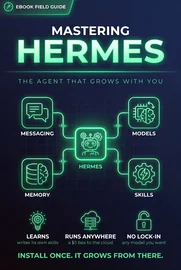
Hermes is an open-source, self-hosted AI agent from Nous Research, released in February 2026 under the MIT license. The tagline they use is "the agent that grows with you," and once you've felt the ceiling of static files, that phrase stops sounding like marketing and starts sounding like the exact thing you were missing.
What it is, concretely: not a copilot bolted into an IDE, and not a chatbot wrapping a single API. It's an agent that installs on your own machine or server with a single curl command (it pulls its own Python, sets everything up, no sudo, runs on Linux, macOS, and WSL2) and then lives there, running, between sessions. It takes the three pillars you built by hand in the first half (personality, memory, skills) and makes them live instead of static.
Two features matter most for someone arriving from a file-based OS.
Persistent memory that maintains itself. Everything Hermes knows lives in ~/.hermes/ on your own machine (your projects, your environment, your preferences) and it carries across every session without you re-loading anything. No telemetry, no cloud, no lock-in; you can read every byte of it because it's sitting in a folder you own. Your Level 3 memory layer stops being a log you tend by hand and becomes a system that tends itself.
A real learning loop: this is the headline. When Hermes solves a hard problem, it writes its own skill document so it never has to solve that problem from scratch again. Sit with that for a second against the ceiling we just hit. The single thing the static OS couldn't do, improve itself without you manually transcribing the lesson, is Hermes's central feature. The skills you wrote by hand in Layer 4 were the seed; Hermes grows the rest on its own as it works. And it writes them in a portable SKILL.md format aligned with an open standard (agentskills.io), so the skills it generates are searchable, shareable, and never trapped inside it.
That's the heart of why this is the natural graduation and not a lateral move to a different tool. You spent the first half teaching an agent who you are, what you sound like, and how you work, but you were the one doing all the teaching, and the lessons only stuck when you wrote them down. Hermes takes the same inputs and adds the missing half: it keeps the memory alive on its own, and it learns from its own work without waiting for you to take notes.
It also ships with 40+ skills out of the box and runs on whatever model you want behind it, but the install, the persistent local memory, and the self-writing skills are the three things that make it the place a file-based OS wants to grow into. The next chapter is about everything it can do once it's living on your machine that a folder of files simply never could.
Try this
- Skim the README at
github.com/NousResearch/hermes-agentand confirm your setup qualifies, Linux, macOS, or WSL2. - Decide where it'll live. Your dev machine is fine to start, but an always-on box (a cheap VPS, a home server) is what later unlocks unattended scheduling.
- Choose your model path before installing: Nous Portal via OAuth, an OpenRouter key for 200+ models, your own OpenAI-compatible endpoint, or a local model.
- Don't install until your file-based OS is actually built, the payoff compounds only when you have identity, context, and skills ready to hand it on day one.
Lives Where You Do, Runs On Its Own
Persistent memory and a learning loop are why you'd graduate to Hermes. What you actually feel day to day is everything it can do that a folder of files can't, because it's a running process, not a document. Walk back through the ceiling from a few chapters ago and watch Hermes knock out each limitation.
It reaches you where you already are. Hermes runs a single gateway process that connects Telegram, Discord, Slack, WhatsApp, Signal, and the CLI, all at once. Start a conversation in your terminal at your desk, finish it from your phone on a chairlift. It transcribes voice memos. The agent stops being a tab you have to remember to go visit and becomes something you can just message, like a person. The static OS could never reach out; this one is reachable from wherever your thumbs are.
It runs on a schedule, unattended. Built-in cron, set in plain language, delivering to any of those platforms. "Every morning at 7, check my Railway costs and DM me anything weird." Daily reports, nightly backups, weekly audits, a morning briefing waiting for you when you wake up, all running while you're asleep or away. This is the single feature that most changes the feel of the thing: an agent that does work you never started.
It works in parallel. Hermes can spawn isolated sub-agents, each with its own conversation and its own terminal, to run separate workstreams at the same time, and collapse a ten-step pipeline into a single turn. The static OS was strictly one-thing-at-a-time, gated on your attention. This isn't.
It can actually run code without you white-knuckling it. Five execution backends (local, Docker, SSH, Singularity, and Modal) with real container hardening: read-only roots, dropped capabilities, process limits. You can let it execute things in a sandbox that genuinely contains the blast radius, instead of either babysitting every command or handing it the keys to everything.
And underneath all of it: it's yours. MIT-licensed, self-hosted, no telemetry, model-agnostic, point it at Nous's own portal, at OpenRouter for 200+ models, at any OpenAI-compatible endpoint, or at a local model running fully on your own hardware. For anyone who's ever watched a SaaS quietly change its pricing at 9am on a Tuesday, the fact that you can read every line of the thing and run it on your own box lands differently than any feature on the list.
Put the two chapters together and the picture is complete: Hermes keeps a living memory, writes its own skills as it learns, reaches you on every platform you use, runs work on a schedule, parallelizes, and sandboxes, all the things the file-based OS structurally couldn't. Which leaves exactly one question, and it's the one that makes the whole first half of this guide worth it: how much of what you already built carries over?
Try this
- Write down the two or three things you wish an agent would do while you're away, a morning cost check, a daily digest, a nightly backup. Those are your first scheduled automations.
- Pick the one messaging platform you actually live in (Telegram, Slack, Discord) and make it the first gateway you wire up.
- Flag any task that runs code and decide its sandbox: local for trusted work, Docker or SSH for anything riskier.
- Keep that list. It becomes your setup checklist the moment you install, start with exactly one automation on one platform, not all five at once.
The Bridge: Why Your Work Carries Over
Here's the question that decides whether the first half of this guide was time well spent or a detour: when you move to Hermes, how much do you rebuild?
The answer is almost nothing, and that's not luck, it's the reason to build the file-based OS in the first place.
Walk through what transfers. Your identity files (user.md, soul.md) are plain descriptions of who you are and who the agent should be. Hermes needs exactly that. Your context folder (voice profile, ICP, positioning) is the brand knowledge any agent has to have to work in your name. Straight copy. Your memory log is a record of decisions that's just as useful to a living system as a static one. And your skills, the methodologies you wrote in Layer 4, are already in the portable SKILL.md shape that Hermes reads natively, because both your hand-built OS and Hermes's auto-generated skills speak the same open standard (agentskills.io). The format is the bridge. It's why a skill you wrote on a Tuesday in your file-based setup just runs in Hermes.
So the work you did in the first half wasn't a throwaway prototype you'll regret. It was the seed. You hand Hermes your identity, your context, your skills, and then its learning loop takes over and grows the rest, in the same format, on its own. Your file-based OS is the on-ramp; Hermes is the highway, and the migration is mostly copying files you already wrote.
Here's how the move actually goes:
- Install it. One
curlcommand. It pulls its own Python, sets everything up, no sudo. Linux, macOS, or WSL2. - Bring over your OS. Copy your
identity/,context/, and hand-writtenskills/into Hermes. This is where building the first half cleanly pays off. It's mostly a copy job, not a rewrite. - Pick your model. OAuth into the Nous portal, drop in an OpenRouter key for 200+ models, point at your own endpoint, or run a local model. Your data, your call.
- Wire up one platform. Start with Telegram or the CLI. Get a single channel working and feel it before you connect five.
- Set one automation. A single morning briefing is the fastest way to feel the difference between a tool you open and an agent that shows up on its own.
Then you mostly get out of its way. The OS you assembled by hand starts maintaining its own memory and writing its own skills, and your job shifts from building the system to directing it. The static files were never the destination. They were the thing you needed to have ready so that the moment you flip on something that can run, it already knows exactly who it's working for.
Try this
- Before you migrate anything, clean what you're copying, skim
identity/,context/, andskills/and cut whatever's stale. You're about to hand these to a system that runs on its own. - Run the five steps above in order, and resist doing more than one platform and one automation on the first pass.
- After a week, open
~/.hermes/and look at the skills Hermes wrote on its own. That folder is the learning loop made visible, and proof the migration was worth it. - When one of those auto-written skills is good, fold it back into your file-based OS so your on-ramp keeps improving too.
From One Agent to a System
Everything up to here has been about one agent, a very well-configured one, living on your machine, but still a single worker you hand a task to. The full definition of an agentic OS is bigger: a layer that coordinates many agents to plan, execute, and monitor a goal, the way an operating system schedules dozens of programs and manages the memory they share. And here's the part that surprised me when I went looking. You mostly don't have to build that layer yourself. Hermes already has it. It's called profiles.
A profile is a whole agent. Each one is a separate Hermes home. Its own SOUL.md, its own skills, its own memory, config, cron jobs, even its own gateway and bot token. And each profile becomes its own command: researcher chat, writer chat, deployer chat. So "a team of specialized agents" stops being a metaphor. It's hermes profile create, run a few times.
You clone them from a base, not from scratch. hermes profile create researcher --clone-from base stamps a new specialist out of an existing one, which is the template idea from Part 1 paying off all over again. Build one good OS (identity, context, skills), then mint specialists from the same DNA and tune each: a research profile, a drafting profile, a deploy profile. Give each a one-line role description at birth (--description "reads source and docs, writes findings") so the system knows what it's good at.
Orchestration is the scheduler: and it ships. Hermes has a kanban orchestrator that takes work and routes it to the profile best suited for it, using those role descriptions. That's the real leap past basic parallel sub-agents: a coordinator that owns a goal, breaks it into cards, hands each to the right specialist, and tracks it to done. You can drive the board manually or let it route automatically.
Shared memory is memory management. Each profile keeps its own memory, but Hermes can put a shared layer underneath. Its Honcho memory provider gives every profile its own observations while sharing one workspace. That's the single source of truth from Layer 2, now spanning agents: the fleet works from a common brain and still keeps distinct identities. A researcher that remembers like a researcher and a writer that remembers like a writer, both reading the same brand context.
And because a profile is ultimately just files, you can package one as a git repo and install it elsewhere, hermes profile install github.com/you/research-bot, a whole agent, shared like a dependency.
Notice the role shift one more time. In Part 1 you were the operator. With Hermes you became the delegator. Here you're the designer. You decide which profiles exist, what each is good at, and how the orchestrator routes between them. You're building a small org, not a bigger employee.
Which raises the nervous question: if a roster of profiles is autonomously chasing a goal, who makes sure they don't do something dumb, expensive, or irreversible? That's governance, next.
Governance and the Human at the Console
The moment a roster of profiles is acting on its own toward a goal, the interesting question stops being "can they?" and becomes "should they, and who's watching?" This is the clause of the definition that's easiest to skip and most dangerous to: an agentic OS runs complex workflows autonomously while maintaining human oversight. Autonomy without that second half is a liability with good demo energy.
Two pieces make it safe to run.
Governance is the kernel. A real OS gates access on purpose, not every program touches every device. Your fleet needs the same, and Hermes profiles give you part of it for free: each profile has its own config, its own API keys, its own toolset and model, so you can scope what each one is even capable of. The deploy profile gets deploy tools; the research profile gets read-and-web access and nothing destructive.
Here's the sharp edge worth knowing, though, because it's the mistake people make: a profile isolates Hermes state, not your filesystem. Profiles don't sandbox. On the default local backend, an agent has the same file access your user account does, a scoped personality is not a scoped blast radius. Real least-privilege means pairing profile scoping with an actual sandbox (one of Hermes's hardened backends, Docker, SSH, and friends), plus approval gates on anything irreversible, spend limits because a runaway loop is a runaway bill, and an audit trail of which profile did what. Power gated by design, not by hope.
Human oversight is the console. You don't watch every keystroke; you watch the board and hold the controls that matter. The orchestrator is where this lives. You can let it route work automatically, or keep it manual and approve each handoff, which is your dial between "fully autonomous" and "human-in-the-loop." Pick the calls that deserve a checkpoint (the irreversible, the customer-facing, the expensive) and let the rest run. Keep monitoring you can actually read, and a pause-and-replan button for when the goal was wrong or the world moved. The loop is plan → execute → monitor → replan, with you sitting at the monitor step on the decisions that count.
If this sounds familiar, it's the team-scale version of the discipline from the 70/30 Engineer guide, delegate, verify, own. Going from one agent to ten doesn't retire the verifying and owning; it promotes them, from reviewing a diff to governing a system. You're still accountable for everything the fleet ships. The signature is still yours. There are just more hands now.
Honest placement: this third act is the newest and fastest-moving part of the stack. The primitives are real and shipping today (profiles, the kanban orchestrator, shareable agents) but full autonomous, well-governed swarms are still being figured out in public, and most solo operators won't need the whole thing yet. A single well-built profile on Hermes carries you a long way. The reason to understand the layer now is that the foundation from Parts 1 and 2 is exactly what scales into it: your base OS becomes the profile you clone, your context becomes the shared brain, your skills come along for free. Build the foundation. The system grows out of it, and when you're ready to build the whole coordinated fleet, that's its own field guide: Running the Fleet picks up exactly where this leaves off and walks the entire distance.
Building Yours
So how do you actually do this, not in theory, but starting today, in your real work, without setting aside a free weekend you don't have?
You build it in the order of leverage, bottom-up, and you don't wait until it's complete to start using it. Each layer pays off the moment it exists.
Skip the blank-page problem first: download the starter. It's this exact four-layer structure as fill-in-the-blank templates, with one finished skill in it so you can see what "done" looks like. Drop it in, then work the layers:
- Start with identity, because it's the cheapest win. Today, write
user.mdusing the 15-questions trick, and write a realsoul.mdthat gives the agent a voice. Twenty minutes. You'll feel the difference in the very next session, because the output stops sounding generic. - Add a context folder this week. Drop in a
voice-profile.mdwith real examples of your writing, plus whatever domain knowledge an agent would need to not embarrass you. Make it shared. Every skill reads from it. - Wire the loader. Write a
CLAUDE.mdthat explicitly points at your identity and context files so the agent reads them automatically. This is the keystone; without it the rest is furniture. - Keep a memory log. One line per real decision, absolute dates. Don't overbuild it. Levels 1 through 3 are the 80/20.
- Write your first skill. Pick the task you ask the agent to do most, and write down how you do it, when to use it, the steps, the hard rules, two examples. Under 200 lines. Then watch it run your way instead of improvising.
That alone (identity, context, loader, memory, one skill) will already outperform how the overwhelming majority of people use these tools. You don't need the whole thing built to win. You need the bottom layers in place and the habit of writing the next skill when you notice yourself re-explaining the same task twice.
Then, when the files start to feel like a teammate who's sharp and knows you cold but can't quite move on their own. That's your signal. That's when you install Hermes, copy your OS into it, wire up one platform, set one automation, and let the learning loop take it from there. The on-ramp becomes the highway, and the system you tended by hand starts tending itself.
And past even that (when one agent isn't enough and you need a coordinated team of them, with shared memory and real guardrails) that's the multi-agent system from the third act. But that's a destination, not a starting line. Don't draw the org chart before you've made the first hire. The whole point of building bottom-up is that the same files you write this afternoon are what the bigger system runs on later.
The whole thing comes down to one shift: stop treating your agent as a tool you operate and start treating it as a teammate you onboard. Tools you re-explain yourself to every time. Teammates you set up once, and they grow with you.
If you want the discipline that keeps an agent honest once it's writing most of the code, that's the 70/30 Engineer field guide, guide, generate, verify, own. And if you're leading a whole org where humans and agents work side by side, the Fractional CTO field guide gets into the team-level version of all this. This guide was about the agent that works for you, specifically. Build its identity first. Everything else hangs off the agent knowing exactly who it's working for.
What's the first task you'd hand off to an agent that already knew exactly how you work?
Toolkit: The OS Skeleton
The guide walked the architecture layer by layer. This is the whole thing in one place, copy it, fill the brackets, and you have a working agentic OS by the end of the chapter. (There's also a downloadable starter with these as fill-in-the-blank files plus one finished skill, if you'd rather not retype.)
The folder
agent-os/
├── CLAUDE.md              # the loader — read first, every session
├── identity/
│   ├── user.md            # who you are
│   └── soul.md            # who the agent is
├── context/
│   ├── voice-profile.md   # how you write (with real samples)
│   ├── icp.md             # who you serve
│   └── positioning.md     # what you stand for
├── memory/
│   └── log.md             # running decision record
└── skills/
└── write-post.md # one file per jobCLAUDE.md: the loader
The keystone. Without it, every other file is furniture. (On other tools this may be AGENTS.md or a project config, same idea; check your tool's current docs for the exact auto-load mechanics, which drift faster than anything else here.)
# Operating instructions

Before doing anything, load the following and treat them as binding:

1. `identity/user.md` — who you're working for.
2. `identity/soul.md` — who you are and how you sound.
3. Everything in `context/` — voice, audience, positioning.
4. `memory/log.md` — decisions already made; don't relitigate them.

When a task matches a file in `skills/`, follow that skill exactly.
When we make a real decision, append one dated line to `memory/log.md`.
identity/user.md
# user.md

I'm [name] — [role, context in one or two lines].

How I work:
- [principle, e.g. "ship small, ship often"]
- [principle, e.g. "customer problem first, feature second"]
- [principle]

How to talk to me:
- [tone, e.g. "direct and warm; show the tradeoff before the recommendation"]
- [hard preference, e.g. "no corporate hype"]
identity/soul.md
# soul.md

You are [the agent's persona in a sentence]. You [how it shows up —
e.g. "write like one person to one person; dry, specific, never hyped"].

Banned: [your no-go words and tics — e.g. "excited to share,"
"game-changer," "leverage" as a verb, emoji].
context/voice-profile.md
# voice-profile.md

How I actually write: [a few real traits — sentence length, rhythm,
words you reach for, words you never use].

## Samples (the part that does the work)

[Paste 3–4 full passages of your real writing. Examples teach voice
in a way adjectives never will. Don't describe — show.]skills/write-post.md: the skill template
# Skill: [task name]

## When to use
[One or two lines so the agent knows when to reach for this skill.]

## Steps
1. [how you actually do this task, in order]
2. […]
3. Pull voice and positioning from `context/` — don't restate them here.

## Hard rules
- [the non-negotiables — always/never]

## Examples
[One or two real instances of good output. Examples calibrate better
than instructions.]
Keep each skill under ~200 lines, lead with the "when to use" description (progressive disclosure), and always point at context/ for voice instead of copying it. That's the entire OS, four layers and a loader. Fill it in bottom-up (identity first) and you're running today.
Toolkit: The 15-Question Identity Prompt
The identity chapter told you to have an AI tool ask you 15 questions to draft your user.md. Here are the actual questions, so you can run them even on a fresh tool with no history, or answer them by hand. The trick either way is the same: answer fast and honest, then cut the fluff.
How to use it
Paste this into an agent that knows you (or just answer down the list in a doc):
*"I'm building an identity file that tells an AI agent how to work with me. Ask me these 15 questions one at a time, then compile my answers into a tight user.md, cut anything generic that could be true of anyone."*The 15 questions
Who you are
- In two sentences, who are you and what do you actually do day to day?
- What are you usually trying to accomplish when you bring work to an agent?
- What does "great" look like to you, how do you know a piece of work is genuinely good?
How you work
- How do you like to start a task, dive in rough, or plan first?
- What's your bias: ship fast and iterate, or get it right before it goes out?
- When you're stuck, what kind of help actually helps, options, a recommendation, or questions back?
- What do you want to see before a recommendation, the tradeoffs, the risks, the reasoning?
- What's a recurring mistake an assistant makes with you that you have to keep correcting?
How to communicate
- Direct or diplomatic? Short or thorough? Pick the dial settings.
- What tone puts you off instantly? (Name the words and the vibe.)
- Do you want pushback when you're wrong, or just the answer?
- How much context do you want with an answer, just the conclusion, or the why behind it?
Standards and boundaries
- What are your hard non-negotiables, the things an agent should always or never do?
- What do you care about that most people in your field overlook?
- What should the agent assume about your skill level, so it doesn't over- or under-explain?
After you answer
Compile the answers into identity/user.md, then do the part everyone skips: cut every line that could be true of anyone. "I value quality" is noise. "I'd rather see a rough thing running than a perfect thing in a doc" is signal. The file earns its keep on the specifics, not the platitudes, and you can keep sharpening it every time the agent gets something wrong about how you work.
About Roger
I'm Roger Stringer. I build things, break them, and write up what I learned so you don't have to learn it the hard way. These Field Guides come straight out of that work.
Working on something bigger? I work as a fractional CTO through [Data McFly](https://datamcfly.com), helping founders and teams set technical direction, build AI-powered workflows, and actually ship the hard parts. Building an Agentic OS is most of what I do there; here's the business-level version. If you'd rather not build it from scratch, book a free 30-minute call. No pitch, no pressure.
And if a guide helped, got something wrong, or you just want to compare notes, I'd love to hear from you:
- Email: roger.stringer@hey.com
- X: @freekrai
- GitHub: github.com/freekrai
- LinkedIn: linkedin.com/in/rogerstringer
New guides go up as I hit problems worth documenting. Follow along wherever suits you.