Summary
Most of this series treats Hermes as the place its ideas land. Building Your Agentic OS pivots to it, Running the Fleet orchestrates on it, Self-Hosting the Agentic Stack deploys it. What none of them do is sit down and cover Hermes itself, the whole thing, every feature, the way I'd walk a competent developer through a tool they've never run in anger.
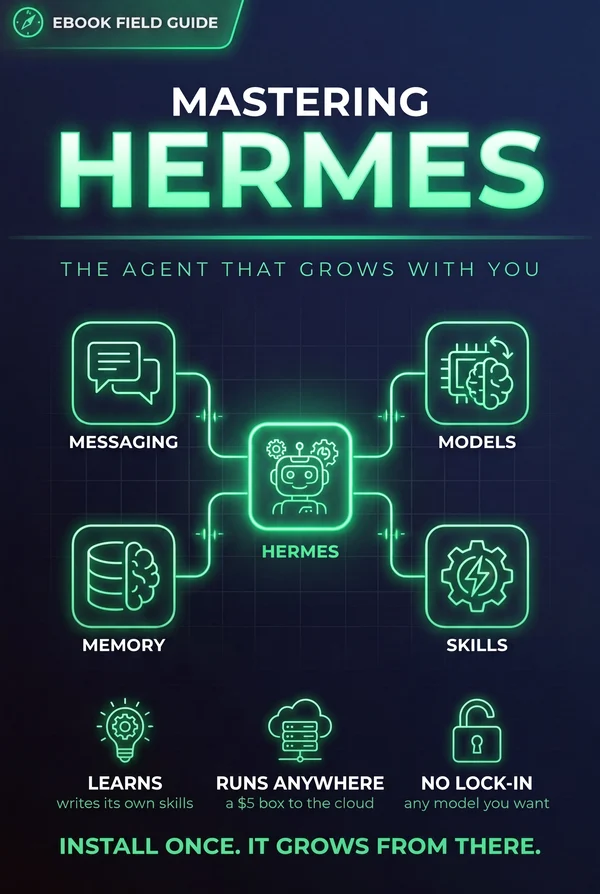
That's this guide. Hermes is Nous Research's open-source, self-hosted agent, the one with a built-in learning loop: it writes its own skills from experience, curates its own memory, searches its own past conversations, and builds a deepening model of who you are across sessions. It installs with one command, runs on a five-dollar box or a GPU cluster, talks to whatever model you point it at, and you can message it from Telegram while it works on a cloud VM. That surface is a lot bigger than the rest of the series has needed to show.
So here we go wide instead of deep: install and first contact, the model layer and Nous Portal, the terminal interface, the desktop app, the messaging gateway, voice mode, the six places it can run, the learning loop, context files and personality, tools and toolsets, MCP, scheduled automations, delegation and subagents, Bot Mode and its roster of named agents, the security model, day-two operations, and migrating in from OpenClaw. Where a topic has its own field guide in this series, I point you there instead of repeating it. This is the manual that ties the rest together.
This is a living document and will be updated as Hermes updates. Current through v0.21.0, the Pantheon release.
Why Hermes
Most AI tools forget you overnight. You close the tab, the context evaporates, and tomorrow you start over: re-explaining your stack, re-pasting the same conventions, re-teaching the same lessons. A copilot lives inside your editor and knows the file in front of it. A chatbot wraps a single API and knows the conversation you're having right now. Both reset. That reset is the ceiling, and once you feel it, you can't unfeel it.
Hermes is Nous Research's open-source, self-hosted agent, released under the MIT license, and its whole pitch is aimed at that ceiling. The tagline is "the agent that grows with you." It's not marketing once you've lived on the other side of it. Hermes installs on your own machine or server with a single command and then it stays there, running between sessions, accumulating.
The learning loop
Here's what makes it different, and it's one connected mechanism, not a feature list. When Hermes works through a hard problem, it can write its own skill afterward, so it never has to solve that same thing cold again. Those skills sharpen as you use them. Its memory curates itself: Hermes keeps a running model of what matters and nudges itself to persist the things worth keeping. It can search back across old sessions with full-text search and summarize what it finds, so a decision you made three weeks ago is still reachable. And through Honcho, it builds a model of who you are, how you work, what you tend to want. Skills, memory, identity. That's the loop. An agent that doesn't reset every morning.
Yours, anywhere, no lock-in
Two more things matter before we go further. Hermes runs where you do. Not just your laptop: a server, a box in a closet, wherever you want it living. And there's no model lock-in. You point it at whatever provider you like and switch whenever you want, no code changes. You own the thing.
A quick note on how this guide is built. The rest of my field guides treat the big ideas, agent memory, skills, tool design, as concepts. This one is different. This is the manual for Hermes itself, the actual software, hands on the keyboard. If you want the conceptual on-ramp first, why an agent needs identity, memory, and skills at all, read Building Your Agentic OS and then come back. If you're ready to just run the thing, stay here.
Because the first real step is the shortest one, and it's the next thing we'll do: getting Hermes onto your machine and saying hello.
Install and First Contact
Getting Hermes running is one line. On Linux, macOS, WSL2, or Termux, paste this into your terminal:
curl -fsSL https://hermes-agent.nousresearch.com/install.sh | bash
On native Windows, open PowerShell and run:
iex (irm https://hermes-agent.nousresearch.com/install.ps1)
That's the whole install. No package manager to fight, no dependency spelunking.
If you'd rather start with a window than a prompt, Hermes Desktop is a download for macOS on Apple Silicon and for Windows 10 and 11, and it installs the same agent underneath. Those two, plus Linux, WSL2, and Docker, are the primary supported platforms. Android through Termux and Nix are supported on a best-effort basis.
What the installer actually brings
The reason it's one line is that the installer does the unglamorous work for you. It pulls down uv, Python 3.11, Node.js, ripgrep, and ffmpeg, plus a portable Git Bash so the same shell environment works no matter where you're running. If you've ever spent an afternoon getting Python and Node lined up on a fresh machine, you'll appreciate that this is handled. You don't have to have any of it preinstalled, and Hermes uses its own copies, so it won't wrestle with whatever versions you already have.
Everything lands in one place. On Linux and macOS that's ~/.hermes. On native Windows it's %LOCALAPPDATA%\hermes. One home directory holds the install, your config, your skills, your memory. When you want to know where Hermes keeps its things, that's the answer.
Reload, then say hello
After the installer finishes, it's added itself to your shell profile, so reload it:
source ~/.bashrc
Then start the agent:
hermes
That drops you into the TUI, the terminal interface where you'll actually talk to Hermes. First time through, run the wizard:
hermes setup
It walks you through the basics, model provider included, so you're not editing config files blind on day one. You probably don't need to touch much beyond what the wizard asks.
When something's off
If the install went sideways, or a session starts misbehaving later, reach for:
hermes doctor
It checks your environment and tells you what's wrong: a missing dependency, a broken path, a provider that isn't wired up. I run it before I start guessing, because it usually names the problem faster than I would. It's the first thing to try when Hermes won't start or acts strange, and it's saved me from a lot of blind poking.
That's install and first contact done: Hermes is on your machine, the TUI is open, doctor has your back. The one decision the setup wizard glossed past is worth a chapter of its own, and that's where we're headed next: the model layer, and how Hermes talks to whatever brain you point it at.
The Model Layer
Hermes doesn't ship married to one model. This is the part people underrate until the day a provider raises prices, deprecates a model, or ships something better, and they realize they're stuck. With Hermes you're not. The agent is one thing; the model behind it is a setting.
Switching is a command, not a rewrite
Two ways to change what's driving Hermes. From your shell:
hermes model
Or mid-conversation, right in the TUI:
/model provider:model
Point it at whatever you like: Nous Portal, OpenRouter, OpenAI, your own endpoint, a local model on your own hardware, others. No code changes, no lock-in. You can run a big frontier model for hard reasoning and drop to something cheap and local for routine work, and switching between them is a few keystrokes. The agent, your skills, your memory, all of it stays put. Only the brain changes.
How hard it thinks is a separate dial. Reasoning effort now goes up to max and ultra on models that support those tiers, and you can pin per-model overrides in config so your expensive model thinks hard while your cheap one stays fast.
Nous Portal, the shortcut
If you'd rather not assemble the pieces yourself, Nous Portal is the easy path. One subscription covers 300+ models, so you're not juggling separate accounts and keys just to try things. It also includes a Tool Gateway, which wires up the capabilities an agent actually reaches for: web search through Firecrawl, image generation through FAL, text-to-speech through OpenAI, and a cloud browser through Browser Use. Instead of provisioning four services, you flip on one.
Turning it on is an OAuth login:
hermes setup --portal
That logs you in and switches the gateway on. To see what's actually wired up at any point, what's coming from Portal, what's coming from your own keys, run:
hermes portal info
You don't have to use it
Here's the honest part. Portal is a convenience, not a requirement, and I want to be clear about that because "sign in to our thing" pitches usually aren't. You can bring your own keys per tool and it works exactly as well. The gateway is per-backend, not all-or-nothing: use Portal for search and your own OpenAI key for TTS if that's what you want. Nothing forces you to route everything through one place. There's also a keyless tier now: web search works on a fresh install with no keys at all, rotating across several vendors with failover. It's enough to get going before you decide what you actually want to pay for. If you already have keys and accounts you like, keep them. If you'd rather not think about it, Portal handles it. Either way Hermes doesn't care, and that's the whole point of keeping the model layer loose.
With a model chosen and your tools wired up, the place you'll spend your actual hours is the terminal itself, so next we'll get comfortable there: the terminal interface, and the handful of commands you'll reach for without thinking.
The Terminal Interface
The TUI is where you'll live, so it's worth knowing well. It's a real interface built for doing work over long sessions.
What the interface gives you
You get proper multiline editing, so composing a real instruction doesn't mean fighting a single cramped input line. Slash-command autocomplete means you don't have to memorize every command; start typing / and it shows you what's there. Conversation history is right there to scroll through. Tool output streams as it happens, so when Hermes runs something, you watch it work instead of staring at a spinner waiting for a wall of text to land.
The feature I'd miss most is interrupt-and-redirect. When Hermes is mid-task and you can see it's heading the wrong way, you don't have to sit on your hands until it finishes to correct course. Send a new message, or hit Ctrl+C, and steer it right then. That single ability changes how you work with an agent, because you stop treating each request as a coin flip you're stuck with and start treating it as a conversation you're steering.
The commands you'll actually use
There are a lot of slash commands. You'll reach for a small set constantly. /new starts a fresh conversation when you're switching contexts. /model swaps the model without leaving the TUI. /personality adjusts how Hermes carries itself. /compress squeezes a long conversation down when it's getting heavy, keeping what matters. /usage shows what you're spending. /insights surfaces what Hermes has been noticing, and /insights --days N narrows it to a window. /skills lists what it's learned to do. And the two safety nets: /retry takes another swing at the last response, and /undo walks back the last step when something went wrong.
You don't need all of these on day one. /new, /model, and /undo will carry you a long way, and you'll pick up the rest as the need shows up.
The newer power commands
A batch of these landed after I first wrote this chapter, and a few have already become reflexes. Typing ! drops you into shell mode without leaving the session. /init sets a project up for the agent. /diff shows you what changed. /context tells you what's actually loaded, which is the one I reach for when an answer looks like it's missing something obvious. /focus narrows the agent's attention to the thing you're working on. And /subscription and /topup handle your Nous plan without a trip to a browser.
Reasoning models stream their thinking live now, too, so a long pause shows you its work instead of a spinner.
Why a real terminal UI matters
A toy REPL is fine for a demo and painful for actual work. When you're an hour into a task, editing multiline instructions, steering mid-run, watching tools stream, glancing at usage, the interface either stays out of your way or it becomes the friction. Hermes gets this right, and it's why I keep it open all day rather than reaching for it only when I remember it exists.
The terminal is home base. There's a second front door now, though: a full desktop app, doing a few things a terminal can't. That's next.
Hermes Desktop
The TUI is where I do most of my work, and for a long stretch it was the only place I did any of it. Then the desktop app got good enough that I stopped thinking of it as the version you show people.
Hermes Desktop is a real application for macOS on Apple Silicon and for Windows 10 and 11. It runs against the same ~/.hermes directory as everything else: same profiles, same skills, same memory. Nothing you set up in the terminal has to be rebuilt. You're looking at the same agent through a different window.
What the window buys you
Three things earn their place. The Capabilities page puts skills, tools, MCP servers, and the hub on one screen, which is the first time I could see everything the agent can reach without running four commands to find out. Artifacts render generated HTML and small apps as versioned cards with a sandboxed live preview in a right rail, so when the agent builds you something you can run it next to the conversation instead of saving a file and opening it yourself. And a global-hotkey quick-entry window drops a thought into any session from anywhere in your OS. That's the one I didn't expect to use daily and now do.
There's also a plugin SDK, with a Kanban board as its founding plugin. That matters less for what Kanban does than for what it signals. The desktop stopped being a chat client and became something you can build panes into.
The speed thing
Worth saying plainly, because it changed my habits. The desktop went through two dedicated performance waves. Streaming markdown got roughly fourteen times cheaper, giant diffs stopped freezing the review pane once the pane was virtualized, and streaming cost is now independent of how long the transcript is. Long sessions used to punish you for having a long session. That's gone.
Where it fits
I use the terminal when I'm already in a terminal, which is most of the time. I reach for the desktop when I want several things visible at once: a long diff, a subagent running, an artifact I want to click on. Windows installs have a few gaps compared to macOS and Linux, so check the feature matrix if you're on Windows and something you expected isn't there.
The desktop is also where Bot Mode lives, but that earns a chapter of its own further on. First, the thing that made me stop caring which machine the agent runs on: reaching it from your phone.
Lives Where You Do: the Messaging Gateway
Here's the moment Hermes stopped feeling like a tool and started feeling like something I actually work with. I was standing in line for coffee, I opened Telegram, I typed a request, and the agent picked it up on a cloud VM three hundred miles away and got to work. No SSH, no laptop, no "let me get to my desk." That's the messaging gateway, and it's the feature I'd sell someone on first.
One process, every inbox
The gateway is a single process that serves Telegram, Discord, Slack, WhatsApp, Signal, Email, and Home Assistant at once, and the list keeps growing. Buzz, Block's Nostr-based messenger, is bundled now too. You don't run seven bots. You run one gateway, and every channel is a doorway into the same agent. You set it up with hermes gateway setup, then you bring it online with hermes gateway start. That's the whole ceremony.
What makes it feel coherent is cross-platform conversation continuity. I can start a thread in Slack at my desk, and pick the exact same conversation up from Signal on my phone that evening. Same context, same memory, no re-explaining where we left off. The agent doesn't care which door you walked through. It's one conversation that happens to be reachable from all of them.
Voice works too. Send it a voice memo and Hermes transcribes it, so the thing you mumbled while walking the dog becomes a real instruction the agent acts on. I use this more than I expected to.
Who gets to talk to it
Opening an agent to seven messaging platforms sounds alarming until you see how the door is locked. Hermes uses DM pairing: you explicitly pair the accounts allowed to message it, and everyone else is talking to a wall. Nobody who stumbles onto the bot can drive it. You decide who's on the list.
A single gateway can also route to different profiles. Point a work Discord server at your work profile and a hobby server at personal, from one bot token, each with its own config, skills, memory, and secrets. One process, several agents, no crossed wires.
Once you're paired, a few commands keep you oriented. /status tells you what the agent is doing and where. /platforms shows which channels are live. And /sethome points the gateway at the working context you want it operating from, so a message from your phone lands in the right project instead of nowhere.
The scenario that sells it
Put it together. Hermes runs on a cheap always-on VM. The gateway is up, your Telegram is paired, and you're nowhere near a keyboard. You message it a task, it runs on the VM, and it messages you back when the work is done or when it needs a decision. The agent isn't trapped on your machine waiting for you to show up. It lives where you do, which is wherever your phone is.
Before we get to the box all of this runs on, there's the other way to reach it, and it doesn't involve typing at all. Next: voice.
Talking to It: Voice Mode
The last chapter mentioned voice memos in passing, which undersells what's there now. Voice in Hermes went from "send it an audio file and it transcribes" to something much closer to a phone call.
Turning it on
In the TUI:
/voice on
Then talk. Ctrl+B starts recording, and it stops on its own after about three seconds of silence, so you're not hunting for a stop button mid-thought. /voice tts makes it speak every reply, /voice status tells you where things stand, and /voice off puts it away.
You'll want the system libraries first. On macOS:
brew install portaudio ffmpeg opus espeak-ng
On Debian or Ubuntu, the same four through apt.
What makes it feel like a conversation
Two features do the heavy lifting here. Barge-in means you can interrupt. Start talking while Hermes is mid-answer and it stops, listens, and the model gets told you cut it off. That one behavior is the difference between talking to something and waiting for something. Replies also stream clause by clause as the text generates, so you're not sitting through a silence while a whole paragraph gets synthesized before playback starts.
Then there are wake words. You pick the phrase, it's open vocabulary rather than a fixed list, and detection runs on your own machine, so no audio leaves the box while it sits there waiting to hear its name. Different wake words can route to different profiles. Saying "stop" ends the voice chat on every surface without touching the keyboard.
Picking providers
Speech to text runs local by default, using Whisper at whatever size you point it at, and falls back through Groq and OpenAI if you'd rather not spend the CPU. Groq's whisper-large-v3-turbo is what I'd reach for when local is too slow. Text to speech defaults to Edge, which is free and perfectly good, with ElevenLabs, OpenAI, and several local options sitting behind the same config key.
All of it lives in config.yaml under voice, stt, and tts. The setting worth knowing early is barge_in, because it's on by default and it's the one people mistake for a bug the first time the agent stops mid-sentence.
Voice reaches past the terminal, too. Voice notes work on WhatsApp, LINE, and several other gateway platforms, and Hermes can join a Discord voice channel, transcribe each speaker separately, and answer out loud.
An agent you can talk to from across the room raises an obvious question: which machine is it actually running on? That's next.
Running It Anywhere
The gateway scenario from the last chapter only works because Hermes isn't tied to your laptop. If the agent died every time you closed the lid, messaging it from a coffee shop would be a party trick. It doesn't, and that's a deliberate design choice: Hermes runs its terminal work through six backends, and you pick the one that fits where you want the agent to live.
The six backends
The options are local, docker, ssh, singularity, modal, and daytona. Local is your own machine, good for tinkering. Docker gives you a clean, reproducible box. SSH runs the work on a remote server you already have. Singularity covers HPC and research clusters where Docker isn't welcome. And then there are the two that change how you think about cost.
Serverless persistence
modal and daytona offer serverless persistence. The environment hibernates when it's idle and wakes on demand. Between sessions it costs you close to nothing, and when a message comes in through the gateway, it spins back up and keeps going. This is the sweet spot for an always-available agent: you get a box that's there whenever you reach for it without paying for a box that sits warm and expensive all day doing nothing. You probably don't need this on day one, but the first time you check your bill after a quiet week, you'll be glad it's there.
Small box or big box
The range is wide. Hermes is happy on a $5 VPS, which is genuinely all most people need for a personal agent that reads, writes, and runs errands. It also scales up to a GPU cluster when the work demands it. Same agent, same ~/.hermes, radically different hardware underneath. You're choosing a backend, not rewriting anything. The desktop app can connect to a remote backend over SSH as well, so the window on your laptop can be driving an agent that lives on the big box.
The point that ties it back to the gateway: because the agent runs on infrastructure that outlives your laptop session, "message it from Telegram while it works" stops being a demo and becomes your normal Tuesday. The always-on box is what makes the always-reachable agent real.
If you want to stand Hermes up as one piece of a full self-hosted stack, running alongside Directus, n8n, and MCP behind Coolify on a single server you control, that's its own build worth doing carefully. I walk through it in Self-Hosting the Agentic Stack. Hermes slots into that stack cleanly, and hosting it next to your other services means one box, one bill, one place to back up.
So now you've got an agent that lives somewhere permanent and answers from anywhere. The next question is what actually makes it get better the longer it runs. Next: "The Learning Loop".
The Learning Loop
"The agent that grows with you" is a nice tagline, and taglines usually evaporate the moment you ask how. Hermes is the rare case where I can point at the machinery. Growing with you is a loop here, and the loop has parts you can name.
Memory that curates itself
The first part is agent-curated memory. As you work, Hermes gets periodic nudges to persist what matters, so the useful stuff gets written down instead of scrolling out of the window forever. It isn't dumping every token into a file. It's deciding what's worth keeping. Everything it saves lives in ~/.hermes on your own machine, which means the growing model of your work is yours, not a vendor's.
Skills it writes for itself
The second part is where it gets a little uncanny. After a complex task, Hermes can create a skill autonomously, packaging what it just figured out into something reusable. And those skills improve themselves during use, sharpening as they get exercised instead of rotting the way copy-pasted snippets do. The agent that struggled through a hard job once tends to breeze through it the second time, because it left itself instructions.
Recall across sessions
The third part is memory you can actually reach. Hermes runs FTS5 full-text search over your sessions, paired with LLM summarization, so "what did we decide about that thing last month" returns a real answer instead of a shrug. Cross-session recall is the difference between an agent that resets every morning and one that remembers Tuesday.
A model of you
The fourth part is Honcho, the dialectic user-modeling layer, which quietly builds a deepening model of who you are: how you like things done, what you keep asking for, where your taste sits. Over weeks, that's what makes the agent feel less like a stranger and more like a colleague who's been paying attention.
One loop, three pillars
Here's the thing to hold onto. Memory, skills, and identity each go deep enough to deserve their own field guide, and they have one: Agent Memory, Agent Skills, and The Agent's Self. What Hermes does that's special isn't inventing any one of them. It's running all three as a single loop. Memory feeds skills, skills sharpen against your patterns, and the user model steers both. That closed circuit, curate, create, recall, model, is what "grows with you" actually cashes out to.
A loop needs a starting point, though. It grows from context you give it. Next: "Context Files and Personality".
Context Files and Personality
The learning loop from the last chapter is powerful, but it doesn't start from nothing. You seed it. The fastest way to make Hermes useful on day one, before it's had time to learn anything about you, is to hand it standing context and a character. Two files do most of that work.
AGENTS.md and context files
The first is project context. Hermes reads AGENTS.md and your other context files, and that content shapes every conversation in the project. This is where you put the things you'd otherwise repeat a hundred times: what this project is, the conventions you hold to, the tools it should reach for, the things it should never do. Written once, it's present in every session automatically. The agent stops starting from zero and starts starting from your rules.
Writing a good AGENTS.md is more of a craft than it looks. Too thin and the agent guesses. Too bloated and it drowns in your preamble. I treat it as real work, and I've got a full field guide on getting it right: Context Engineering. If you write one file carefully, make it this one.
SOUL.md and personality
The second file is about voice, not knowledge. A `SOUL.md` persona file defines Hermes's character: how it talks, how blunt or warm it is, the personality it carries into a conversation. This matters more than it sounds. An agent you interact with all day through the messaging gateway needs a consistent voice, or every session feels like meeting a slightly different assistant.
You switch personas with `/personality`, so you can keep a terse, no-nonsense character for work and something looser for casual use, and flip between them without editing files. Context tells Hermes what it knows. The persona tells it who it is while it uses that knowledge.
Standing context beats fresh starts
Put the two together and you've given the agent a foundation the learning loop can build on. AGENTS.md and your context files provide the standing knowledge. SOUL.md provides the steady character. From there, curated memory and the user model deepen both over time, but you're not waiting on that. You get a competent, consistent agent from the first message.
Identity runs deeper than a single persona file, and if you want to understand how character and self actually take shape in Hermes, that's the subject of its own guide: The Agent's Self.
With context and character in place, the next thing to give Hermes is capability: the tools it can actually pick up and use. Next: "Tools and Toolsets".
Tools and Toolsets
Out of the box, Hermes ships with more than 40 built-in tools. Reading and writing files, running shell commands, searching, fetching from the web, talking to the platforms you live on. That's a lot of surface area, and the temptation on day one is to flip all of it on and never think about it again. Resist that. The first real skill in running Hermes well is deciding what the agent is allowed to touch.
That's what the toolset system is for. A toolset is a named group of tools you can enable or disable as a unit, so you're reasoning about capabilities in sensible chunks instead of forty individual switches. You run hermes tools to see what's available and configure which sets are on. Think of it as drawing the boundary of the agent's world before you hand it a task.
Why you scope, not sprawl
Every tool you enable is a door. Some doors you want wide open, some you want shut, and a few you want shut most of the time and opened only for a specific job. An agent with fewer, sharper tools makes better decisions, because it isn't sifting through options it shouldn't be using in the first place. I tend to start narrow and add capability when I actually hit the wall, rather than starting wide and hoping the model shows restraint.
Scoping also does something quieter for you: it makes the agent's behavior legible. When you already know a run only had file tools and search enabled, you know the shape of what it could have done. That's worth a lot when something goes sideways and you're reading back the trace.
The terminal tools
The shell and exec tools deserve their own mention, because they come from the terminal backend you're running. That backend is what gives Hermes a real command line to work in, and it's the difference between an agent that can only read your files and one that can run your build, move things around, and act on the results. It's the most powerful group in the box, which is exactly why I think about it deliberately instead of leaving it on by reflex.
Turning tools on is the easy part. Designing a tool that an agent can actually use well, with the right name, the right arguments, and error messages that teach instead of confuse, is a craft of its own, and I've written it up separately in Tool Design for Agents. If you're only configuring the built-ins for now, you probably don't need that yet, but keep it in your back pocket for when you start writing your own.
Once you've decided which built-in tools are on, the next question is how to reach past them, and for that Hermes plugs into the wider world through MCP.
Extending with MCP
The built-in tools cover a lot, but they can't cover everything, and Nous didn't try to make them. Instead, Hermes is an MCP host. That means it can connect to any MCP server and pull that server's tools into the same surface the agent already reaches for. Your Postgres, your issue tracker, your internal service with the weird auth, whatever exposes an MCP interface can become something Hermes knows how to use.
The mental model that matters here: MCP composes with the built-in tools, it doesn't replace them. When you connect a server, its tools sit alongside the file, shell, and search tools you already scoped in the last chapter. The agent picks from the combined set. So a single run might grep your codebase with a built-in tool, then push a row to a database through an MCP server, then message you the result, all without you stitching those steps together by hand. That blend of local capability and external reach is the whole point.
Start with what ships
You don't have to go find servers to see this work. The repo includes a set of optional-mcps you can enable, connectors that are already packaged and ready to switch on. I'd start there. Turn one on, watch how its tools show up next to the built-ins, and get a feel for how the agent chooses between them before you go wiring up anything custom. It's the fastest way to understand what "host" actually means in practice.
What changed recently
Two things worth knowing if you're coming back to this. Hermes moved to the MCP 2.x SDK and picked up the stateless protocol from the 2026-07-28 spec revision, which matters if you're hosting a server on serverless infrastructure where holding a session open is the expensive part. And tools now arrive namespaced as mcp__server__tool, so when two servers both expose something called search, you can tell which one the agent actually reached for.
The desktop app has an MCP command center for all of this: test a server, toggle it, browse the catalog, finish an OAuth flow, without hand-editing config.
When you outgrow the ready-made ones
Sooner or later you'll want to reach a system nobody has written a connector for, and that's when you build your own server. The protocol is smaller than it looks, and once you've shipped one you'll see every internal tool as a candidate for exposure. I walk through building a server from the ground up in MCP from Scratch, so I won't repeat it here.
One thing worth saying before you do: an MCP server is only as good as the tools it exposes. The same care that goes into the built-ins, clear names, honest arguments, error messages that guide the model toward the fix, applies double when you're the one defining the surface. That craft lives in Tool Design for Agents, and it's the difference between a server the agent uses fluently and one it fumbles.
Extending Hermes with MCP gives it more reach in the moment, while you're sitting there driving it. The next step is letting it act without you in the room at all, on a schedule you set once and forget.
Scheduled Automations
Up to now, Hermes has been an agent you talk to. You give it a task, it works, you read the result. Useful, but it means the work only happens when you're there to start it. The cron scheduler built into Hermes changes the shape of that. You set up a job once, and the agent runs it on its own, on whatever cadence you asked for, delivering the result wherever you want it.
What I like most is how you describe the schedule. You don't hand it a cron string and count the asterisks. You say it in plain language, "every weekday at 7am" or "the first of the month," and Hermes takes it from there. The natural-language part sounds like a small convenience until you're setting up your fifth job and realize you never once opened a crontab reference.
What the schedule is for
The obvious wins are the recurring things you keep meaning to automate and never do. A daily report that pulls yesterday's numbers and writes them up. A nightly backup that runs while nothing's in flight. A weekly audit that checks the state of some system and flags what drifted. None of these are hard tasks. They're just tasks you don't want to babysit, and now you don't have to.
The delivery matters as much as the run. A scheduled job that finishes silently in a log file isn't much better than not running it. Hermes can deliver the output to any platform, which in practice means it messages you the result. The job runs at 3am, and the summary is sitting in your DMs when you wake up. The agent works while you sleep, and you meet its output over coffee.
Jobs that remember
The version of this I first wrote about ran every job cold. That changed. Cron jobs now carry memory and continuity across runs, so a scheduled agent picks up where the last run left off instead of rediscovering the same context every morning. A weekly audit that remembers what it flagged last week is a considerably better thing than one that starts blank.
Smaller conveniences came with it: choose a different model per job, trigger a job by hand to test it without waiting for the schedule, and read a durable audit history of what actually ran.
The shift underneath
This is a bigger change than it first looks. An agent you talk to is a tool you pick up. An agent that runs on a schedule is closer to a coworker with a standing responsibility. You stop thinking "let me go run the thing" and start thinking "the thing gets handled, and I hear about it if it matters." Your attention moves from doing the task to reviewing the outcome, which is exactly where you want it.
That shift comes with a design question, though. An agent that runs unattended has to be built to be trusted unattended: to know when it's done, when to escalate, when to stay quiet. Designing agents that run themselves well is its own discipline, and I've put the thinking into Loop Engineering. Start with a low-stakes daily report before you point a scheduler at anything that writes.
Running on a schedule lets one agent carry a standing job. The next move is running many of them at once, dividing the work between them.
Delegation and Subagents
A single agent working one step at a time is fine until the job is genuinely bigger than one train of thought. When that happens, Hermes lets you spread the work out instead of grinding through it in sequence. You can spawn isolated subagents, each with its own context, and put them on separate workstreams that run in parallel. The parent doesn't have to hold every detail of every branch in its head. It hands off, and the branches do their own thinking.
That isolation is the feature, not a side effect. A subagent that researches one option while another subagent researches a second doesn't pollute the parent's context with all the intermediate noise. You get the conclusions back, not the whole messy path each one took to get there. For anything that fans out, this keeps the orchestrating agent clear-headed.
You can watch them work now, which I didn't expect to care about and now rely on. A dispatch returns live transcript files you can tail -f the moment the subagents launch: every tool call, every result, every streamed reply, one readable log per child. Background delegation is durable too, so if the process restarts mid-run the results come back through a ledger instead of vanishing.
Collapsing pipelines
There's a second move here that's easy to miss, and it changes how you think about cost. Instead of having the agent call tools one turn at a time, you can write a Python script that calls those tools via RPC. The whole pipeline, fetch, transform, check, write, runs inside that one script, and the orchestrating turn only pays for the single turn that kicked it off. Every intermediate step happens without spending a turn of the agent's context.
That's the difference between a multi-step task that eats a dozen turns of back-and-forth and one that lands in a single zero-context-cost turn. When you have a pipeline whose shape you already know, scripting it this way is almost always the right call. The agent's judgment is precious. Don't spend it narrating steps a script can run on its own.
Coordinating the work
Once you've got several agents moving at once, something has to keep them from tripping over each other, and that's the kanban board. It's the shared surface where work gets tracked across agents: what's queued, what's in progress, what's done. Instead of the parent micromanaging every subagent by hand, the board becomes the coordination layer they all read and write against. It's how parallel work stays coherent instead of turning into a pile of half-finished threads.
At this level I'm only sketching the platform mechanics: subagents for parallelism, RPC scripts for cheap pipelines, a board to hold it all together. Actually running a fleet of agents, deciding how to split the work, how they hand off, how you keep the whole thing from drifting, is a deeper subject, and it's the one I open up in Running the Fleet. If you're still driving a single agent day to day, you probably don't need any of this yet, but it's where the real leverage lives.
Subagents are temporary by design. They spin up for a job and then they're gone. The next chapter is about the opposite: specialists that stick around, with names, their own memories, and the ability to message each other.
Bot Mode: a Roster of Named Agents
Subagents solve the problem of one job being too big for a single train of thought. Bot Mode solves a different one. You keep needing the same specialist, and you'd rather not rebuild it from scratch every time.
A bot is a profile
This is the detail that makes the whole feature click. A bot is a Hermes profile. There's no new daemon running and no extra storage layer underneath. Each one lives at ~/.hermes/profiles/<name>/ with its own config, memory, skills, credentials, and chat history, isolated from the others. Build a specialist once and it's there tomorrow, one click away.
Create one from the shell:
hermes profile create
Then talk to it:
hermes -p researcher chat
In the desktop app there's a Bots tab in the sidebar, and the whole thing is on by default. It ships bundled, so there's nothing to install. If you'd rather not have it, go to Settings, then Plugins, and toggle Bots off. No restart needed. The same switch in config.yaml is agent.bot_mode_protocol.
Bots that talk to each other
Every bot gets a name, a deterministic avatar, and a place in a shared roster, and they know about each other. A bot can hand work sideways with the message_agent tool:
message_agent(target="researcher", message="Check whether this claim holds up")
You can also put several of them in one room. Group chats work like a Discord channel: multiple bots and you in the same place, @-mentioning whichever one should pick up the next piece. Rooms get names and pictures, which sounds cosmetic right up until you have four of them and need to tell them apart at a glance.
One habit to build early. Bot chats are canonical sessions, meaning there's one continuous thread per bot instead of a fresh one each time. Use /compact to squeeze it down when it gets long. Reaching for /new forks the thread, and a forked bot is a bot that's forgotten what you told it last week.
Across machines
Bots on different boxes can reach each other. Register the far end as a peer:
hermes peer add spark --url http://spark.lan:8377 --key <API_SERVER_KEY>
Then address a bot on it by putting the peer in front: target="spark/researcher".
Two caveats before you build anything load-bearing on this. Cross-gateway messaging needs the desktop app running on the far side, since that's what holds the sockets and credentials. And a one-way NAT connection won't work unless your network gives it a route back in. Delivery retries once per invocation and then gives up, so treat it as best effort rather than a queue.
More autonomy, in more places, spread across more machines. Which makes the next chapter the one that matters most: keeping all of it safe.
Security and Guardrails
The moment Hermes goes from something you poke at in a terminal to something running on a schedule and answering messages from Telegram, the threat model changes. Now it's an autonomous process that can run shell commands, reach the network, and act on messages from whoever finds the gateway. Hermes ships four controls for exactly this, and you want all of them on before you walk away from the box.
Command approval
Hermes gates shell commands behind an allowlist. Nothing runs until it matches an approval pattern you've defined. This is the single most important guardrail, because a shell is the difference between an agent that summarizes your inbox and one that can delete files or exfiltrate secrets. Start narrow. Allow the handful of commands the agent actually needs, watch what it tries to run, and widen from there. Predictability is underrated: a small allowlist that you understand beats a permissive one you're hoping is fine.
Approvals got smarter since I first wrote this. Smart approvals are on by default now, judging flagged commands for you instead of making you click through every one. hermes approvals suggest mines your own approval history into allowlist proposals, so the list you end up with reflects what you actually do. A consecutive-denial circuit breaker stops a misbehaving loop cold rather than letting it keep asking. Credentials got a proper home too: Hermes plugs into Bitwarden and 1Password directly, so secrets don't have to sit in a .env you keep meaning to clean up. And outbound webhooks are signed, so anything you wire Hermes into can verify the message really came from your agent.
DM pairing
DM pairing controls who is allowed to message the gateway. Without it, anyone who discovers your bot can start issuing instructions to an agent that runs commands on your machine. Pairing binds the gateway to you (and anyone you deliberately add) so a stranger's message goes nowhere. If you're wiring Hermes up to Telegram, do this first, not last.
Container isolation
Even with a tight allowlist, you don't want the agent running loose on the host. Container isolation puts Hermes in its own sandbox, so a bad command hits the container and not your actual filesystem, your SSH keys, or the rest of the box. Think of it as the blast radius setting. When something does go wrong, and eventually something will, this is what keeps the damage local.
Network egress isolation
The last piece is network egress isolation: restricting what the agent can reach on the network. An agent that can run commands and also talk to anything on the internet is an agent that can quietly ship your data somewhere. Egress rules let you say the agent may reach the APIs it needs and nothing else. You probably don't need a fully airtight setup on day one, but you do want to know what "everything" means before you allow it.
None of these are exciting. They're the boring, load-bearing controls that make it safe to let an autonomous agent actually run unattended. Turn them on together, because each one covers a gap the others don't. For the full safety-and-permissions model, including how to reason about these layers in general, see Agent Guardrails.
With the guardrails in place, the next question is how you keep this thing healthy once it's been running for weeks.
Operating It Over Time
A running agent is a small piece of infrastructure now, and infrastructure needs day-two care. The good news is that Hermes keeps almost everything in one place: under ~/.hermes on a box you own. Once you internalize that, most of operating it comes down to a handful of commands and a backup habit.
Settings
Configuration lives in two spots: the config store and environment variables. Use hermes config to see current settings and hermes config set to change them. Environment variables cover the rest, especially secrets and anything you'd rather not bake into a file. When you're changing behavior, reach for config first; it's the thing you can inspect and reason about later.
When something breaks
When the agent starts misbehaving, run hermes doctor before you start guessing. It diagnoses common problems (missing config, a broken dependency, something in the environment that drifted) and points you at the actual issue instead of a stack trace. It's the first thing to run, not the last.
Staying current
hermes update pulls the latest version. Under the hood, Hermes maintains a managed venv and a full git checkout at ~/.hermes/hermes-agent, and that's what the update and the managed dependencies use. You generally don't need to touch that directory by hand. Knowing it's there helps when you're debugging: if something looks wrong with the install, that checkout is the source of truth for what's actually running.
Lifecycle and observability
Sessions have a documented lifecycle, and Hermes exposes observability into what the agent is doing. Lean on it. A long-running agent that you can't see into is a long-running agent you can't trust. Check in on it the way you'd check logs on any service you're responsible for, especially in the first couple of weeks when you're still learning its normal.
Back up the one directory that matters
Here's the habit that saves you: back up ~/.hermes. That single directory holds your config, the persona, the memories, the skills, the allowlist. Everything that makes this your agent rather than a fresh install. The venv and checkout you can rebuild with hermes update, but the rest is yours and worth protecting. A periodic copy somewhere safe is enough. You probably don't need anything fancier than that yet.
The host underneath Hermes needs upkeep too: TLS, secrets rotation, backups at the machine level. That's a different layer than the agent, and the hardening chapter of Self-Hosting the Agentic Stack covers it properly.
If you're reading this because you're moving over from OpenClaw, the next chapter walks through bringing your old setup across.
Migrating from OpenClaw
If you're coming from OpenClaw, you don't have to rebuild your agent from scratch. Hermes has a migration path built in, and most of what made your OpenClaw setup yours will carry straight over.
The easy path
Run hermes setup for a fresh install and the wizard auto-detects ~/.openclaw. If it finds it, it offers to migrate during first-time setup. For most people that's the whole story: say yes, review what it's bringing across, done.
Doing it by hand
If you want more control, hermes claw migrate runs the migration directly, and it's interactive so you're never guessing what it's about to do. A few flags are worth knowing:
--dry-runpreviews the migration without changing anything. Run this first. Always.--preset user-datamigrates your data without secrets, which is what you want if you'd rather re-add API keys by hand instead of copying them across.--overwriteresolves conflicts by replacing what's already there. Use it deliberately, not by reflex.
What actually comes across
The migration is more thorough than you might expect. It brings over your SOUL.md persona, so the agent still sounds like the one you tuned. Your memories come too: MEMORY.md and USER.md. User-created skills land in ~/.hermes/skills/openclaw-imports/, kept separate so you can see exactly what was imported and clean up later if you want.
The operational settings travel as well: your command allowlist (so you're not rebuilding your guardrails from zero), your messaging settings, and allowlisted API keys unless you chose --preset user-data. TTS assets and your AGENTS.md workspace instructions come along too. The point is that both your agent's personality and the plumbing around it survive the move.
If you'd rather have the agent do it
There's also an openclaw-migration skill for an agent-guided migration. Instead of driving the flags yourself, you let the agent walk you through it conversationally. Handy if you've got an unusual setup or you just want a second set of hands on the process. You probably don't need it for a clean, standard migration, but it's there when the migration isn't clean.
Whichever route you take, start with --dry-run or the wizard's preview, look at what's about to move, and go from there. A migration you've eyeballed first is a migration that doesn't surprise you.
That covers getting Hermes set up, secured, and running on your own terms. From here we step back to look at where Hermes actually comes from and why it's built the way it is.
The Research Angle
There's a detail about Hermes that's easy to miss when you're just trying to get your agent to answer email, and it's worth a few minutes even if you never act on it. Hermes comes out of Nous Research, an AI research lab. That heritage isn't decoration. It shapes what the tool can do.
Hermes is what the docs call research-ready. Two features carry that label. The first is batch trajectory generation: the agent can replay and produce many runs of tool-using behavior at once. The second is trajectory compression: it can take those long, messy runs and squeeze them into something compact enough to learn from. Put together, they mean your agent's actual work, the calls it makes, the tools it reaches for, the way it recovers when a step fails, can become training data for the next generation of tool-calling models.
That's the part I find genuinely interesting. Most software you use is a dead end for the people who make it. You click, it responds, and nothing flows back. Hermes is built so the loop can close. The agent you run every day doubles as a data source, and the open models that come next can be better because real people used the thing in the real world. If you care about open-weight AI staying competitive, and not just the closed labs setting the pace, this is one of the few places where ordinary usage actually feeds the ecosystem.
Now the honest part. This is optional, and it's advanced. You have to opt in. Nothing about batch generation or compression fires because you sent your agent a Telegram message on a Tuesday. The overwhelming majority of Hermes users will never touch these features, and the guide you're holding doesn't need them to be useful. I'm not going to walk you through the training pipeline, because that's a different book and a different reader.
So why raise it at all? Because it tells you something about the tool you've chosen. Hermes wasn't built to lock you in and harvest you quietly. It was built by people who want better open models, and who left the door open for you to contribute if you decide the work matters to you. Knowing that changes how you hold the thing. You're not renting a black box. You're running software with a research spine, and the option to participate is sitting there whenever you're ready for it.
Most of you are here for something more immediate: a capable agent that grows with you and does real work. So let's build yours.
Building Yours
You've read the whole thing, so let me give you the part that actually matters: a first week you can run. Not theory. A path.
Day one, install Hermes with the one-liner and run hermes to open the TUI. Walk through hermes setup, or hermes setup --portal if you want it wired into Nous Portal from the start. Then pick your brain with hermes model. Don't agonize over this. You can change it any time, and you will.
Day two, give it context. Drop an AGENTS.md in whatever project you care about most and write down what the agent should know: what you're building, how you like things done, what "done" looks like. This one file is the difference between an agent that guesses and an agent that gets you. Spend real time here. It pays back every day after.
Day three, turn on the gateway. Run hermes gateway setup, then hermes gateway start, and pair a messaging channel so you can reach the agent from your phone. The moment you can text your agent from a coffee shop, it stops being a toy in a terminal and starts being something you actually use.
The rest of the week, let it schedule one recurring job. Just one. A morning digest, a nightly cleanup, a weekly summary. Pick something small and boring and let the agent own it. Watching it run on its own, without you kicking it off, is when the whole idea clicks.
That's the launch. Where you go from here depends on what you want.
If you want the mental model behind all of this, read Building Your Agentic OS. For the three pillars in depth, go to Agent Memory, Agent Skills, and The Agent's Self. When one agent isn't enough and you want several working together, Running the Fleet covers orchestration on Hermes. If you'd rather own the whole stack, Directus and n8n and MCP behind your own door, Self-Hosting the Agentic Stack walks you through it on Coolify. And before you hand the agent real power, read Agent Guardrails so you know exactly what it can and can't touch.
You don't need all of it at once. Build the first week, get comfortable, then reach for the next guide when you feel the edge of what you have.
To make the launch even faster, the next chapter is a checklist you can follow straight through.
Toolkit: First-Hour Setup Checklist
Zero to a working, context-aware Hermes you can message. Do these in order.
- Install. Run the install one-liner (
curlon macOS/Linux, the PowerShell one-liner on Windows). - Reload your shell. Run
source ~/.bashrcso thehermescommand is on your path. - Start it. Run
hermesto open the TUI and confirm it launches. - Run setup. Run
hermes setupfor the full wizard, orhermes setup --portalto also OAuth into Nous Portal and the Tool Gateway. - Pick a model. Run
hermes modeland choose your provider and model. - Give it context. Drop an
AGENTS.mdin your project with what you're building, your preferences, and what "done" means. - Set up the gateway. Run
hermes gateway setupto configure remote access. - Start the gateway. Run
hermes gateway start, then pair your DM channel so you can message the agent. - Verify. Run
hermes doctorand confirm everything reports healthy.
If hermes doctor is clean and you can text your agent, you're done.
Next up: the full command and slash reference for everything you'll reach for after setup.
Toolkit: Command & Slash Reference
Keep this page open while you work.
CLI verbs
| Command | What it does |
| --- | --- |
| hermes | Start the TUI. |
| hermes model | Choose your provider and model. |
| hermes tools | Configure which tools are enabled. |
| hermes config set | Set a configuration value. |
| hermes gateway | Manage the gateway (setup, start) for remote access. |
| hermes setup | Run the full setup wizard. |
| hermes setup --portal | Set up and OAuth into Nous Portal plus the Tool Gateway. |
| hermes claw migrate | Migrate an existing setup from OpenClaw. |
| hermes update | Update Hermes to the latest version. |
| hermes doctor | Diagnose your install and surface problems. |
| hermes portal info | Show how your Portal wiring is configured. |
| hermes profile create | Create a profile, which is also how you create a bot. |
| hermes -p <bot> chat | Chat with one specific bot. |
| hermes peer add <name> | Register another machine's gateway as a peer. |
| hermes peer dm <peer>/<bot> | Message a bot on a peer machine. |
| hermes cron list | List scheduled jobs. |
| hermes approvals suggest | Turn approval history into allowlist proposals. |
Slash commands
| Command | What it does |
| --- | --- |
| /new, /reset | Start a fresh conversation. |
| /model [provider:model] | Switch model on the fly. |
| /personality [name] | Switch the agent's personality. |
| /retry | Retry the last response. |
| /undo | Undo the last turn. |
| /compress | Compress the current conversation. |
| /usage | Show usage for the session. |
| /insights [--days N] | Show insights over the last N days. |
| /skills | List skills (or run one with /<skill-name>). |
| /stop | Interrupt the agent on messaging. |
| /sethome | Set your home context. |
| /platforms | Show connected platforms. |
| /status | Show current status. |
| ! | Drop into shell mode without leaving the session. |
| /init | Set the current project up for the agent. |
| /diff | Show what changed. |
| /context | Show what's currently loaded into context. |
| /focus | Narrow the agent's attention. |
| /compact | Compact a bot's canonical session without forking it. |
| /voice on / off / tts / status | Control voice mode. |
| /subscription, /topup | Manage your Nous plan from the terminal. |
| /journey | Open the memory graph overlay. |
That's the whole surface. Bookmark it, and go build something.
About Roger
I'm Roger Stringer. I build things, break them, and write up what I learned so you don't have to learn it the hard way. These Field Guides come straight out of that work.
Working on something bigger? I work as a fractional CTO through [Data McFly](https://datamcfly.com), helping founders and teams set technical direction, build AI-powered workflows, and actually ship the hard parts. Building an Agentic OS is most of what I do there; here's the business-level version. If you'd rather not build it from scratch, book a free 30-minute call. No pitch, no pressure.
And if a guide helped, got something wrong, or you just want to compare notes, I'd love to hear from you:
- Email: roger.stringer@hey.com
- X: @freekrai
- GitHub: github.com/freekrai
- LinkedIn: linkedin.com/in/rogerstringer
New guides go up as I hit problems worth documenting. Follow along wherever suits you.