Summary
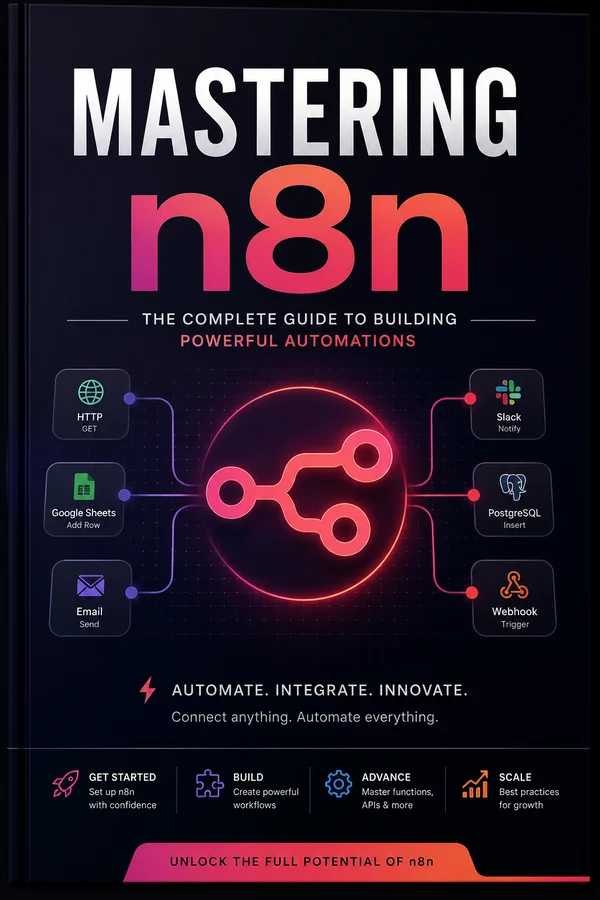
If Directus is the first thing I stand up on a new project, n8n is the second. It's the workflow automation tool I reach for whenever something needs to talk to something else, webhooks, scheduled syncs, API orchestration, and increasingly, AI agents that actually do work instead of just chatting.
The pitch is simple: a visual canvas where each node is a step, the data flows down the chain, and you can drop into real JavaScript any time the visual builder runs out of road. Self-host it on a single box, point it at Postgres and Redis, and you've got a durable automation engine you fully own, no per-task pricing, no vendor watching your data go by.
This is the guide I'd hand a developer who's tired of gluing services together by hand: how to self-host n8n properly with Docker and queue mode, how the data model, data tables and expressions actually work, how to handle errors like you mean it, how to build real AI agents with the LangChain nodes, what n8n's own AI Assistant can and can't do yet, how to expose your workflows as an MCP server, and how to wire it up to Directus so the two cover each other's weak spots.
This is a living document and will be updated as n8n updates. Current through n8n 2.37.
What n8n Actually Is
Most people meet n8n as "open-source Zapier," and like most one-line pitches, it's true enough to be useful and wrong enough to be misleading. Zapier is a hosted product you rent. n8n is a workflow engine you run, a Node.js app you self-host, point at your own database, and own end to end.
The model is dead simple once it clicks. A workflow is a graph of nodes. One node is a trigger (a webhook fires, a schedule ticks, a row changes). Every node after it is a step that receives data, does something, and passes data on. The data moving between nodes is a list of items, and that item model is the single most important thing to understand about n8n, so it gets its own chapter later. The canvas is visual, but the moment the visual builder runs out of road you drop into a Code node and write real JavaScript (or Python). That escape hatch is why I reach for it over the no-code tools: I never hit a wall I can't code my way through.
Here's where it actually earns its place in my stack. n8n is the glue layer. Directus owns my data and gives me an API; n8n is what reaches out, calling third-party APIs, reacting to webhooks, running nightly syncs, orchestrating five services into one coherent process, and lately, running AI agents that call tools and get real work done. It ships with 400+ integration nodes so I'm not writing yet another OAuth dance for the Nth SaaS API, but the HTTP Request node means I can talk to anything with an endpoint regardless.
A few things worth knowing up front:
- It's fair-code, not open source. n8n ships under the Sustainable Use License. You can self-host and modify it freely for your own internal business use, and, importantly, you're now explicitly allowed to do paid consulting building n8n workflows for clients. What you can't do is rebrand it and resell it as your own hosted SaaS. Files with
.ee.in the name are Enterprise-licensed and not covered. For an indie dev or a team running their own automations, you're completely fine. The terms have shifted over the years, so check the current license page rather than trusting any blog post (including this one) on the fine print. - Self-host or cloud, your choice. There's an n8n Cloud if you'd rather not run it, but this guide is about self-hosting. That's the whole point for me. You own the data, there's no per-task metering, and a $5–10 VPS handles a surprising amount.
- It's stateful and durable. Unlike a stateless function, n8n persists every execution to a database. You can open any run, see exactly what data each node received and emitted, and replay it. That observability is worth a lot when something breaks at 2am.
- AI is now first-class. Since the 2.0 line, n8n ships native LangChain-based nodes, an AI Agent node, chat models, memory, vector stores, the lot. It's gone from "automation tool" to "the orchestration layer I build agents on." We'll spend two full chapters there.
The rest of this guide is about running it like you mean it: self-hosting on Docker, scaling with queue mode, hardening for production, actually understanding the data model and expressions, handling errors properly, building AI agents, and wiring it up to Directus. If you've read Mastering Directus, this is the other half of how I build, the two tools cover each other's blind spots, and there's a whole chapter on running them together.
Self-Hosting with Docker
n8n self-hosts beautifully with Docker, and for a single-instance setup you can be running in about five minutes. The one decision that trips people up later is the database, so let's get that right from the start.
Don't use SQLite in production
Out of the box, n8n runs on SQLite. The driver got a lot better in the 2.0 line (it's now a pooling, WAL-mode driver that n8n benchmarks as up to 10x faster than the old one) but "faster SQLite" still isn't what you want under real load, and it can't be shared across multiple instances at all. SQLite is fine for kicking the tires on your laptop. Use Postgres from day one for anything real. If you're already running Directus, you may even be able to share the Postgres server (separate database, same instance). (Note: MySQL/MariaDB support was dropped in 2.0, Postgres is the production path now, full stop.)
A real single-instance setup
Here's a docker-compose.yml I'd actually deploy, n8n plus its own Postgres:
services:
  postgres:
    image: postgres:16
    restart: always
    environment:
      POSTGRES_USER: n8n
      POSTGRES_PASSWORD: ${POSTGRES_PASSWORD}
      POSTGRES_DB: n8n
    volumes:
      - n8n_pgdata:/var/lib/postgresql/data
    healthcheck:
      test: ['CMD-SHELL', 'pg_isready -U n8n']
      interval: 10s
      timeout: 5s
      retries: 5

  n8n:
    image: docker.n8n.io/n8nio/n8n:2.37.10   # pin a version; see note below
    restart: always
    depends_on:
      postgres:
        condition: service_healthy
    ports:
      - '5678:5678'
    environment:
      DB_TYPE: postgresdb
      DB_POSTGRESDB_HOST: postgres
      DB_POSTGRESDB_DATABASE: n8n
      DB_POSTGRESDB_USER: n8n
      DB_POSTGRESDB_PASSWORD: ${POSTGRES_PASSWORD}
      N8N_HOST: n8n.example.com
      N8N_PROTOCOL: https
      WEBHOOK_URL: https://n8n.example.com/
      N8N_ENCRYPTION_KEY: ${N8N_ENCRYPTION_KEY}
      GENERIC_TIMEZONE: America/Vancouver
      N8N_RUNNERS_ENABLED: 'true'
    volumes:
      - n8n_data:/home/node/.n8n

volumes:
  n8n_pgdata:
  n8n_data:
Drop a .env next to it:
POSTGRES_PASSWORD=$(openssl rand -hex 24)
N8N_ENCRYPTION_KEY=$(openssl rand -hex 24)
Then docker compose up -d and you're live on port 5678.
Pin a version: the tags changed in 2.0
The old :latest and :next tags were renamed to `:stable` and `:beta` in the 2.0 line. Either way, don't float on a moving channel tag in production: pin a specific version (:2.37.10, or whatever the current stable is when you read this) so a release doesn't land on you unannounced. n8n ships a new minor most weeks and a patch every few days, so floating means you're effectively running whatever shipped this morning. Check the current stable on the release notes page and bump deliberately.
The settings that matter
A few environment variables are non-negotiable and easy to miss:
- `N8N_ENCRYPTION_KEY`: this encrypts all your stored credentials. Set it explicitly and back it up. If n8n generates one for you and you later lose that volume, every saved credential becomes undecryptable garbage. This is the single most common self-hosting disaster. Treat this key like a database password.
- `WEBHOOK_URL`: n8n needs to know its own public URL to generate correct webhook addresses. If you're behind a reverse proxy or tunnel, set this or your webhooks will hand out
localhostURLs. - `N8N_HOST` / `N8N_PROTOCOL`: used for building URLs and the editor. Match your real domain.
- `GENERIC_TIMEZONE`: Schedule triggers use this. If you don't set it, your "every day at 9am" cron runs in UTC and you spend a confused afternoon.
- `N8N_RUNNERS_ENABLED`: turns on task runners, which execute Code-node code in an isolated process. As of 2.0 this is on by default and is effectively required for Code nodes, so you'll rarely set it to anything but
true. It's important enough that it gets its own section in the queue-mode and hardening chapters, the short version: it's a security boundary, and in 2.0 the runner moved out of the base image, so a scaled-out setup runs a separaten8nio/runnerssidecar whose version must match n8n's.
n8n 2.0 is secure-by-default: know what changed
If you're coming from a 1.x setup or an old tutorial, 2.0 tightened a lot of defaults, and a couple can surprise you:
- Code nodes can no longer read environment variables by default (
N8N_BLOCK_ENV_ACCESS_IN_NODEdefaults to true). If a workflow used to grabprocess.envsecrets, route them in through credentials or expressions instead. - The `n8n --tunnel` dev convenience was removed, along with a few legacy settings. Use a real reverse proxy (next chapter).
- ExecuteCommand and the local-file trigger are disabled by default: re-enable explicitly via
NODES_EXCLUDEonly if you actually need them and understand the exposure. - Binary data no longer defaults to in-memory; it's written to the filesystem (or the database in queue mode).
None of these are hard to work around. They're just the kind of thing that turns into a baffling hour if you don't know the default flipped.
Coolify makes this even easier
If you've read The Boring Stack, you know I lean on Coolify for single-VPS deploys. n8n is a one-click service in Coolify. It provisions Postgres, wires up the env, and handles TLS via the built-in proxy. I still set N8N_ENCRYPTION_KEY myself and write it down somewhere safe. The Compose above is what's happening under the hood either way; understanding it means you can debug it when Coolify's abstraction leaks.
Updating
Updating is docker compose pull && docker compose up -d. n8n runs database migrations automatically on boot. Two rules: pin a specific version rather than floating on :stable so a breaking change doesn't land on you unannounced, and back up your Postgres database and your encryption key before any upgrade. Read the release notes for major bumps, the 1.x to 2.x transition, for instance, changed real behavior (the secure-by-default flips above are exactly that).
Queue Mode: Scaling with Workers and Redis
The single-container setup from the last chapter runs every workflow inside the main process. That's the regular execution mode, and it's fine until it isn't. One heavy workflow can starve the editor. A spike of webhooks can pile up. A crash takes everything down at once. When you outgrow it, the answer is queue mode.
How queue mode works
Queue mode splits n8n into three roles connected by Redis:
- The main instance runs the UI, registers triggers, and receives webhooks. It does not execute workflows itself. When a workflow needs to run, it pushes a job onto Redis.
- Redis is the message broker, the queue itself.
- Worker processes watch Redis, pick up jobs, execute the workflow, and report results back.
The payoff: you add workers to add throughput, and because each worker is its own process, a slow or failing workflow on one worker doesn't block the others or the editor. This is the same shape as any real job queue, and if you've read Background Jobs & Queues, it'll feel familiar, because it's the same idea applied to n8n itself.
The setup
You add a Redis service, flip EXECUTIONS_MODE to queue, and run one or more containers in worker mode. The main and worker containers share the same image, the same Postgres, the same Redis, and critically the same N8N_ENCRYPTION_KEY, otherwise workers can't decrypt credentials.
services:
  redis:
    image: redis:7-alpine
    restart: always
    volumes:
      - n8n_redis:/data

  n8n-main:
    image: docker.n8n.io/n8nio/n8n:latest
    restart: always
    ports:
      - '5678:5678'
    environment:
      EXECUTIONS_MODE: queue
      QUEUE_BULL_REDIS_HOST: redis
      QUEUE_HEALTH_CHECK_ACTIVE: 'true'
      DB_TYPE: postgresdb
      DB_POSTGRESDB_HOST: postgres
      DB_POSTGRESDB_PASSWORD: ${POSTGRES_PASSWORD}
      N8N_ENCRYPTION_KEY: ${N8N_ENCRYPTION_KEY}
      WEBHOOK_URL: https://n8n.example.com/
    depends_on: [postgres, redis]

  n8n-worker:
    image: docker.n8n.io/n8nio/n8n:latest
    restart: always
    command: worker
    environment:
      EXECUTIONS_MODE: queue
      QUEUE_BULL_REDIS_HOST: redis
      DB_TYPE: postgresdb
      DB_POSTGRESDB_HOST: postgres
      DB_POSTGRESDB_PASSWORD: ${POSTGRES_PASSWORD}
      N8N_ENCRYPTION_KEY: ${N8N_ENCRYPTION_KEY}
    depends_on: [postgres, redis]
    deploy:
      replicas: 2
That command: worker is the whole trick, same image, started in worker mode. Scale workers with docker compose up -d --scale n8n-worker=4 or the replicas key.
Webhooks at scale
Under heavy inbound load you can also run dedicated webhook processor instances (command: webhook) so that receiving webhooks never competes with the editor. For most setups you won't need this until you're well into production volume, but it's there, and it's the same pattern: another container, same shared backing services.
How many workers, and how big?
Start with two workers and watch. The lever inside each worker is concurrency (N8N_CONCURRENCY_PRODUCTION_LIMIT), how many executions one worker runs in parallel. More concurrency per worker uses more RAM; more workers uses more everything but isolates failures better. My rough rule: bump concurrency first because it's cheap, add worker containers when a single worker's CPU or memory is the ceiling. n8n itself is not especially hungry. Most of your memory goes to the payloads moving through workflows, so workflows that haul large files or big arrays are what actually drive sizing.
Do you even need this?
Be honest about scale. A solo founder running a few dozen automations does not need queue mode, the single container is simpler and one less thing to break. Reach for queue mode when you're running enough volume that executions queue up, when one workflow's load is hurting the editor, or when you want the resilience of isolated workers. Don't cargo-cult the architecture; earn it.
Hardening for Production
Getting n8n running is easy. Running it so you can sleep at night takes a handful of deliberate choices. None of this is exotic, it's the same hygiene any self-hosted service needs, but n8n has a few sharp edges worth calling out.
Put it behind a reverse proxy with TLS
Never expose n8n's port directly. Terminate TLS at a reverse proxy (Caddy, Traefik, nginx, or Coolify's built-in proxy) and forward to n8n internally. Caddy is the least fuss:
n8n.example.com {
    reverse_proxy n8n:5678
}
That one block gets you automatic Let's Encrypt certs and renewal. Make sure N8N_PROTOCOL=https and WEBHOOK_URL use the public HTTPS address so generated webhook URLs are correct.
Lock down the editor
The n8n editor is the keys to the kingdom. It holds every credential and can call anything. Owner accounts are protected by login, but a few extra layers matter:
- Turn on user management and use strong, unique passwords; enable MFA where available.
- Consider not exposing the editor to the public internet at all. If only you and your team use it, put the editor behind a VPN or IP allow-list at the proxy, and expose only the
/webhook/paths publicly. Your webhooks need to be reachable; your editor does not. - Keep the instance updated, security fixes land in releases, and running months behind is a real risk for an internet-facing app.
Protect your webhooks
A public webhook URL is an open door unless you guard it. n8n's webhook node supports header auth and basic auth, use them. For incoming webhooks from services that sign their payloads (Stripe, GitHub, etc.), verify the signature in a Code node before doing anything else. Treat every inbound webhook payload as hostile until you've validated it.
Back up the right things
Three things must be backed up, and people routinely forget the second:
- The Postgres database: your workflows, credentials (encrypted), and execution history.
- The `N8N_ENCRYPTION_KEY`: without it, the encrypted credentials in that database are useless. Back it up separately from the database, in a password manager or secrets store. I cannot overstate how many people learn this the hard way.
- Your workflow definitions: ideally in git, which we'll cover in the source-control chapter. A database backup is your safety net; git is your version history.
Tame execution data
Every execution gets written to the database, and by default n8n keeps a lot of it. Left alone, your Postgres database balloons. Prune it:
EXECUTIONS_DATA_PRUNE=true
EXECUTIONS_DATA_MAX_AGE=336      # hours; 336 = 14 days
EXECUTIONS_DATA_PRUNE_MAX_COUNT=10000
Tune retention to how much forensic history you actually need. You can also set workflows to save only error executions in their settings, which keeps the noise down while preserving the runs you'll actually want to inspect. For successful high-frequency workflows, saving every run is usually just expensive logging.
Resource limits and timeouts
Set EXECUTIONS_TIMEOUT so a runaway workflow can't hang forever, and put memory limits on your containers so one bad payload can't take down the host. If you're in queue mode, this isolation is already better, a worker can die and restart without touching the editor. Pair that with restart: always and Docker will bring crashed containers back on its own.
The Data Model: Items and the Chain
If you only deeply understand one thing about n8n, make it this: data flows between nodes as an array of items. Almost every confusing moment you'll have ("why did my node run five times?", "why is my expression undefined?", "why did I get one result when I expected ten?") traces back to not having internalized the item model. So let's nail it.
An item is { json, binary }
Each item is an object with two parts: a json property (the structured data) and an optional binary property (files, images, PDFs, attachments). When people say "the data," they usually mean item.json. A node receives an array of items and outputs an array of items.
[
  { "json": { "id": 1, "name": "Ada" } },
  { "json": { "id": 2, "name": "Linus" } }
]
That's two items. This detail matters enormously because of the next point.
Nodes run once per item
Most nodes execute once for every item they receive. Hand an HTTP Request node 10 items and it fires 10 requests, one per item, automatically. You don't write a loop; the item array is the loop. This is the single most powerful and most surprising thing about n8n. Want to process 200 records? Get them into 200 items and every downstream node just handles them.
The corollary: if a node runs more times than you expected, it's because it received more items than you thought. If it runs once when you wanted many, you probably have a single item containing an array, and you need to split it out first.
Splitting and aggregating
Two nodes you'll use constantly:
- Split Out: takes one item holding an array field and turns it into one item per array element. The classic case: an API returns
{ "results": [...] }as a single item, and you Split Out onresultsto get one item per result. - Aggregate: the reverse. Collapses many items back into one (e.g. to build a single payload, or to send one summary email instead of 50).
Getting fluent at moving between "many items" and "one item with an array" is most of the skill.
Referencing data: the expression basics
Inside any field you can click into expression mode and pull values from the item with {{ }} syntax:
{{ $json.name }}, a field from the current item.{{ $json["first name"] }}, bracket syntax when a key has spaces.{{ $('NodeName').item.json.id }}, reach back to a specific earlier node's output. This is how you grab data from three steps ago, not just the immediately previous node.{{ $now }},{{ $today }}, built-in date helpers.{{ $env.SOME_VAR }}, environment variables (handy for keeping config out of workflows).
The $('NodeName') reference is the one that unlocks real workflows. Data doesn't only flow straight down. You can pull from any earlier node by name, which is how you correlate, say, the original webhook payload with the result of an API call you made two steps later.
Pinned data and the manual run
When you're building, execute the workflow (or a single node) and n8n shows you the exact items at every step in the side panel. You can pin a node's output so you're not hammering a live API on every test run. This tight inspect-and-iterate loop (see real data, adjust the expression, run again) is how you actually build in n8n. Don't write a whole workflow blind and hope; build it one node at a time, watching the items flow.
Internalize "array of items, once per item, split and aggregate to reshape, reference by node name" and n8n stops being mysterious. Everything else is just nodes.
Items are what flows through a workflow. The next chapter is about what stays behind between them.
Data Tables: Storage That Ships With n8n
Sooner or later every n8n setup needs somewhere to put a little state. A list of IDs you've already processed. A lookup table mapping product codes to Slack channels. The prompt you keep pasting into four workflows. For a long time the answer was "stand up a Postgres table," which is fine but feels heavy for thirty rows.
Data tables are n8n's answer to that: tabular storage built into the instance, no external database required.
Three ways in
You can create one from the Data Tables tab in the UI, defining columns by hand or importing a CSV. Inside a workflow, the Data Table node does the CRUD: insert, look up, update, delete. And there's a /datatables API endpoint if you'd rather drive it programmatically.
Tables are scoped to a project, and everyone on that project can see them. That's a feature when a team shares lookup data and a problem if you were thinking of them as private scratch space.
What they're actually good for
The official list is broad, but four uses come up constantly:
- Dedupe markers. Write the ID of every record you've processed, check it before you process again. This is the "mark progress" fix from the error-handling chapter, and it finally has a home that isn't a bolt-on database.
- Cross-workflow state. Anything workflow A needs to leave behind for workflow B, in the same project.
- Reusable prompts. One row, edited once, read by every AI workflow that needs it. Better than the same system prompt copy-pasted into six places and drifting.
- Evaluation data. Test cases for AI workflows, which is what the Evaluation nodes read from.
The limits worth knowing before you lean on them
Three, and the third is the one that will catch you:
- Total storage across all data tables on an instance is capped at 200 MiB by default. You get a warning at 80 percent.
- They're project-scoped, as above. Not per-user, not instance-wide.
- You can't reach them from the Code node. Direct programmatic access from Code isn't supported, so anything involving a data table has to go through the Data Table node on the canvas.
That last one is a real design constraint rather than an oversight to route around. If your instinct is to grab the whole table in a Code node and do the logic in JavaScript, you'll need to restructure: pull what you need through the node, then compute.
Which is a reasonable moment to talk about what the Code node can and can't do, because that boundary is where most of n8n's real power lives.
Expressions and the Code Node
The visual builder gets you most of the way. Expressions and the Code node get you the rest. This is the line between people who find n8n limiting and people who find it can do anything, and as a developer, you live on the right side of that line.
Expressions: small logic, inline
An expression is a snippet of JavaScript inside {{ }} that resolves to a value. Use them for the small stuff right where you need it:
{{ $json.email.toLowerCase().trim() }}
{{ $json.total > 100 ? 'priority' : 'standard' }}
{{ $json.tags.join(', ') }}
{{ $now.minus({ days: 7 }).toISO() }}
That last one uses Luxon, which n8n bundles for date math, $now and $today are Luxon DateTime objects, so .plus(), .minus(), .toFormat() all work. There's a JMESPath helper ($jmespath()) for digging through nested JSON, and a pile of built-in string/array/date helper methods n8n adds on top of vanilla JS. When an expression returns undefined, 90% of the time it's a typo in a field name or you're referencing the wrong node, check the actual item in the panel.
The Code node: when logic gets real
When the transformation is more than a one-liner, drop a Code node. You get full JavaScript (or Python, via Pyodide), and you choose the mode:
- Run Once for All Items: the code runs a single time and receives all items. Use this when you need to look across the whole batch: dedupe, sort, aggregate, reshape the set.
- Run Once for Each Item: the code runs per item, like a built-in node. Use this for per-record transforms.
A "run once for all items" Code node looks like this:
// `items` is the incoming array; return an array of items
const seen = new Set();
const deduped = [];

for (const item of items) {
  const key = item.json.email.toLowerCase();
  if (!seen.has(key)) {
    seen.add(key);
    deduped.push(item);
  }
}

return deduped;
The iron rule: return an array of objects shaped like `{ json: {...} }`. Return the wrong shape and the next node gets confused. n8n is forgiving about wrapping bare objects, but be explicit and you'll never wonder why downstream broke.
What you can and can't do in there
Code nodes run in a sandboxed environment. With task runners enabled (the N8N_RUNNERS_ENABLED flag from the Docker chapter), they execute in a separate process, better isolation and they can't take down the main instance. A few practicalities:
- You can
requirea curated set of built-in modules; arbitrary npm packages aren't available by default (there's an allow-list env var if you self-host and really need one). - For HTTP calls, prefer the HTTP Request node over
fetchin code. You get retries, auth handling, and pagination for free, and the request shows up in the execution log. $input.all(),$input.first(),$('NodeName').all()are how you reach data inside a Code node, same node-reference idea as expressions, just method form.
My rule of thumb
Reach for an expression first. It keeps the logic visible on the canvas. Reach for a Code node when the logic is genuinely a function: looping with state, complex branching, building a non-trivial payload. Don't turn the whole workflow into one giant Code node, though, at that point you've thrown away the observability and the per-node replay that made n8n worth using. The sweet spot is a visual workflow with code where code earns its place. This is the same 70/30 instinct from The 70/30 Engineer: let the tool do the boring 70%, and spend your code on the 30% that's actually yours.
Quick Reference: n8n's Built-In JS Helper Functions
Beyond vanilla JavaScript, n8n bakes in a large library of helper methods you can call directly on $json values with dot notation, $json.string.trim(), $json.array.unique(), and so on. No import needed; they're just there. Here's the field reference, organized by data type.
Calling convention: $json.data_type.functionName(parameters), the variable, a dot, the function name, then parentheses for any arguments. Properties like .length skip the parentheses. String arguments always go in quotes: .split(','), .replace('old', 'new').
One function worth calling out on its own: `$now` returns the current moment as a ready-to-use Luxon DateTime object, no .toDateTime() needed. $now.format('YYYY-MM-DD') is a common pattern.
String functions ($json.string)
| Function | Call | What it does |
| --- | --- | --- |
| includes | .includes('sub') | Checks if a substring is present |
| split | .split('delim') | Breaks the string into an array on a delimiter |
| startsWith / endsWith | .startsWith('x') / .endsWith('x') | Checks the start/end of the string |
| replace / replaceAll | .replace('a','b') / .replaceAll('a','b') | Replaces first (or all) occurrences |
| length | .length | Character count |
| base64Encode / base64Decode | .base64Encode() / .base64Decode() | Base64 conversion, handy for API keys |
| concat | .concat('more') | Appends text |
| extractDomain / extractEmail / extractURL / extractURLPath | .extractDomain() etc. | Pulls a domain, email, URL, or URL path out of text |
| hash | .hash('sha256') | Hashes the string with the given algorithm |
| quote | .quote() | Wraps in quotes and escapes internal quotes |
| removeMarkdown / removeTags | .removeMarkdown() / .removeTags() | Strips markdown or HTML formatting |
| replaceSpecialCars | .replaceSpecialCars() | Strips accented characters (é → e) |
| slice / substring | .slice(start,end) | Extracts a substring by index |
| trim / trimStart / trimEnd | .trim() etc. | Removes whitespace |
| urlEncode / urlDecode | .urlEncode() / .urlDecode() | URL-safe encode/decode |
| indexOf / lastIndexOf | .indexOf('x') | Position of first/last match |
| match / search | .match(/regex/) / .search(/regex/) | Regex extraction/position |
| isDomain / isEmail / isEmpty / isNotEmpty / isNumeric / isURL | .isEmail() etc. | Validation checks, return true/false |
| toLowerCase / toUpperCase / toSentenceCase / toTitleCase / toSnakeCase | .toLowerCase() etc. | Case conversions |
| parseJson | .parseJson() | Parses a JSON string into an object |
| toBoolean / toDateTime / toNumber | .toNumber() etc. | Type conversions |
Number functions ($json.number)
| Function | Call | What it does |
| --- | --- | --- |
| round / floor / ceil | .round() etc. | Rounding |
| abs | .abs() | Absolute value |
| format | .format('locale') | Locale-aware formatting (currency, separators) |
| isEven / isOdd / isInteger | .isEven() etc. | Numeric checks |
| toBoolean / toDateTime / toLocaleString / toString | .toString() etc. | Type conversions |
Array functions ($json.array)
| Function | Call | What it does |
| --- | --- | --- |
| length | .length | Element count |
| first / last | .first() / .last() | Grabs an end element |
| includes | .includes('x') | Membership check |
| append | .append(x) | Adds an element to the end |
| chunk | .chunk(size) | Splits into sub-arrays of a given size |
| compact | .compact() | Drops null/empty entries |
| concat / union / intersection / difference | .concat(arr2) etc. | Set-style combination operations |
| find / map / filter / reduce | .map(item => ...) etc. | Standard functional operations (arrow syntax) |
| indexOf | .indexOf('x') | Position of an element |
| isEmpty / isNotEmpty | .isEmpty() | Emptiness check |
| join | .join(', ') | Flattens to a string (inverse of split) |
| merge | .merge() | Combines an array of objects into one object |
| pluck | .pluck('key') | Pulls one field's values across all objects |
| randomItem | .randomItem() | Picks a random element |
| renameKeys | .renameKeys('old','new') | Renames a key across all contained objects |
| reverse / sort / unique | .reverse() etc. | Reordering/dedup |
| slice / toSpliced | .slice(start,end) | Sub-array extraction / insertion-deletion |
| smartJoin | .smartJoin('Field','Value') | Converts Field/Value pair objects into a plain key/value object |
| toJsonString | .toJsonString() | Serializes to JSON text |
Object functions ($json.object)
| Function | Call | What it does |
| --- | --- | --- |
| keys / values | .keys() / .values() | Extracts keys or values as an array |
| isEmpty / isNotEmpty | .isEmpty() | Emptiness check |
| hasField | .hasField('key') | Checks a key exists |
| compact | .compact() | Drops null/empty fields |
| keepFieldsContaining / removeFieldsContaining | .keepFieldsContaining('pattern') | Filters fields by value pattern |
| removeField | .removeField('key') | Deletes a field |
| toJsonString | .toJsonString() | Serializes to JSON text |
| urlEncode | .urlEncode() | Converts to a query string |
Boolean functions ($json.boolean)
| Function | Call | What it does |
| --- | --- | --- |
| toNumber | .toNumber() | true/false → 1/0 |
| toString | .toString() | true/false → "true"/"false" |
DateTime functions (Luxon: on any date value or $now)
| Function | Call | What it does |
| --- | --- | --- |
| format | .format('yyyy-MM-dd') | Custom token-based formatting |
| plus / minus | .plus({days: 7}) | Adds/subtracts time |
| diff2 | .diff2(otherDate, 'days') | Difference between two dates in a given unit |
| extract | .extract('month') | Pulls out one component (day, month, year...) |
| startOf / endOf | .startOf('month') | Rounds to the start/end of a time unit |
| zone | .zone() | Time zone name |
| isWeekend / isLeapYear | .isWeekend() | Calendar checks |
Full handbook maintained on Notion: [n8n JavaScript Helper's Handbook](https://knowmad250.notion.site/n8n-JavaScript-Helper-s-Handbook-100-Functions-27939c1272168066b9a8c01e1029e320).
Error Handling, Retries, and Idempotency
A workflow that only works when every API is up, every payload is well-formed, and the network never blips is a demo, not a system. The gap between the two is error handling, and n8n gives you good tools, if you actually use them. Most people don't until something silently fails for a week.
The Error Trigger and a global error workflow
The first thing to build is a dedicated error workflow. Create a new workflow whose first node is the Error Trigger. It receives details of any failed execution, which workflow, which node, the error message, a link to the run. Wire it to a Slack or email alert:
Workflow "Nightly Stripe Sync" failed at node "HTTP Request", 429 Too Many Requests. View executionThen, in each important workflow's Settings → Error Workflow, point it at this one. Now every failure, anywhere, pages you with context instead of vanishing into the execution log. Build this once, point everything at it, and you've turned silent failure into a notification. This alone puts you ahead of most n8n setups I've seen.
Node-level retries
Many failures are transient, a timeout, a rate limit, a brief 503. Each node has, under Settings, retry options: turn on Retry On Fail, set the number of attempts (3–5 is the production standard: never infinite), and a wait between tries. Where you can, use exponential backoff: 1s, then 2s, then 4s, rather than hammering a struggling service every second. Add a little jitter so a hundred workflows that failed at once don't all retry in lockstep and create a thundering herd.
Continue vs. stop
By default a node error stops the workflow. Sometimes that's right. Sometimes you want the batch to keep going and deal with the failures separately. Each node can be set to Continue (using error output), which gives the node a second output branch for failed items. Route the good items down the happy path and the failed ones to a dead-letter destination, a table, a Slack channel, a "to retry" queue. This is how you process 1,000 records and don't lose all of them because record 437 had a malformed email.
Idempotency: the one that bites you
Here's the trap. A workflow charges a customer, then fails on the next node (sending the receipt). It retries from the top. Now you've charged them twice. Retries and idempotency are inseparable: the moment you retry, you must make sure re-running can't duplicate side effects.
The fixes, in rough order of how often I use them:
- Idempotency keys. Many APIs (Stripe, PayPal, SendGrid) accept an
Idempotency-Keyheader, send a stable key (e.g. derived from the order ID) and the API itself dedupes. This is the cleanest option; use it whenever the upstream supports it. - Check-before-write. Before creating a record, query whether it already exists by a natural key. n8n's Remove Duplicates node and a lookup step cover a lot of cases.
- Mark progress. Write a status flag (
processed: true) so a re-run skips what's already done. Configure the node's retry to skip on success so a partially-succeeded batch doesn't redo its successes. n8n's own data tables are a good home for these markers now, covered a few chapters back, so you don't need an external database just to remember what you've already handled.
Think of it as: retries recover from transient errors, idempotency makes recovery safe. You need both. If you've read Background Jobs & Queues, this is the same gospel, at-least-once delivery means design for duplicates, applied inside n8n.
Make failures visible
Finally: set important workflows to save error executions (Settings), even if you skip saving successful ones. When the alert fires, you want to open the exact failed run, see the precise item that broke and the data it carried, fix it, and replay. That loop (alert, inspect, fix, replay) is the whole point of running a durable engine instead of fire-and-forget scripts.
Practical Recipes
Enough theory. Here are workflows I actually build, described tightly enough that you can reproduce them. They're deliberately boring, the boring ones are the ones that earn their keep running quietly for years.
1. Webhook → validate → store
The bread-and-butter shape. A Webhook trigger receives a POST. First node after it is a validation step, a Code node or IF node that checks the payload is well-formed and (if the sender signs requests) verifies the signature. Bad payloads route to a 400 response; good ones continue to a Create/Update node that writes to your database, then a Webhook Respond node returns 200. Guard the webhook with header auth (see the hardening chapter). This is how you receive form submissions, Stripe events, GitHub hooks, anything that pushes to you.
2. Scheduled sync between two systems
A Schedule trigger fires (say, every 15 minutes). An HTTP Request or service node pulls records changed since the last run, store a last_synced_at timestamp somewhere (a single-row table, or n8n's static data) and pass it as a filter so you only fetch the delta. Split Out the results into items, transform each, then upsert into the destination with Remove Duplicates or an idempotency check so re-runs are safe. Wire it to your error workflow. This pattern replaces an astonishing number of brittle cron scripts.
3. Fan-out API orchestration
One event needs to touch five services. A new signup, for example: create the CRM contact, add them to the email list, post to a Slack channel, provision their workspace, send a welcome email. Lay these out as sequential nodes (or parallel branches where order doesn't matter), passing the user data down the chain and referencing the original payload with {{ $('Webhook').item.json... }}. Set each external call to continue-on-error with its failures routed to a dead-letter branch, so a flaky CRM doesn't block the welcome email. This is the orchestration n8n is made for, the kind of multi-service glue that's miserable to write and maintain by hand.
4. Batch processing with rate limits
You have 5,000 records to push to an API that allows 10 requests/second. Get them into items, then use the Loop Over Items (batching) node to process in chunks, with a small Wait between batches to stay under the limit. Turn on node retries with backoff for the inevitable 429s. Aggregate the results at the end and send yourself a one-line summary: "4,981 synced, 19 failed, see attached."
5. The human-in-the-loop approval
Not everything should be fully automatic. A workflow drafts something (a refund, a published post, an outbound email) then pauses and sends an approval request (Slack button, or n8n's Wait-for-webhook / form). A human clicks approve or reject, and the workflow resumes down the matching branch. This is the safety valve for automations with real consequences: let the machine do the assembly, keep a person on the trigger.
6. Scheduled report / digest
A cron fires each morning, queries your data (sales, signups, errors, whatever you watch), formats a tidy summary, and here's the modern twist, optionally pipes the numbers through an AI node to write a plain-English narrative, then posts it to Slack or email. I run a few of these; they're the cheapest way to stay on top of a system without logging into five dashboards. (If you want this outside n8n too, my own setup leans on scheduled agent tasks, see Building Your Agentic OS.)
Notice the through-line: get data into items, reshape, act per item, handle errors, summarize. Once those moves are muscle memory, most "can n8n do X?" questions answer themselves, X is just these recipes recombined.
Which makes this the right point to look at the feature that tries to do the recombining for you.
The AI Assistant
Everything up to here has been you building workflows. This chapter is about n8n building them.
The AI Assistant is a chat agent that lives inside n8n. You describe the automation you want in plain language, and it plans the workflow, builds it into the project you picked, tests it, and helps you fix what breaks. It isn't limited to dropping nodes on a canvas either: it can wire up agents, connect MCP servers, set up credentials, and modify data tables.
Check whether you can actually use it
Do this before you plan anything around it, because the availability matrix is strange:
- n8n Cloud: Starter and Pro
- Self-hosted: Community, Registered Community, and Business
- Not available: n8n Cloud Enterprise, or self-hosted Enterprise
Read that twice. The free Community edition gets it and Enterprise doesn't. Enterprise customers can request preview access through their Customer Success Manager, but as it ships, the top tier is the one tier that can't turn it on. If you've been assuming Enterprise is a superset of everything below it, this is the exception.
Running it self-hosted
It needs Docker. That's the hard requirement.
Early builds wanted manual environment-variable configuration, and a lot of the writing about the assistant still describes that. It changed: there's a proper self-hosted onboarding flow now, and configuration moved onto an instance settings page instead of a pile of env vars. If a tutorial has you hand-editing config to switch it on, check the version it was written against.
It is Preview, and the label is doing real work
n8n says plainly that it can make mistakes and that its behavior will change while it's in development. Take that at face value. Specifically:
- Some actions aren't supported yet, and capability is rolling out gradually.
- It asks for clarification often.
- The UI, the credit model, and the resources it touches can all change under you.
- Workflows it produces need a human read before they go near production.
It's also credit-metered on tokens processed, so longer conversations, bigger workflows, and repeated iterations cost more. A long argument with the assistant about a workflow you could have dragged out in five minutes is a real line item.
How to think about it
I'd treat what it produces the way you'd treat a generated first draft: useful for getting from a blank canvas to something concrete, not something to publish unread. The value is in skipping the tedious part, finding the right node, remembering the parameter name, wiring the connections, while you keep the judgment about whether the shape is right.
That's a fair trade on a workflow that posts a Slack summary. It's a worse trade on the one that issues refunds, which is the same line the next chapter draws around agents in general.
Speaking of which: the assistant can build agents for you, but understanding what it's assembling is still on you. That's next.
Building AI Agents
This is where n8n stopped being "automation software" for me and became something closer to an agent runtime. Since the 2.0 line, n8n ships native LangChain-based nodes, and the centerpiece is the AI Agent node. If you've built agents from scratch (the tool-calling loop, the message history, the stop condition) you'll recognize exactly what this node is doing, just with the plumbing handled.
What the AI Agent node actually is
The AI Agent node runs a reasoning loop. You plug things into it from underneath. These are "cluster nodes," sub-nodes that attach to the agent rather than sitting in the main flow:
- A Chat Model (required), the brain. OpenAI, Anthropic, Google Gemini/Vertex, Groq, Mistral, DeepSeek, a local model via Ollama, or anything OpenAI-compatible. There's even a Vercel AI Gateway chat model now, which is handy if you're already routing models through it elsewhere in your stack. Self-hosting plus Ollama means you can run agents with zero per-token cost and nothing leaving your box, which is a big deal for a lot of use cases.
- Memory (optional), so the agent remembers the conversation. Simple/window memory keeps the last N messages; Postgres or Redis chat memory persists across sessions.
- Tools (optional, but the whole point), things the agent can do.
One thing worth knowing if you're coming from older tutorials or screenshots: the AI Agent node used to offer a dropdown of agent types, ReAct, Conversational, Plan-and-Execute, OpenAI Functions. As of v1.82 that's gone. Every AI Agent node is now a Tools Agent, the one type that uses the model's native tool-calling, which is what you wanted in practice anyway. If you see a guide telling you to pick an agent type, it's describing a version of n8n that no longer exists. Internally the agent still runs the familiar loop: the model reasons, decides whether to call a tool, n8n executes that tool, feeds the result back, and the loop continues until the model produces a final answer or hits a step cap. You don't write that loop. You assemble its parts on the canvas.
Tools are where it gets real
A chatbot that can only talk is a toy. An agent that can act is useful, and in n8n a "tool" can be:
- A built-in tool node (HTTP Request as a tool, a calculator, a search tool, etc.).
- A sub-workflow exposed as a tool, via the Call n8n Workflow Tool sub-node. This is the killer feature. Any n8n workflow you can build becomes a capability the agent can call. Want the agent to "look up a customer's orders"? Build a workflow that does exactly that, expose it as a tool with a clear description, and the agent will call it when the conversation calls for it.
- Another agent, via the AI Agent Tool sub-node, so a top-level agent can delegate to specialist sub-agents. This is how you build tiered, multi-agent setups without leaving the canvas.
- An external MCP server's tools, via the MCP Client Tool sub-node. Model Context Protocol is the standard way to expose tools to agents now, and n8n speaks it in both directions: the MCP Client Tool lets your agent consume someone else's MCP server, and the MCP Server Trigger turns one of your workflows into an MCP server that other clients (Claude, Cursor, your own code) can call. If you're building tools you want reachable from more than just n8n, that's the bridge, and it has enough deployment sharp edges that it gets its own chapter shortly.
Agents can also carry their own knowledge files. n8n added file storage for agents along with retrieval tools that read from it, which covers the case where an agent needs a handful of reference documents without you standing up a whole vector store for them. For anything larger, the next chapter is still the right answer.
That sub-workflow-as-tool pattern is the bridge between everything in the earlier chapters and AI. All those recipes (the database lookups, the API orchestration) become tools an agent can wield. You're not choosing between "automation" and "AI agent"; the automation is the agent's hands.
A concrete build: a support triage agent
- Trigger: a Chat trigger (or a webhook from your support inbox). The Chat trigger also unlocks response streaming, so the answer types out live instead of landing all at once.
- AI Agent with an Anthropic or OpenAI chat model and a system prompt: "You are a support triage assistant. Classify the issue, look up the customer, and either answer from the knowledge base or escalate."
- Tools: a "look up customer" sub-workflow (queries your DB via the Call n8n Workflow Tool), a "search knowledge base" tool (the RAG setup from the next chapter), and an "escalate to human" sub-workflow (posts to Slack with a button).
- Memory: Postgres chat memory keyed by conversation ID, so a back-and-forth holds context.
The agent reasons over each message, calls the tools it needs, and only escalates when it should. That's a genuinely useful system, assembled visually, running on infrastructure you own.
The instinct to keep
Three cautions from actually running these. First, the description of each tool is doing the prompting, a vague tool description means the model calls the wrong tool at the wrong time. Write tool descriptions like you're writing function docs for a junior dev. Second, agents are non-deterministic; your guardrails shouldn't be. Keep irreversible actions (refunds, deletes, sends) behind a deterministic check or a human-in-the-loop approval, and n8n now has a first-class human-in-the-loop step for exactly this, where the agent pauses for a Slack/Telegram/chat approval before a sensitive tool runs. Let the agent decide what to do; keep a hard gate on the things it would be expensive to get wrong. Third, set a step cap. The agent loops until it's done or hits a limit; make sure that limit exists so a confused model can't spin (and bill) indefinitely. That balance (give the model real capability, keep humans on the dangerous levers) is the same philosophy running through Building Your Agentic OS.
RAG and Vector Stores
An agent is only as good as what it knows. Out of the box, a chat model knows its training data and nothing about your docs, your products, your policies. Retrieval-Augmented Generation fixes that: you store your knowledge as embeddings in a vector database, and at query time you retrieve the most relevant chunks and hand them to the model as context. n8n makes both halves, ingestion and retrieval, buildable as workflows.
The two workflows you need
RAG is always two jobs, and it helps to think of them separately:
1. Ingestion (write side). Take your source documents, split them into chunks, embed each chunk, and store the vectors. In n8n: a trigger (manual, or a Directus webhook when a doc changes), a node to load the document (the Default Data Loader), a Text Splitter to chunk it, an Embeddings node (OpenAI, Cohere, Google, or a local model via Ollama), and a Vector Store node in insert mode. Run this whenever your knowledge changes. The Default Data Loader's "simple" mode defaults to a recursive character splitter at ~1000-character chunks with 200 of overlap, a sane starting point you can override with a dedicated splitter node.
2. Retrieval (read side). At query time, embed the user's question, search the vector store for the nearest chunks, and feed them to the model. This is where a distinction in the Vector Store node matters: it can be attached as a retriever for a Question-and-Answer Chain (deterministic. It always retrieves, then answers) or as a tool for an AI Agent (the agent decides when to search the knowledge base). For a conversational agent you usually want the as-a-tool wiring, often via the Vector Store Question Answer Tool, which retrieves and summarizes the hits before handing them back. You can also bolt a reranker (e.g. Cohere Rerank) in front of the model to push the best chunks to the top, a cheap, high-leverage quality win.
Picking a vector store
n8n supports a long list now: Pinecone, Qdrant, Weaviate, Milvus, and MongoDB Atlas on the dedicated/hosted side; Supabase and PGVector for Postgres with the pgvector extension; plus an in-memory/simple store for testing. My bias, predictably, is toward the boring, self-hostable option: if you're already running Postgres for n8n and Directus, PGVector means one less moving part. Your vectors live right next to your data. Pinecone, Qdrant, and the others are excellent when you outgrow that or want a purpose-built engine, but don't add a new database to your stack on day one if Postgres will do. Start with the in-memory store to prove the workflow, then swap in PGVector. (If you want a fully local stack, n8n's own self-hosted AI starter kit pairs Ollama + Qdrant + Postgres, which is a fine template to crib from.)
The chunking is the hard part
Everyone obsesses over which vector DB to use. In practice, retrieval quality lives or dies on chunking and embeddings, not the store. Chunks that are too big bury the relevant sentence in noise; too small and they lose context. Split on natural boundaries (paragraphs, headings) rather than blind character counts where you can, keep a little overlap between chunks so a thought isn't severed mid-sentence, and store useful metadata (source, title, last-updated) alongside each vector so you can filter and cite. When an agent gives a confidently wrong answer, the culprit is almost always retrieval handing it bad chunks, not the model. A reranker helps here too, but it can't rescue genuinely bad chunks.
Keep it fresh
The trap with RAG is staleness. You ingest your docs once, ship it, and six months later the agent is confidently quoting a refund policy you changed in March. This is exactly where n8n earns its keep: wire the ingestion workflow to a webhook so that whenever a document updates in your source of truth (Directus, Notion, a Google Drive folder) the corresponding vectors get re-embedded automatically. Your knowledge base stays in sync with your real content because the same tool that runs the agent also runs the pipeline that feeds it. That closed loop, ingestion and retrieval living in one system you own, is the whole argument for doing RAG in n8n instead of stitching together three SaaS products.
So far every one of these capabilities has been something your agent reaches out and uses. The next chapter turns that around: exposing your workflows so somebody else's agent can call them.
Turning Workflows Into an MCP Server
The agents chapter mentioned that n8n speaks MCP in both directions. Consuming someone else's server with the MCP Client Tool is the easy half, and mostly it just works. This is the other half: turning your own workflows into a server that Claude, Cursor, or your own code can call.
The MCP Server Trigger
It starts with the MCP Server Trigger node, which behaves unlike any other trigger you've used. It doesn't connect to a next step in the flow. It connects only to tool nodes, hanging off it like the sub-nodes on an AI Agent. Each Custom n8n Workflow Tool you attach becomes a tool an external client can list and invoke.
The mental shift: this workflow is a menu rather than a pipeline that runs top to bottom.
Two URLs, and they behave differently
The node gives you a test URL and a production URL, and mixing them up wastes an afternoon.
The test URL appears when you hit Listen for Test Event or run an unpublished workflow, and the data shows up in the editor where you can watch it. The production URL appears once the workflow is published, and its execution data does not surface in the editor. You'll find those runs in the Executions tab instead.
Authentication
Clients authenticate with either a bearer token or custom header auth, configured through the same HTTP request credential system you already use elsewhere. Do not skip this. An unauthenticated MCP server is an open remote-procedure-call endpoint into your automation instance.
Transports, and the Claude Desktop wrinkle
The server supports SSE for persistent HTTP connections and Streamable HTTP. Most clients handle one or the other natively.
Claude Desktop doesn't speak SSE to a remote server directly. You proxy it with the `mcp-remote` gateway, configured in your Claude config file with your bearer token. It's an extra hop, and it's the standard way to do this today.
The two deployment gotchas
These are the reason this deserves its own chapter rather than a paragraph, and both bite exactly the kind of setup this guide has been building.
Queue mode with multiple webhook replicas will break your connections. MCP holds long-lived connections, and if /mcp* traffic gets load-balanced across replicas, those connections fall apart. Route all /mcp* traffic to a single dedicated webhook replica. If you followed the queue-mode chapter and scaled webhooks horizontally, this is a change you have to make deliberately.
Your reverse proxy needs special treatment on `/mcp/`. Disable proxy buffering, gzip compression, and chunked transfer encoding on that path. Buffering in particular will make a working server look broken, because the events never reach the client until the buffer flushes. If you hardened your nginx or Caddy config the usual way, the usual way is wrong here.
Get those two right and an n8n instance becomes a legitimate tool provider for whatever agent stack you're running. Which raises the question of what you point it at, and for most of my projects the answer is the system of record sitting next to it.
Directus and n8n Together
I run Directus and n8n side by side on more or less every project, and it's not an accident. They're complementary in a way that's almost suspicious. Directus is the system of record with a great API and an admin UI; n8n is the orchestration engine that reaches out to the rest of the world. Each is weak exactly where the other is strong. This chapter is the pairing, end to end.
The division of labor
Directus owns your data, schema, permissions, and admin experience. It has its own automation engine, Flows, which is excellent for in-app, data-event-driven logic that you want logged right next to your content (auto-slugs, status-change emails, simple validation). I covered Flows in Mastering Directus, and the rule I gave there still holds: if the automation is about my Directus data and triggered by my Directus events, it's a Flow; if it's complex multi-service orchestration, long-running, or needs a hundred pre-built integrations, it's n8n.
n8n owns the outbound, the multi-step, and the AI. Directus shouldn't be trying to run a rate-limited batch sync to five APIs or a RAG pipeline. n8n shouldn't be your database. Keep each doing what it's good at and the seams stay clean.
Wiring 1: Directus Flow → n8n webhook
The most common connection. Something happens in Directus, and you want heavy lifting done elsewhere. In Directus, a Flow with an event trigger (item created/updated) fires a Request operation that POSTs to an n8n Webhook trigger. Directus hands off the changed record; n8n takes it from there, enriches it, fans it out to other services, runs it past an AI agent, whatever. This keeps Directus's own automation lean and lets n8n be the muscle. Secure the webhook with header auth and have the Flow send the matching header.
Wiring 2: n8n → Directus API
The other direction, just as common. An n8n workflow needs to read or write your data. Directus gives you a clean REST and GraphQL API plus a static token, so in n8n you either use a Directus community node or just the HTTP Request node pointed at https://your-directus/items/collection with a bearer token credential. Now any n8n workflow (a scheduled report, an AI agent's tool, an inbound webhook handler) can query and update your real data. This is how the agent from the AI chapter "looks up a customer": it's an HTTP Request to Directus under the hood.
Wiring 3: shared Postgres
Because both can sit on the same Postgres server (separate databases), some patterns get very tidy. The PGVector store from the RAG chapter can live in the same Postgres instance as your Directus content. Your n8n ingestion workflow reads documents from Directus via its API and writes embeddings to pgvector, one database server, one backup, one thing to run.
A complete example: content → published → syndicated
Put it all together. An editor sets an article's status to published in the Directus admin. A Directus Flow fires a webhook to n8n. n8n picks it up and: re-embeds the article into the RAG store (so the support agent now knows about it), posts a summary to Slack, generates social copy with an AI node, schedules it out, and pings a frontend rebuild. The editor did one thing, flip a status, in the tool built for editors. Everything downstream happened in the tool built for orchestration. That's the whole philosophy: the right tool holding each responsibility, connected by a webhook and an API token. It's also, not coincidentally, the Hypermedia Stack backend with its automation layer made explicit.
Credentials, Environments, and Source Control
Once n8n is doing real work, you hit the questions every serious tool eventually raises: where do secrets live, how do I separate staging from production, and how do I not lose my workflows? n8n has answers, with a couple of caveats worth knowing before you commit to a way of working.
Credentials are encrypted, centralized, and reusable
In n8n you create a credential once (an API key, an OAuth connection, a database login) and reference it from any node that needs it. They're stored encrypted in the database, keyed by that N8N_ENCRYPTION_KEY I keep harping on. Two habits that pay off: name credentials clearly (Stripe — Production, not Stripe2), and never paste a secret directly into a node field where it'd be saved in plaintext in the workflow JSON, always go through a credential. For self-hosters who want secrets to live outside n8n entirely, there's external secrets support (Vault, AWS/GCP secret managers) on the enterprise tier; for most setups, encrypted credentials plus a backed-up key is plenty.
Config that changes per environment
Things that differ between staging and production (a base URL, a Slack channel, a feature flag) shouldn't be hardcoded in nodes. Two clean options:
- Environment variables read in expressions:
{{ $env.API_BASE_URL }}. Set them differently per instance. Simple, works on community edition. - Variables (the built-in key-value store) for values you want to manage in the UI rather than redeploy to change. (Some of this is gated to paid tiers, check what your edition includes.)
The principle is the same one from the Context Engineering and config discipline I bang on about elsewhere: keep the environment-specific stuff out of the logic, so the same workflow runs unchanged everywhere and only the surrounding config differs.
Staging vs. production
Don't develop on the instance that's running your live automations. Run a separate staging instance (same Compose, different box or at least different database) build and test there, then promote. n8n's enterprise tiers have formal environments and git-backed promotion; on community edition you do it with discipline and the source-control approach below. Either way, the rule is: the production instance is for running, not for editing live.
Get your workflows into git
This is the one people skip and regret. Workflows are JSON. They belong in version control, not trapped in a database you hope you backed up. Options, roughly in order of effort:
- Manual export. Each workflow can be exported to a JSON file from the UI. The n8n CLI can bulk-export all of them (
n8n export:workflow --all --output=...). Commit the files. Crude but it works, and it's scriptable into a nightly job. - API export. A meta n8n workflow that calls n8n's own API on a schedule, dumps every workflow to JSON, and commits to a git repo. Very on-brand: n8n backing up n8n.
- Git-based source control is a first-class feature on the enterprise tier, with proper push/pull of workflows and credentials between environments. If you're at that scale, it's the cleanest path.
Whatever you choose, the goal is a git history of your automation logic: diffable, reviewable, restorable. When a workflow that worked last week is suddenly broken, git diff should tell you what changed. That's table stakes for treating these as software, which, once they're running your business, they are.
Don't forget: the database is still the source of truth for state
Git holds your workflow definitions. It does not hold execution history, credentials (those are encrypted in Postgres), or the static data workflows accumulate. So git is your version control; the Postgres backup plus the encryption key (from the hardening chapter) is your disaster recovery. You need both. They cover different failures.
Real-World Patterns and Gotchas
The stuff that doesn't fit neatly into a chapter but that I'd want a teammate to know before they're three workflows deep. Scar tissue, mostly.
The encryption key is everything
I've said it three times and I'll say it once more, because it's the disaster I see most. Back up `N8N_ENCRYPTION_KEY` separately from your database. Lose it and every stored credential is unrecoverable ciphertext, even with a perfect database backup. Put it in your password manager the day you set up the instance.
Memory and large payloads
n8n holds the items flowing through a workflow in memory. A workflow that pulls 50,000 records into one big array, or hauls large binary files item by item, will eat RAM and can OOM the process. Mitigations: page through large datasets and process in batches (Loop Over Items) rather than loading everything at once; for big files, stream or hand off to object storage instead of carrying binaries through every node; and in queue mode, remember the worker's memory is the ceiling, not the main instance's. If a workflow gets killed mid-run, payload size is the first thing to check.
"Why did it run twice?": trigger gotchas
- Test vs. production webhook URLs are different. The editor's "Test" URL only listens while you're actively testing; the production URL works when the workflow is active. Sending a real webhook to the test URL (or vice versa) is a classic "why isn't it firing" hour.
- Activating a workflow is what registers its triggers. A saved-but-inactive workflow does nothing on a schedule or webhook. Toggle it active.
- Schedule triggers use `GENERIC_TIMEZONE`. If your nightly job runs at the wrong hour, your timezone env var is wrong (or unset, defaulting to UTC).
Expressions returning undefined
The everyday papercut. Almost always one of: a misspelled field name, referencing the previous node when the data is actually two nodes back (use {{ $('NodeName')... }}), or the item structure isn't what you assumed. Don't guess, open the node's input panel and look at the actual JSON. The data is right there; trust it over your memory of what the API "should" return.
Versioning and breaking changes
n8n moves fast. Nodes get new versions, and major releases (the 1.x to 2.x jump especially) can change behavior. Pin a major version in your image tag, read release notes before upgrading, and test upgrades on staging first. The flip side: don't fall years behind either, because security fixes and the good AI nodes only land in current releases. Steady, deliberate updates beat both "never touch it" and "always :latest."
Community nodes: useful, with a caveat
There's a rich ecosystem of community nodes for services n8n doesn't cover natively. They're genuinely handy, and they're third-party code running in your instance. Vet them like any dependency: check the source, the maintenance, the download count. For something security-sensitive, the plain HTTP Request node against the service's API is often the more trustworthy path even if it's a little more work.
When n8n is the wrong tool
The honest part. n8n is fantastic glue, but it's not a general-purpose application runtime. If you find yourself building something with dozens of Code nodes, elaborate state machines, and logic that would genuinely be clearer as a normal codebase. That's the signal to write an actual service and let n8n call it, not host it. The same judgment from Build vs. Buy in the AI Era applies inside n8n itself: use it for what it's great at (event-driven orchestration, integration, agent assembly) and don't contort it into being your whole backend. Knowing where the tool ends is part of mastering it.
Toolkit: The Production Readiness Checklist
The rest of the guide explained how n8n works. This is the part you actually run before you trust it with real automations. The hardening chapter covered the why behind most of these. This is the pre-flight checklist, stripped down so you can tick through it. If any box is unchecked, you're not ready.
Secrets & config
- [ ]
N8N_ENCRYPTION_KEYis set explicitly and backed up separately from the database (password manager / secrets store). Losing it makes every stored credential unrecoverable. - [ ] The key is identical across every process (main, workers, webhook processors) in a queue-mode setup.
- [ ]
WEBHOOK_URL,N8N_HOST, andN8N_PROTOCOL=httpsall point at the real public domain. - [ ]
GENERIC_TIMEZONE(andTZ) set, so schedule triggers fire at the right local hour. - [ ] The Docker image tag is pinned to a specific version (not
:stable/:latest). - [ ] No secrets pasted into node fields. Everything goes through credentials.
Database
- [ ] Running on PostgreSQL, not SQLite.
- [ ] Postgres has automated backups, and you've tested a restore.
- [ ] Execution-data pruning is on (see below) so the DB doesn't balloon.
Task runners
- [ ]
N8N_RUNNERS_ENABLED=true(default in 2.0, but confirm). - [ ] In a scaled setup, the
n8nio/runnerssidecar image version exactly matches the n8n version. - [ ] Insecure mode (
N8N_RUNNERS_INSECURE_MODE) is off in production.
Network & access
- [ ] n8n sits behind a reverse proxy with TLS, port 5678 is not exposed directly.
- [ ]
N8N_PROXY_HOPSis set to the number of proxies in front (usually 1), so real client IPs resolve. - [ ]
N8N_SECURE_COOKIEis left on (the fix for the cookie error is HTTPS, not disabling it). - [ ] The editor is locked down, VPN/IP-allowlist if it doesn't need to be public; only
/webhook/paths exposed. - [ ] User management on, strong passwords, MFA where available.
Webhooks
- [ ] Inbound webhooks use header/basic auth, or signature verification in a Code node before anything else runs.
- [ ] You're hitting the production webhook URL, not the test URL, and the workflow is active.
Error handling & retention
- [ ] A global error workflow exists (Error Trigger → Slack/email) and important workflows point at it in Settings.
- [ ] Transient-failure nodes have Retry On Fail with backoff (3–5 attempts, never infinite).
- [ ] Anything with side effects is idempotent (idempotency keys / check-before-write / progress flags).
- [ ] Execution pruning configured:
EXECUTIONS_DATA_PRUNE=true, a saneEXECUTIONS_DATA_MAX_AGE(default 336h / 14 days) andEXECUTIONS_DATA_PRUNE_MAX_COUNT(default 10000). - [ ] High-frequency workflows set to save errors only, not every successful run.
- [ ]
EXECUTIONS_TIMEOUTset so a runaway can't hang forever.
Backups (the three things)
- [ ] Postgres database, workflows, encrypted credentials, history.
- [ ] Encryption key, stored separately from the database.
- [ ] Workflow JSON in git. Your version history and restore path (see the source-control chapter).
Before every upgrade
- [ ] Back up the database and the encryption key first.
- [ ] Read the release notes, n8n doesn't shy away from breaking changes between majors.
- [ ] Test the upgrade on staging before production.
Print it, fork it, drop it in your runbook. The point isn't my exact list. It's that "is it ready?" should be a checklist you run, not a feeling you have.
Toolkit: A Copy-Paste Starter (Queue Mode)
The Docker and queue-mode chapters built this up piece by piece. Here it is assembled in one place, a production-shaped, queue-mode starter you can drop into a directory, fill in the secrets, and bring up. Postgres, Redis, a main instance, and workers. Task runners run in their default built-in mode here so this works out of the box; see the note at the end for the external-runner upgrade.
docker-compose.yml
x-n8n-env: &n8n-env
  DB_TYPE: postgresdb
  DB_POSTGRESDB_HOST: postgres
  DB_POSTGRESDB_DATABASE: n8n
  DB_POSTGRESDB_USER: n8n
  DB_POSTGRESDB_PASSWORD: ${POSTGRES_PASSWORD}
  EXECUTIONS_MODE: queue
  QUEUE_BULL_REDIS_HOST: redis
  N8N_ENCRYPTION_KEY: ${N8N_ENCRYPTION_KEY}
  N8N_RUNNERS_ENABLED: 'true'
  GENERIC_TIMEZONE: America/Vancouver

services:
  postgres:
    image: postgres:16
    restart: always
    environment:
      POSTGRES_USER: n8n
      POSTGRES_PASSWORD: ${POSTGRES_PASSWORD}
      POSTGRES_DB: n8n
    volumes: [n8n_pgdata:/var/lib/postgresql/data]
    healthcheck:
      test: ['CMD-SHELL', 'pg_isready -U n8n']
      interval: 10s
      timeout: 5s
      retries: 5

  redis:
    image: redis:7-alpine
    restart: always
    volumes: [n8n_redis:/data]

  n8n-main:
    image: docker.n8n.io/n8nio/n8n:2.37.10   # pin a specific version
    restart: always
    depends_on:
      postgres: { condition: service_healthy }
      redis: { condition: service_started }
    ports: ['5678:5678']
    environment:
      <<: *n8n-env
      N8N_HOST: n8n.example.com
      N8N_PROTOCOL: https
      WEBHOOK_URL: https://n8n.example.com/
      N8N_PROXY_HOPS: '1'
      QUEUE_HEALTH_CHECK_ACTIVE: 'true'
    volumes: [n8n_data:/home/node/.n8n]

  n8n-worker:
    image: docker.n8n.io/n8nio/n8n:2.37.10   # same version as main
    restart: always
    command: worker
    depends_on: [postgres, redis]
    environment:
      <<: *n8n-env
    deploy:
      replicas: 2

volumes:
  n8n_pgdata:
  n8n_redis:
  n8n_data:
.env
POSTGRES_PASSWORD=$(openssl rand -hex 24)
N8N_ENCRYPTION_KEY=$(openssl rand -hex 24)
Notes that save you an afternoon
- Pin the version. Use a specific tag (
:2.37.10, or whatever the current stable is) on bothn8n-mainandn8n-worker, and keep them identical. Don't float on:stable. - The encryption key must be identical across
n8n-mainand everyn8n-worker, the&n8n-envanchor guarantees that here. Mismatch = workers silently can't decrypt credentials. - Postgres is required for queue mode: SQLite can't be shared across processes.
- Scale workers with
docker compose up -d --scale n8n-worker=4or thereplicaskey. Bump per-workerN8N_CONCURRENCY_PRODUCTION_LIMITbefore adding containers. - Heavy webhook load? Add an
n8n-webhookservice withcommand: webhookand the same env, so receiving webhooks never competes with the editor.
The external task-runner upgrade
The compose above uses the built-in (internal) task runner, n8n launches it as a child process, no extra containers, and it just works. That's the right starting point. For stricter isolation in production you can move to external task runners, where each n8n process gets a companion n8nio/runners container. It's more moving parts and has one sharp edge worth knowing: the runner image version must exactly match the n8n version, or the runner reports unhealthy. If you go that route, set N8N_RUNNERS_MODE=external, give the runner an N8N_RUNNERS_AUTH_TOKEN, point it at the broker, and pin all the images together. Until you actually need that isolation boundary, the internal runner above is simpler and fine.
Bring it up
docker compose up -d
docker compose logs -f n8n-main   # watch it boot + run migrations
Then put a reverse proxy (Caddy/Traefik) in front for TLS, set WEBHOOK_URL to the real domain, and run the production-readiness checklist from the previous chapter before you expose it. That's a real starting point, not a toy, clone it, harden it, ship it.
Toolkit: What's Free vs Gated in 2026
n8n is fair-code, and for self-hosters the free Community Edition is genuinely generous, but a few things are gated, and you don't want to architect a workflow around a feature that turns out to be Enterprise-only. Here's the honest 2026 breakdown so you know where the line is before you hit it.
Free in Community (self-hosted)
The stuff that matters for actually building is free, with unlimited workflows and unlimited executions:
- 400+ integration nodes, plus the HTTP Request node for anything else
- The Code node (JavaScript, and native Python via task runners)
- Queue mode: Redis + workers for scaling (this one surprises people; it's free)
- The full AI / LangChain node set, AI Agent, chat models, memory, vector stores, embeddings
- MCP server trigger and client tool nodes
- Data Tables (n8n's built-in tabular storage)
- Webhooks, schedules, error workflows, partial executions
- Light Evaluations (for registered users)
- The AI Assistant (Preview), on Community, Registered Community, and Business
Registering a free email address (no payment) additionally unlocks Folders, debug-in-editor, and custom execution data, and once unlocked, they stay unlocked.
Gated to paid / Enterprise
The gated features are mostly about governance and team scale, not core capability:
- SSO (SAML/OIDC/LDAP), RBAC, and Projects
- Workflow/credential sharing beyond owner/creator
- Variables (instance-wide key-value store) and External Secrets (Vault, AWS/GCP/Azure secret managers)
- Git-based version control / Environments (staging→prod promotion in the UI)
- Log streaming to external SIEM/observability
- Multi-main mode (active-active HA), note: queue mode itself is free; only running multiple main instances for high availability is gated
- External (S3) binary-data storage
- Longer Insights history and some Insights views
- The Settings → Workers view
And one that runs the other way. The AI Assistant is not available on n8n Cloud Enterprise or self-hosted Enterprise, though Enterprise customers can ask a Customer Success Manager for preview access. It's the one place where the free edition gets a headline feature the paid top tier doesn't, so don't assume Enterprise is a strict superset.
What this means for how you build
For a solo dev or a small team self-hosting their own automations, Community Edition is almost certainly all you need, the limits you'll actually feel are the governance ones, and only once multiple people are editing production workflows. The two that catch people:
- Variables are Enterprise. On Community, use environment variables (
{{ $env.FOO }}) instead, covered in the source-control chapter. - The AI Assistant inverts the usual rule, as above. If you're on Enterprise and were counting on it, check with your CSM before you plan around it.
- Git Environments are Enterprise. On Community, you get the same outcome with discipline: a separate staging instance plus workflow JSON exported to your own git repo (also in that chapter), or the newer route of driving exports through n8n's own API/MCP server.
Don't pay for Enterprise to get a feature you can replicate with an env var and a git repo. Do consider it when you have a real team that needs SSO, role-based access, and UI-driven promotion between environments. That's the actual value line.
(Licensing and tiering shift over time; this is the 2026 picture. Check n8n's current pricing and the Community-edition docs rather than trusting any single blog post, including this one, on the fine print.)
Toolkit: Choosing Your Approach
n8n is a fantastic tool, and the surest way to make a mess with it is to use it for everything. I run it alongside Directus and a real codebase, and a lot of "how do I do X in n8n?" questions are better answered with "don't, do it over there." Here's the decision aid I actually use.
Reach for n8n when…
- The job is multi-system orchestration, one event needs to touch three, five, ten services.
- It's event-driven or scheduled, a webhook lands, a cron ticks, a row changes.
- You want the 400+ connectors so you're not writing OAuth dances by hand.
- It's an AI agent or RAG pipeline you want to assemble visually and observe run-by-run.
- You value durable, replayable executions, seeing exactly what each step received when something breaks at 2am.
Reach for real code (Astro / a service / the Vercel AI SDK) when…
- It's on a latency-critical, user-facing request path, a visitor is waiting on the response.
- The logic is complex and deterministic, deep branching, a state machine, something that wants real tests and types.
- You're writing dozens of Code nodes. That's n8n telling you it should be a codebase that n8n calls, not hosts.
- You need tight version control, code review, and CI as first-class citizens.
Reach for Directus Flows when…
- The automation is data-layer-local (a CRUD hook, a field validation, a status-change email) and you want it logged right next to the content model.
- It's simple and synchronous to the data event, with no need for heavy orchestration or external connectors.
- The rule from the Directus guide: if it's about your Directus data and triggered by your Directus events, it's a Flow; if it's multi-service, long-running, or needs a hundred integrations, it's n8n.
A rough scaling ladder for n8n itself
Once you've decided it is an n8n job, size it honestly:
| Volume | Setup |
|---|---|
| < ~1,000 executions/day | Single n8n instance + Postgres. Don't over-build. |
| ~1,000–10,000/day | Queue mode + 1–2 workers + Redis. |
| > 10,000/day, or spiky webhooks | Queue mode + multiple workers + a dedicated webhook processor. |
| Need active-active HA | Multi-main mode, Enterprise, and you'll know when you're there. |
The meta-rule across all three tools: each is strong exactly where the others are weak. Directus owns the data and admin, n8n owns the orchestration and the agents, real code owns the hot path and the hard logic. Pick the boring, well-supported default for each responsibility and connect them with a webhook and an API token, and resist the urge to make any one of them do all three jobs.
About Roger
I'm Roger Stringer. I build things, break them, and write up what I learned so you don't have to learn it the hard way. These Field Guides come straight out of that work.
Working on something bigger? I take on a handful of fractional CTO engagements, helping founders and teams set technical direction, build AI-powered workflows, and actually ship the hard parts. If you're wrestling with the kind of problem this guide covers and want someone in your corner who's done it before, that's exactly what I help with. Drop me a line.
And if a guide helped, got something wrong, or you just want to compare notes, I'd love to hear from you:
- Email: roger.stringer@hey.com
- X: @freekrai
- GitHub: github.com/freekrai
- LinkedIn: linkedin.com/in/rogerstringer
New guides go up as I hit problems worth documenting. Follow along wherever suits you.