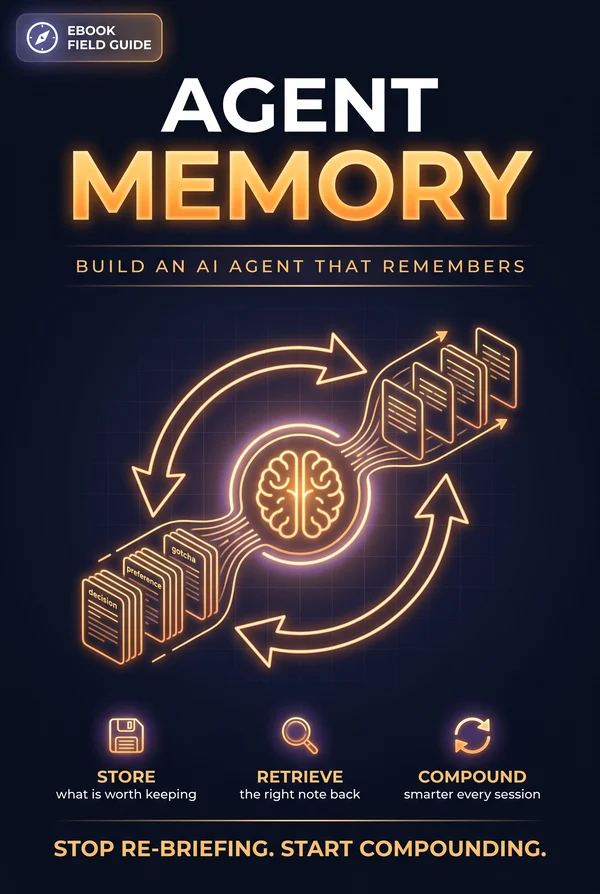
Summary
Two people give the same agent the same task and get wildly different results. Most of the time it isn't the prompt. It's that one of them gave the agent a memory and the other is re-explaining themselves at the start of every session. A model is stateless by default: brilliant for ninety seconds, then a blank slate. Memory is the layer that turns a clever one-off into a teammate that knows your codebase, remembers the decision you made last week, and gets better the longer it works with you.
This is a field guide to building that layer on purpose. We start with why agents forget and the taxonomy that makes the rest make sense (working, episodic, semantic, procedural memory) then build it the way you actually should: plain files first, one fact per file, before any vector database. From there we get into the parts everyone underestimates: deciding what's even worth remembering, getting the right memory back out (retrieval is the hard half), and what to do when a memory goes stale and starts lying to you. We cover the scoping decisions, shared brain vs. per-agent, per-user vs. per-project, the read-before-act / write-after loop that makes memory compound, and when to graduate from files to a real store with versioning and redaction.
It's a companion to Building Your Agentic OS and Running the Fleet, where those build the system around the agent, this one goes deep on the single pillar that most changes how an agent feels to work with. By the end you'll have a memory you can stand up this afternoon, and the judgment to know what to put in it and what to leave out.
This is a living document and will be updated as the tools and patterns evolve.
Why Agents Forget
Before building a memory, it's worth being honest about the hole it fills, because the hole is structural, not a bug you can prompt your way out of.
A model is stateless
The model at the center of your agent has no memory of its own. Each request is independent: you send some text, it sends some back, and the instant that exchange ends, it remembers nothing. Everything it appears to "know" about your conversation is just text you resent on the next request. There is no persistence inside the model. It is brilliant for the length of one context window and a blank slate the moment that window closes.
That's how the thing works, and it's actually a feature: clean, reproducible, no hidden state. But it means any continuity an agent has across time is continuity you engineered.
The context window is not memory
The obvious workaround is to keep stuffing everything into the context window: paste the whole history, the whole codebase, every prior decision. This breaks for three reasons. It's bounded, even a million-token window fills up. It's expensive and slow. You pay to re-process all of it on every single turn. And it's lossy in a sneaky way, models attend less reliably to the middle of a very long context, so the thing you needed can be present and still effectively ignored.
The context window is working memory: what the agent is thinking about right now. Memory, the thing this guide is about, is what survives between those windows.
The re-briefing tax
Here's the cost in human terms. Without memory, every session starts from zero. You re-explain that the project uses Bun, not npm. You re-explain that you already decided against the microservices split. You re-paste the same three conventions you pasted yesterday. The agent is competent every time and ignorant every time, and the gap is filled by you, repeating yourself.
That re-briefing tax is the whole motivation. A memory layer is what lets an agent accumulate, so the second session is smarter than the first, and the fiftieth is smarter than the second. The difference between a clever demo and a teammate is almost entirely whether it remembers.
What memory actually is
Strip away the jargon and agent memory is just this: a place outside the model where the agent writes things down, and a discipline for reading the right things back in before it acts. Storage plus retrieval plus the judgment of what's worth keeping. Everything in this guide is a refinement of those three. Let's start by giving them names.
The Four Kinds of Memory
"Add memory to my agent" is underspecified, because memory isn't one thing. Borrowing loosely from how people talk about human memory gives you a taxonomy that makes every later decision easier. There are four kinds, and they have different lifespans, different storage, and different rules.
Working memory
This is the context window, what the agent is actively holding in mind for the current task. It's fast, it's small, and it evaporates when the session ends. You don't "store" working memory; you assemble it fresh each turn from the prompt, the conversation so far, and whatever you retrieved from the other three. Most "memory" work is really the work of deciding what to load into working memory at the right moment.
Episodic memory: what happened
The record of events and interactions: "On Tuesday the user asked for X and we shipped Y." "The last deploy failed because of a missing env var." Episodic memory is a log of specific, timestamped experiences. It answers what happened and when. It's how an agent says "last time we tried that, it broke" instead of cheerfully suggesting the thing that broke.
Semantic memory: what's true
Durable facts, stripped of the moment they were learned: "This project uses Bun." "The user prefers terse commit messages." "Production runs in us-east-1." Semantic memory is the distilled, general knowledge an agent carries, not a transcript of a conversation but the conclusion you'd keep from it. This is the highest-leverage kind to get right, because a small set of true, stable facts changes behavior on every task.
Procedural memory: how to do things
The agent's skills and repeatable workflows: "To cut a release, do these seven steps." "Our code-review checklist is X." Procedural memory is the how-to layer. In practice it often lives as skills, runbooks, or instruction files rather than as "memories" per se, but it's memory in the same sense: knowledge that persists and shapes future action. (Roger's Building Your Agentic OS treats skills as one of the three pillars for exactly this reason.)
Why the taxonomy earns its keep
These aren't academic distinctions. They tell you where each thing goes and how it ages. Episodic memory is append-mostly and decays in relevance fast (last week's failed deploy matters less each day). Semantic memory is small, edited in place, and you want it to last. Procedural memory is versioned like code. When someone says "the agent should remember the user's name," that's semantic; "remember that the build failed," that's episodic; "remember how we do releases," that's procedural. Knowing which one you're talking about tells you the storage, the write policy, and the decay rule before you've written a line. With the map in hand, let's build the simplest possible version.
Start With Files
The instinct when you hear "agent memory" is to reach for a vector database. Resist it. The best first memory layer (and for a surprising number of agents, the only one you'll need) is a directory of plain markdown files. Start there, feel where it hurts, and only then add machinery.
Why files first
Files are legible (you can read and edit the agent's memory in any text editor), versionable (commit them to git and you get history for free), portable (they move with the project), and debuggable (when the agent does something dumb, you open the file and see exactly what it believed). A vector store is none of those things until you've built tooling around it. For semantic and procedural memory especially (small, high-value, slow-changing) files are not a starter version you'll outgrow; they're often the right answer.
One fact per file
The single most useful convention: one memory per file, with a one-line summary at the top. A folder of small, single-purpose notes beats one giant memory.md that grows without bound. Small files are easy to retrieve selectively, easy to update without rewriting everything, and easy to delete when they go stale.
Give each file a tiny bit of structure so both you and the agent can scan it:
---
name: build-tooling
type: semantic
---
This project uses Bun, not npm or node. Run `bun run build` to verify
changes; never run the dev server in an agent (it hangs).
The header isn't ceremony, type lets you treat episodic and semantic memories differently later, and a stable name lets one memory reference another.
Give the agent the tools to use it
A file-based memory needs exactly the file operations the agent already understands: read, write, edit, list, search. If you're on a platform with a built-in memory tool, it gives the agent a /memories directory and those operations out of the box. If you're rolling your own, expose a small set of tools (read_memory(path), write_memory(path, content), list_memories(prefix)) backed by a directory on disk. That's the entire storage layer.
Tell it the memory exists
The one thing files don't do for free: announce themselves. The agent won't consult a memory it doesn't know is there. So the system prompt has to point at it ("Before starting any task, check your memory directory for relevant context; record durable learnings as you go") and ideally the names (or summaries) of available memories are surfaced so the agent knows what's on offer without reading every file. That pointer is the hinge the whole system turns on, and it's the bridge to the two hard questions the rest of this guide answers: what do you write, and how do you get the right thing back?
What's Worth Remembering
The failure mode of a naive memory isn't forgetting too much. It's remembering too much. An agent that writes down everything builds a junk drawer: so full of noise that the signal can't be found, and so large that loading it poisons the context. The skill of a good memory is mostly the skill of what not to store.
The test: would re-deriving it be wasteful?
A memory earns its place only if it's something the agent couldn't cheaply figure out again. That gives you a sharp filter. Don't store what's already recorded elsewhere, the repo's structure is in the repo, the git history is in git, the conversation is in the transcript. Writing those into memory just duplicates a source of truth that will drift. Don't store what only matters for this one task, the temporary variable, the throwaway calculation, the thing relevant for the next five minutes. That's working memory; let it evaporate.
What's left is the good stuff: things that were non-obvious, hard-won, or decided.
What's actually worth keeping
- Decisions and their rationale. "We chose Postgres over Mongo because of the reporting requirements." The decision matters; the why matters more, because it's what stops the agent from relitigating it.
- Corrections. When you tell the agent "no, we don't do it that way". That's gold. A correction is a fact the agent got wrong once; writing it down means it won't get it wrong twice.
- Stable preferences. Tone, conventions, tools, the way you like PRs structured. Small, durable, behavior-shaping.
- Confirmed approaches. What worked and why, so the agent reaches for the proven path.
- Gotchas. The non-obvious trap that bit you once. "The dev server hangs the agent, use
buildto verify instead."
Notice these are mostly semantic and procedural. Episodic memories (raw events) are worth capturing too, but they're more valuable distilled: the lesson from the failed deploy outlives the deploy.
Write the why, not just the what
A memory that records a fact without its reason is brittle, the moment circumstances shift, the agent can't tell whether the fact still applies. "Use library X" is weak; "Use library X because Y has a serverless cold-start bug" is strong, because when someone asks about Y the agent knows whether the reason still holds. For the high-value memory types, a **Why:** line is worth more than the fact above it.
Update, don't duplicate
Before writing a new memory, the agent (or you) should check whether one already covers the topic and edit it rather than create a near-duplicate. Two memories that say almost the same thing are worse than one, because retrieval now has to disambiguate and the two will eventually contradict each other. A good write policy is as much about consolidation as creation. Which raises the question the next chapter is entirely about: once it's all written down, how do you get the right piece back?
Retrieval Is the Hard Part
Storing a memory is easy. Getting the right memory back at the right moment is the entire game, and it's where most agent-memory systems quietly fail. A perfect store you can't retrieve from is a write-only log. Budget your effort accordingly: retrieval deserves more of it than storage.
The problem, stated plainly
At the start of a task, the agent has a query (the user's request, the current state) and a pile of memories. You need to surface the handful that are relevant and leave the rest out, because loading everything defeats the purpose (back to a stuffed context window) and loading the wrong things actively misleads. Retrieval is a ranking problem: which memories, in what order, up to what budget.
Strategy 1: let the agent browse
The simplest retrieval is none: surface the names and one-line summaries of available memories, and let the agent decide which to open. This works astonishingly well when the memory set is small (dozens, not thousands) and the summaries are good. It's cheap, it's debuggable, and the agent's own judgment does the ranking. For a file-based memory of project facts, this is frequently all you need, the model reads the index, picks the two relevant files, and pulls them in.
Strategy 2: keyword and structured lookup
When the set grows, add structure the agent can query against: tags, types, a path prefix (/preferences/, /decisions/), or plain keyword search over the bodies. "Find memories tagged deploy." This is boring, fast, and predictable, and predictability is underrated. A keyword match you can explain beats a semantic match you can't.
Strategy 3: semantic (vector) search
When memories number in the thousands and the connection between a query and the right memory is conceptual rather than lexical, the user says "the database is slow" and the relevant memory is about "connection pool exhaustion", embeddings earn their place. You embed each memory, embed the query, and retrieve by vector similarity. This is the part everyone reaches for first and needs last. It's powerful, but it adds an index to maintain, a model to call, and a failure mode where the "most similar" memory is similar in words and wrong in meaning.
Ranking is more than similarity
Whatever the strategy, raw relevance isn't the whole score. Two more signals matter:
- Recency. A memory from this morning usually beats one from three months ago, especially for episodic memory. Decay relevance with age.
- Importance. A flagged correction or a core preference should outrank an incidental note even if it's a slightly weaker textual match.
The pragmatic answer is usually a hybrid: keyword or structured filtering to get a candidate set, then rank by a blend of relevance, recency, and importance, capped at a token budget. Don't reach for vectors on day one. Start with browse-the-index, add structure when it strains, add embeddings only when the set is genuinely too large for the model to triage itself. And whatever you build, watch what it actually retrieves, because the day a memory comes back confidently wrong is the day the next chapter starts to matter.
When Memory Lies: Staleness and Decay
A memory is a snapshot of something that was true when you wrote it. The world keeps moving; the memory doesn't. The most dangerous failure in an agent-memory system is a confidently retrieved memory that's no longer true. A blank slate asks. A stale memory asserts.
Facts rot
"Production runs in us-east-1" was true until the migration. "The lead engineer is Sarah" was true until she left. "We use library X" was true until you ripped it out last sprint. None of these announce that they've expired; they sit in the store looking exactly as authoritative as the day they were written, and the agent acts on them. Any memory that names a file, a person, a version, a flag, or a config value is a candidate to have quietly gone wrong.
Verify before you trust
The single most important habit: treat a retrieved memory as a strong hint, not ground truth, when it makes a checkable claim. If a memory says a function lives in auth.ts, and the cost of being wrong is real, the agent should confirm the file still exists before relying on it. This is exactly how you'd treat a colleague's six-month-old note, useful orientation, worth a glance to confirm. Bake it into the instructions: "Memories reflect what was true when written; verify any file, name, or value a memory cites before acting on it."
Decay and expiry
Not all memory should live forever. Build in aging:
- Time-decay relevance. Episodic memories especially should lose ranking weight as they age, so last year's events don't crowd out last week's.
- Expiry for the inherently temporary. Some memories are known-ephemeral when written ("the staging DB is down for maintenance this week"). Tag them with a shelf life and let them lapse.
- Supersession. When a new memory contradicts an old one, the old one should be updated or deleted, not left to coexist. Two memories that disagree are a bug, and the agent will eventually retrieve the wrong one.
Handling contradictions
When you do find conflicting memories, prefer the most recent, prefer the more specific, and, if it matters, surface the conflict rather than silently picking. A memory store that can say "I have two notes about this and they disagree" is more trustworthy than one that confidently serves whichever it happened to rank first.
Prune deliberately
A memory you've discovered is wrong should be deleted, not just down-weighted. Correcting course means removing the bad note, not burying it. Periodic pruning (by you, or by the agent when it catches its own stale belief) is maintenance, not failure. A smaller, truer memory beats a larger, rotting one every time. Keeping memory honest is partly about decay rules and partly about who owns each memory, which is the next decision: scope.
Shared vs Per-Agent Memory
Once you have more than one agent (or more than one user, or more than one project) "the memory" stops being a single thing. The question becomes whose memory is this, and who gets to see it? Get the scoping wrong and you either starve agents of context they need or leak context they shouldn't have.
The axes of scope
Think about memory along a few independent lines:
- Per-user. Memories about a specific person, their preferences, their history, their data. A's preferences must not surface in B's session. This is the most common scope and the one with the sharpest privacy boundary.
- Per-project / per-workspace. Memories about a codebase or a body of work, shared by everyone (and every agent) working on it. "This repo uses Bun" belongs here. It's true for whoever's asking.
- Per-agent. Memories an individual agent accumulates about its own role and tasks. A reviewer agent and a test-writer agent working the same repo may each keep notes the other doesn't need.
- Shared / global. Organization-wide reference that everything draws on: the style guide, the architecture overview, the runbooks.
These compose. A single session might read from a shared reference store (read-only), a per-project store (read-write), and a per-user store (read-write) all at once.
One brain, many heads
In a multi-agent setup (the territory of Running the Fleet), shared memory is what lets a fleet act coherently instead of as strangers. The decomposer writes a plan to shared memory; the workers read it; the orchestrator reads their results back. Without a shared store, every handoff has to cram its full context into the message itself. With one, agents leave notes for each other in a place they all can reach, and the whole system gains a working memory larger than any single agent's context window.
Read-only vs read-write
Scope covers who sees it and who can change it. A shared reference store is usually read-only to the agents that consume it. You don't want a worker agent rewriting the org style guide mid-task. A per-user or per-project store is read-write so the agent can actually learn. Enforce this at the boundary (mount the shared store read-only) rather than trusting the agent not to write where it shouldn't.
Privacy is a scope decision
The per-user boundary is where privacy lives or dies. Two rules: isolate by default (a user's memories are reachable only within that user's sessions, no shared directory that accidentally spans users), and never write secrets into memory at all (API keys, tokens, passwords belong in a secrets manager, not a notes file the model can read back and a teammate might browse). Memory is durable and legible by design, which is exactly why sensitive material doesn't go in it. With scope settled, the pieces are in place, now we wire them into the loop that makes memory actually compound.
The Loop That Makes Memory Compound
Storage, retrieval, write policy, decay, scope, all of it only pays off inside a habit. Memory compounds when the agent reads the right things before it acts and writes the right things after. Skip either half and the store either gathers dust or never fills. This is the operating loop.
Read before you act
The first move of any non-trivial task is to consult memory. Not "sometimes," not "if the agent feels like it", as a standing instruction at the top of the workflow:
Before starting a task, check memory for relevant prior context, decisions, preferences, gotchas, and anything you've learned about this project or user. Pull in what's relevant; don't start from a blank slate when you don't have to.
This is the step that cancels the re-briefing tax. The agent walks in already knowing the project uses Bun, already knowing the decision against microservices, already knowing the dev-server gotcha, because it read its own notes first.
Write after you learn
The second half is capture. As the agent works, and especially at the end of a task, it records what's worth keeping, applying the write policy from earlier (decisions, corrections, confirmed approaches, gotchas; with the why; updating rather than duplicating):
As you work, record durable learnings: decisions and their rationale, corrections, approaches that worked, and traps to avoid. One lesson per note, with a one-line summary. Update an existing note rather than creating a near-duplicate; delete notes you discover are wrong.
The cadence matters. Write at natural checkpoints (a decision made, a bug understood, a task completed) not on every trivial step. Over-writing reintroduces the junk-drawer problem.
The flywheel
Put the two halves together and you get a flywheel. Session one: the agent learns three things about your project and writes them down. Session two starts with those three already in hand, learns two more, records them. Session ten walks in knowing twenty things it figured out across nine prior sessions. Each cycle makes the next one start further ahead. That is what "memory that compounds" means, not a bigger store, but a loop where every task makes future tasks cheaper and smarter.
Keep the human in the loop
The loop runs better with a person occasionally watching it. Because file-based memory is legible, you can read what the agent has been writing about itself and catch drift early, a memory that overgeneralized a one-off into a rule, a captured "fact" that was actually a mistake. A five-minute skim of the memory directory now and then is the cheapest quality control you'll find, and it's only possible because you kept the store readable. That readability is exactly what you start trading away when you scale up, which is the next decision.
Scaling Up: From Files to a Store
Files will carry you further than you expect. But there's a point where a directory of markdown stops being enough, and it's worth knowing the signals, and what you gain and give up when you graduate to a managed memory store.
The signals it's time
You've outgrown files when:
- Volume. Thousands of memories, where browsing-the-index no longer works and you genuinely need vector retrieval to find the right one.
- Concurrency. Multiple agents or sessions writing simultaneously, where two writers can clobber each other and "just edit the file" races.
- Multi-tenancy at scale. Per-user memory for many users, where a directory-per-user sprawls and you want enforced isolation, quotas, and lifecycle management.
- Audit and compliance. You need to know who changed a memory and when, roll back a bad edit, or scrub a specific fact on request.
If none of those bite, stay on files. Graduating early buys you operational overhead in exchange for capabilities you aren't using.
What a managed store gives you
The modern answer is a memory store, a persistent, queryable collection of memory documents that survives across sessions, with the machinery files lack. The capabilities that matter:
- Concurrency control. Optimistic-concurrency primitives (a content hash you pass back on update, rejected if someone else wrote in between) so simultaneous writers don't silently overwrite each other.
- Versioning. Every change snapshotted, so you can see a memory's history and roll back a bad edit instead of losing the prior state.
- Redaction. The ability to scrub the content of a past version while preserving the audit trail, the answer to "a secret leaked into memory" or "this user asked to be forgotten."
- Scoped attachment. Mounting the right stores into a session, a read-only shared one plus a read-write per-user one, with the isolation enforced for you.
Crucially, a good store can still present to the agent as a filesystem: it reads and writes files in a mounted directory, while you get versioning, concurrency, and audit underneath. The agent's mental model doesn't have to change when the storage does.
Don't lose what files gave you
The risk in scaling up is throwing away legibility. A vector store you can't read by eye, can't diff, can't reason about when it misbehaves, is a step backward even if it's a step up in capacity. Preserve the file-era virtues where you can: keep memories small and single-purpose, keep human-readable summaries, keep an audit trail you can actually inspect. The goal is to add durability and scale without turning memory back into a black box. The store is plumbing; the discipline from the earlier chapters is what still makes it work, which is why the last chapter is about the ways memory goes wrong, regardless of where it's stored.
Failure Modes and a Checklist
Memory is leverage, and leverage cuts both ways: a good memory makes an agent compound, a bad one makes it confidently wrong at scale. Here are the failure modes worth designing against, and a checklist to run before you trust a memory layer in anything that matters.
Memory poisoning
The sharpest risk: a false or malicious memory gets written, and now it shapes every future task. This happens innocently (the agent overgeneralizes a one-off into a rule) or adversarially (untrusted content the agent processed contains an instruction that gets stored as if it were a fact). The defenses: be conservative about what gets written, prefer human-confirmed memories for anything load-bearing, treat memory content as data rather than instructions when you read it back, and keep the store legible so a poisoned entry is something you can actually spot and remove.
Runaway growth
Left unchecked, memory only grows, and a store that grows without pruning slowly degrades: retrieval gets noisier, the junk drawer fills, costs creep. Growth is not success. Pair every write policy with a prune policy, expiry on the ephemeral, deletion of the disproven, consolidation of the duplicated. A memory layer needs gardening, and the gardening is the job, not a chore you'll get to later.
Privacy and secrets
Memory is durable and readable by design, which makes it the worst possible place for things that should be neither. Never write secrets into memory, keys, tokens, passwords live in a secrets manager. Be deliberate about PII: know what user data you're persisting, isolate it per-user, and have a way to redact or delete it on request (the compliance reason memory stores offer redaction in the first place). "It's just a notes file" is exactly why a leaked secret there is so dangerous.
Stale-memory overconfidence
Covered in its own chapter, but it belongs on any failure list: the agent trusting a retrieved memory that's no longer true. The standing mitigation is verify-before-trust on any checkable claim, plus decay and supersession so the stale entry loses out to the current one.
The pre-trust checklist
Before you rely on a memory layer:
- Read works. The agent actually consults memory before acting. You've watched it happen, not just instructed it.
- Write is selective. It captures decisions, corrections, gotchas, and preferences with their why, and not the derivable, the trivial, or the duplicate.
- Retrieval surfaces the right thing. You've checked what comes back for real queries, not assumed it.
- Stale claims get verified. Anything citing a file, name, or value is confirmed before it's acted on.
- Decay and pruning exist. Old and disproven memories age out or get deleted; contradictions get resolved, not stored.
- Scope is enforced. Per-user isolation holds; shared stores are read-only to consumers; no secrets, deliberate PII handling.
- It's legible. You can open the memory and understand what the agent believes and why.
The payoff
Get this right and the agent stops being a brilliant stranger you re-brief every morning and becomes something that knows your work (the project's conventions, the decisions you've made, the traps you've already hit) and gets sharper the longer you work together. That's the entire promise of agent memory: not a bigger context window, but an agent that accumulates. Stand up a directory of files this afternoon, wire in the read-before / write-after loop, and let it start compounding.