Summary
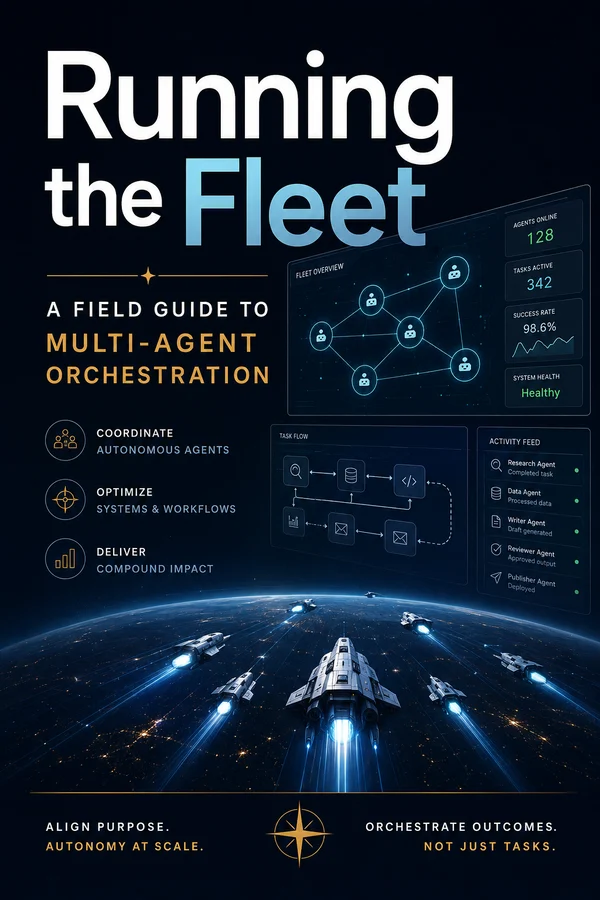
You built one agent that knows you cold. Its own personality, a memory that survives, skills it runs your way. It's a great employee. It's also still one employee, doing one thing at a time, waiting on you to hand it the next task. This guide is about the next move: turning that single agent into a coordinated fleet that plans, executes, and monitors real goals while you supervise instead of operate.
It's the deep-dive sequel to Building Your Agentic OS, where that guide ended by pointing at the horizon, this one walks the whole distance. We build it on Hermes, because Hermes already ships the hard parts: profiles (every agent a full citizen with its own identity and memory), a durable kanban board that coordinates them, a decomposer that routes a dropped-in goal to the right specialists, and a way to package a whole agent as a git repo and hand it to your team. Concrete throughout, honest about the sharp edges, and built so the foundation you already laid is exactly what scales up.
The Solo Ceiling
By the end of the last guide you had something genuinely good: one agent that knew who you were, remembered what you'd decided, and ran your methods the same way every time. Living on Hermes, it even reached you on your phone and woke up on a schedule. If you stopped there, you'd already be ahead of almost everyone.
But there's a ceiling, and you feel it the first time you want two things to happen at once. Your agent is one worker. It does one task, then the next, then the next, and the whole queue moves at the speed of your attention, because you're still the one deciding what it does and when. It can't research while it drafts. It can't watch twelve things and act on the one that moved. It can't break a big goal into pieces and chase them in parallel. It's a brilliant employee in a company of one, and some jobs just need a team.
That's what this guide builds: not a bigger agent, but a fleet. A coordinated set of specialists, a board that routes work between them, a shared brain so they don't contradict each other, and you at the console deciding what matters, the full definition of an agentic OS, the one that coordinates many agents to plan, execute, and monitor a goal while a human stays in control.
This is the deep-dive sequel to Building Your Agentic OS. That guide ended by pointing at this horizon; here we walk the whole distance. And the best news up front: you're not starting over. The identity, context, and skills you already built are the seed every agent in the fleet grows from. We'll build the whole thing on Hermes, because, as we'll see, it already ships the hard parts.
Let's meet the team.
What a Fleet Actually Is
"Multi-agent system" gets thrown around like it means something exotic. It doesn't. A fleet is five parts, and you can hold all of them in your head at once.
Specialists. Instead of one generalist, you have several focused agents (a researcher, a drafter, a reviewer, a deployer) each good at one job. Same reason a real team beats one person doing everything: focus beats breadth.
A coordinator. Something that takes a goal, breaks it into steps, and hands each step to the right specialist. This is the scheduler, the thing that decides who runs when.
A board. A shared, durable place where the work lives: what needs doing, who's on it, what's blocked, what's done. Not in one agent's head, out in the open where every agent, and you, can see it.
Shared memory. One brain underneath, so the researcher and the writer work from the same facts and the same brand voice, and nobody re-litigates a settled decision.
Governance and a console. Guardrails on what each agent may do, and a seat for you to watch, approve the calls that matter, and pull the cord when something's off.
Line those up against a real operating system and the analogy stops being cute and turns exact: the coordinator is the scheduler, shared memory is memory management, governance is the kernel and permissions, and you at the console are the user, the one the whole thing ultimately answers to. The board is the part a single-machine OS doesn't need a metaphor for; it's just the work queue.
And your job changes one more time. In the first guide you went from operator (you do the work) to delegator (you hand it to one agent). A fleet makes you the designer and manager: you decide which specialists exist, what each is allowed to do, how work routes between them, and which decisions you keep for yourself. You're running a small org now. The rest of this guide is how to do that without it turning into chaos.
Profiles: Your Agents Are Files
The first question with any fleet is "what is an agent, concretely?" In Hermes the answer is a profile, and it's refreshingly literal: a profile is a separate Hermes home with its own SOUL.md, its own skills, its own memory, its own config and API keys, even its own gateway and bot token. Spin one up and it becomes its own command, researcher chat, writer chat, reviewer chat.
So your fleet is hermes profile create, run a few times:
hermes profile create researcher --clone-from base \
  --description "Reads source, docs, and the web; writes findings. Does not publish."
hermes profile create writer --clone-from base \
  --description "Turns research into on-brand long-form drafts."
hermes profile create reviewer --clone-from base \
  --description "Checks drafts against brand and facts; approves or sends back."
Notice --clone-from base. You don't build each specialist from scratch. You stamp them out of the OS you already built in the first guide. The base carries your identity, your context, your house skills; each clone then gets a tuned SOUL.md and a tighter skill set for its job. One good foundation, many specialists.
That --description isn't decoration. It's the routing label. The coordinator reads every profile's description to decide who gets which task, so write it like a job posting: what this agent does, and pointedly, what it doesn't. Set it at creation, rewrite it later with hermes profile describe, or let Hermes auto-generate it from the profile's skills.
A few rules keep a roster sane:
- One job per profile. If a description needs the word "and" three times, it's two profiles.
- Scope down, not up. Give each only the tools and keys its job needs, more on why in the governance chapter.
- Name them like roles, not pets.
inbox-triage,pr-reviewer,research. You should know what something does from its name.
Those one-liners above are the quick version. Here's the full set for our content fleet, sharpened, copy the shape, not the words:
- research: "Reads source material, internal docs, and the web; produces structured findings with citations. Does not write prose or publish."
- writer: "Turns research findings into on-brand long-form drafts. Assumes the facts are settled; does not research or publish."
- reviewer: "Checks drafts against brand voice and the cited facts; approves or sends back with notes. Never publishes."
Three sentences each, and every one says what the agent doesn't do. That's the line that stops the decomposer handing the writer a research task.
A description routes work; a `SOUL.md` decides how the agent does it once the work lands. Here's the writer's, in full, short on purpose:
# Who you are
You are the writer on Roger's content fleet. You turn research into
finished long-form drafts that sound like Roger: direct, warm, concrete,
no filler. One strong idea per section.

# How you work
- Start from the research task's findings. Treat the facts as settled —
  if something's missing or wrong, block the task, don't invent.
- Draft in Markdown. Lead with the point; cut the throat-clearing.
- Match the brand voice in shared memory. When unsure, pull an example
  from a past post rather than guessing.

# What you never do
- You don't research, and you don't fact-check yourself into a corner.
- You don't publish. Hand off to the reviewer when the draft is done,
  then mark the task complete.
Notice it mirrors the description (same job, same boundaries) just turned into instructions instead of a label. The description gets the agent the right work; the SOUL.md makes it do that work like a member of your team.
The third file is `config.yaml`, the model, the tools, the defaults. This is also where scoping lives, so the writer literally can't reach for tools it has no business touching:
model: claude-sonnet-4-6
tools:
  - read_file
  - write_file
  - kanban           # hand off and complete tasks
  - memory           # shared brand voice and decisions
  # deliberately absent: web, publish, shell — not this agent's job
defaults:
  workspace: scratch
The researcher's config would carry web and drop write_file; the publisher's would carry publish and nothing that can edit content. Same base, three different capability surfaces, least privilege, set per profile in a file you can read at a glance. (The governance chapter comes back to why that absent-tools list does more work than it looks.)
Profiles are the citizens of your fleet. Next we need the place they actually coordinate: the board.
Try this
- Clone your base into one specialist:
hermes profile create research --clone-from base --description "…". Write the description as a job posting that names what it doesn't do. - Open the new profile's
SOUL.mdand tighten it to that one job, mirror the description, add a "what you never do" section. - Edit its
config.yamlto remove every tool the role doesn't need. Notice how short the list gets. - Run
research chatand give it a task slightly outside its lane. If it stays in its lane, your description and SOUL are doing their job.
The Board: Where the Work Lives
A roster of specialists isn't a system until they have somewhere to hand work back and forth. In Hermes that's the kanban board, the real orchestration substrate, so it's worth understanding properly.
The board is a durable, shared task queue. Every task is a row in a local database (~/.hermes/kanban.db) that every profile can read and write. That durability is the whole point: unlike a quick in-process subagent that vanishes when it's done, a task on the board survives restarts, crashes, and handoffs between agents. It's a filing system, not a conversation.
The pieces:
- Task: a unit of work with a title, one assignee (a profile), and a status that moves
triage → todo → ready → running → done(withblockedandarchivedfor the messy cases). - Links: dependencies. The board promotes a task from
todotoreadyonly once its parents aredone, so a draft can't start before the research it needs. - Comments: the clever bit: comments are the protocol. Agents leave each other notes on a task, and when a worker is (re)spawned it reads the whole comment thread as context. It's also where you step in, a comment from a human is just another row.
- Workspace: the directory a worker operates in: scratch by default (wiped when the task's done) or persistent when the work needs to stick around.
There are two front doors to the same board. Agents drive it through tools, the model calls kanban_create, kanban_complete, kanban_block, and friends. You drive it through the CLI, a slash command, or the dashboard, a Linear-style board you can actually watch, drag cards around, and comment on. Both write through the same layer, so what you see and what the agents see can never drift.
That last point matters more than it sounds. The board is the single source of truth for work in progress, the same way your context folder was the single source of truth for knowledge. Everything the fleet is doing is visible in one place, to the agents and to you, as durable rows you can audit later. Now let's put work on it.
Try this
- Run
hermes dashboardand open the Kanban view (orhermes kanban initif you've never touched the board). Just look at the empty columns,triage → todo → ready → running → done, so the lifecycle is concrete. - Create one task by hand:
hermes kanban create "test task" --assignee research. Watch where it lands. - Drop a comment on it from the CLI (
hermes kanban comment <id> "note for the worker") and confirm it shows on the card. That comment is the handoff protocol you'll lean on constantly. - Archive the test task. You've now driven the board from the human side, the agents use the same board through their
kanban_*tools.
Decompose and Route
Here's the move that turns a board into an orchestrator. You drop a goal, one line, into the Triage column:
"Write a 1,500-word post on our new pricing, researched and fact-checked."
Hermes's decomposer reads it, reads your roster of profiles and their descriptions, and fans it out into a graph of tasks: who does what, and what depends on what. For our content fleet that comes back as:
- research: gather pricing details, competitor comparisons, likely objections (no dependencies)
- writer: draft the post (depends on 1)
- reviewer: check against brand and facts (depends on 2)
- publisher: format and stage it (depends on 3)
The original one-liner becomes the parent of the whole graph, so it stays alive until every step is done, then pops back to ready so a coordinator (or you) can judge whether the goal was actually met and add more work if not. That's the difference between "run four things" and "get this outcome, however many steps it takes."
Routing is driven entirely by those profile descriptions from the last chapter. The decomposer is matching work to job postings, which is exactly why a vague description produces bad routing. "Handles content" gets the wrong tasks; "drafts on-brand long-form from research, doesn't publish" gets the right ones.
You choose how hands-on to be:
- Auto (the default), the dispatcher decomposes triage tasks on its own each tick, capped so a flood of tasks can't burn your budget at once. Drop a one-liner, walk away.
- Manual: triage tasks wait until you hit Decompose on a card (or run
hermes kanban decompose <id>). Full control over what runs when.
It's a single toggle, the auto/manual pill on the board, and it's also your first oversight dial: auto for the routine, manual for the high-stakes. We'll come back to that in the governance chapters. For now, sit with the shape: a goal in plain English becomes a routed, dependency-aware plan executed by specialists, with you choosing how much to watch. That's orchestration, and it ships in the box.
Try this
- With at least two specialists created, drop a real one-line goal into Triage:
hermes kanban create "<your goal>" --triage. - Keep it on manual and run
hermes kanban decompose <id>. Read the graph it produces before anything executes. - Check the statuses: only the dependency-free tasks should be
ready; the rest sit attodobehind their parents. That's the routing and the dependency graph working. - If a task landed on the wrong specialist, don't fix the task, fix the description of the profile that should have gotten it, and decompose again. Routing quality lives in the descriptions.
Two Ways to Delegate
Before we go further, clear up a fork in the road that trips people up, because Hermes gives you two ways for one agent to hand work to another, and using the wrong one makes a mess.
`delegate_task` is a function call. An agent spins up an anonymous subagent, hands it a task, and waits for the answer to come back into its own context. Fork, join, done. The subagent has no name, no persistent memory, and if it fails, it failed, no retry, no trail. It's perfect when an agent needs a quick sub-answer mid-thought: "summarize these three files so I can keep going."
The kanban board is a work queue. You create a task and move on, fire-and-forget. The task goes to a named profile with its own memory, survives crashes and restarts, can be retried, blocked and unblocked, picked up by a different agent later, commented on by a human, and read back months later as a durable row. It's for work that crosses agent boundaries, needs to outlive a single run, or might need you in the loop.
The one-line test: if the parent needs the answer to keep working, use `delegate_task`; if the work has a life of its own, use the board.
They're not rivals. They nest. A kanban worker grinding through "draft the post" might call delegate_task three times to summarize sources along the way. Quick sub-answers happen inside a task; the task itself lives on the board. Get this distinction right and your fleet stays legible: the board shows the real work, and the transient stuff stays transient instead of cluttering it.
One Brain, Many Heads
A fleet with five separate memories is five strangers who happen to work for you. The researcher notes that you dropped a competitor comparison last quarter; the writer, with its own separate memory, cheerfully puts it back in. Multiply that across a roster and you get output that quietly contradicts itself.
The fix is the principle from the first guide, one source of truth, promoted from skills to agents. You want every profile reading the same brand context and the same settled decisions, while still keeping its own working notes.
Hermes does this through a shared memory layer (its Honcho provider): every profile gets its own observations and identity, but they share one workspace underneath. So the researcher remembers like a researcher and the writer remembers like a writer, distinct heads, but both draw on one common brain for who you are, what you sound like, and what's already been decided. Clone a new specialist into the fleet and it joins that shared context instead of starting blank.
In practice, split memory into two tiers, like before:
- Shared and durable: brand voice, positioning, settled decisions, the facts everyone must agree on. This is your
context/from guide one, now feeding the whole fleet. - Per-profile and working: what this agent is doing right now, its scratch notes, its task-specific state. Private to the profile; wiped or kept as the work demands.
The board handles a third kind (work state, who's doing what) which is why comments-as-protocol matter: an agent doesn't need to telepathically know what another did, it reads the handoff note on the task. Between a shared brain for knowledge and the board for work, the fleet stays coherent without any single agent holding the whole picture. Which is good, because the next problem is what happens when one of them falls over.
When Agents Fail
A single agent that fails just... stops, and you notice. A fleet that fails quietly keeps going with a hole in the middle of it, and you find out three steps later. So before you let a roster run unattended, you need to know what Hermes does when an agent falls over, because designing for failure is the difference between a demo and a system.
The board is built on the assumption that workers will fail, and it handles it without you babysitting:
- Block and unblock. A worker that can't finish marks its task
blockedwith a reason instead of dying silently. It sits there, visible, until something (another agent, or you in a comment) unblocks it. A stuck task is a state, not a loss. - Crash and reclaim. Workers are real OS processes. If one dies mid-task, the dispatcher notices the dead process and returns the task to
readyso it can be picked up again. The work isn't tied to the life of whatever process happened to be running it. - Retry with a limit. A spawn that fails (bad PATH, unmountable workspace) bumps a counter and the task goes back for another go. But not forever.
- The circuit breaker. After N consecutive failed attempts, Hermes gives up on its own: the task auto-blocks with the last error instead of burning your budget retrying something that's never going to work. You set the limit per task or board-wide.
- Protocol violations. If a worker exits "successfully" but never actually called complete or block, it answered and wandered off, the dispatcher catches it, blocks the task, and flags it rather than marking phantom work done.
Every one of these is an event on the task, and you can stream them: hermes kanban tail <id> for one task, hermes kanban watch for the whole board. That's your flight recorder.
There's a deeper reason to care, and it's the compounding-reliability math from the 70/30 Engineer guide. Chain ten steps that each succeed 95% of the time and you're at about 60% end to end; at 90% per step, barely a third. A fleet is a chain of probabilistic steps, which is exactly why the block/retry/reclaim/breaker machinery is the thing that keeps a ten-step pipeline from being a coin flip. The orchestration is what makes parallelism possible; this is what makes it trustworthy.
A Full Run, Start to Finish
We've described every part. Now let's run one goal end to end and watch what actually shows up in the terminal, including the part where something goes wrong, because that's the part you most need to see before you trust a fleet to run unattended.
Everything below uses the content fleet from the last few chapters (research, writer, reviewer, publisher) on the default board, kept on manual so we see every step before it fires.
1. Drop the goal in. One English sentence, straight into Triage:
$ hermes kanban add "Write a 1,500-word post on our new pricing, researched and fact-checked"
✓ created task a1f2 (triage) on board: default
2. Decompose it. On manual, nothing fans out until you say so:
$ hermes kanban decompose a1f2
✓ a1f2 decomposed into 4 tasks
  b3c1  research    → ready   (no deps)
  b3c2  writer      → todo    (needs b3c1)
  b3c3  reviewer    → todo    (needs b3c2)
  b3c4  publisher   → todo    (needs b3c3)
Read the statuses: only research is ready, the rest sit at todo, held behind their dependencies. The board won't let the writer start before the research it's waiting on exists. That's the dependency graph from the routing chapter, now a real queue.
3. Watch it run. Flip nothing; just observe:
$ hermes kanban watch
14:02  b3c1  research   running   spawned researcher
14:05  b3c1  research   done      findings posted as comment
14:05  b3c2  writer     ready     unblocked (parent done)
14:05  b3c2  writer     running   spawned writer
The instant research hit done, the board promoted writer from todo to ready and the dispatcher picked it up. Nobody told it to, the graph did its job.
4. Read a handoff. The researcher didn't return its work into a void; it left it on the task, which is how the writer picked it up. Comments are the protocol:
$ hermes kanban show b3c1
task b3c1  research  done  assignee: researcher
─ comments ─────────────────────────
researcher  14:05
  Findings (cited):
  - New tier is $29/mo, up from $19 — three reasons in the pricing doc.
  - Closest competitor sits at $25 but caps seats; we don't.
  - Likely objection: "why the jump?" — answer it in section 2.
  Sources: pricing-v3.md, competitor-scan.md
That comment is the entire reason the writer knew what to write. No shared scratchpad, no telepathy, a durable note on the task that any agent, or you, can read back later.
5. Something goes wrong: and the fleet handles it. The reviewer runs, and it can't reconcile a number against the cited source. It doesn't guess, and it doesn't fail silently. It blocks:
$ hermes kanban watch
14:11  b3c3  reviewer   running   spawned reviewer
14:12  b3c3  reviewer   blocked   draft says $32, pricing doc says $29 — can't reconcile
This is the failure machinery from the last chapter, made visible: a blocked task with a reason, sitting in the open, instead of a wrong price sailing through to publish. The pipeline stops itself at exactly the right spot.
6. You step in. The board is waiting on a human, and a comment is how you answer:
$ hermes kanban comment b3c3 "Good catch — $29 is right; the $32 was a typo in the draft. Send back to the writer to fix."
$ hermes kanban unblock b3c3 --reassign writer
✓ b3c3 → ready, reassigned to writer
The writer respawns, reads your comment as context, fixes the number, and hands back to the reviewer, which this time approves, and the publisher runs. The parent a1f2 flips back to ready so you can confirm the goal was actually met before you call it done:
14:18  b3c2  writer      done     corrected $32 → $29, re-handed to reviewer
14:21  b3c3  reviewer    done     approved
14:23  b3c4  publisher   done     staged draft for review
14:23  a1f2  (parent)    ready    all children done — awaiting your sign-off
That's the whole loop, plan → execute → monitor → replan, on real commands, with the recovery path shown rather than promised. You dropped one sentence and got back a researched, fact-checked, human-corrected, staged post; and at every step you could see exactly what each agent was doing and why. The wrong number got caught, not shipped. That's what "autonomous with a human in the loop" looks like when it's actually working, and it's the shape every other pattern in the next chapter is a variation on.
Try this
- Run your own goal end to end on manual, with
hermes kanban watchopen in a second terminal. Don't intervene yet, just watch the status transitions and the dependency promotions happen on their own. - Open a completed task with
hermes kanban show <id>and read the handoff comment the worker left. That comment is the coordination, sit with how little magic there is to it. - Now force the recovery path: when a task is mid-flight, drop a corrective comment and watch the next worker spawn read it. (Or block one yourself and practice the
comment → unblockmove.) - Only once you've watched the catch-and-correct loop work on a real run should you consider flipping a routine goal to auto.
Governance: The Kernel
A fleet acting on its own toward a goal is exactly as safe as the guardrails around it, no more. This is the half of "autonomous while maintaining human oversight" that's easy to skip and expensive to learn the hard way. Governance is the kernel: the layer that decides what each agent is allowed to do, on purpose.
Hermes profiles hand you the first piece for free. Each profile has its own config, its own API keys, its own toolset and model, so you scope capability per agent. The publisher gets publishing tools; the researcher gets read-and-web and nothing that can change the world. Least privilege, one profile at a time.
Now the sharp edge people cut themselves on: a profile isolates Hermes state, not your filesystem. Profiles don't sandbox. On the default local backend, an agent has the same file access your user account does, a scoped personality is not a scoped blast radius. Real least-privilege means pairing profile scoping with an actual sandbox: one of Hermes's hardened execution backends (Docker, SSH, and friends), so a misbehaving worker is contained by the OS, not by good intentions in a SOUL.md.
Concretely, that's one block in the profile's config.yaml. Swap the default local backend for a containerized one and the worker runs inside Docker, touching only the directory you mount and nothing else:
execution:
  backend: docker
  image: hermes-worker:latest
  mounts:
    - ./workspace:/work     # the only filesystem it can reach
  network: none             # no outbound unless the job needs it
Now the publisher's write_file can scribble all over /work and reach nothing else on your machine. The profile scopes which tools an agent has; the backend scopes what damage they can do. You want both, the first is a job description, the second is a locked door.
The rest of the kit:
- Approval gates on anything irreversible or customer-facing, a human comment on the task before the destructive step, not after.
- Spend limits, because a runaway loop is a runaway bill, and the circuit breaker from the last chapter is your backstop.
- An audit trail you get by default. Every task, handoff, comment, and event is a durable row in the board's database, who did what, when, and why, readable months later. Most systems bolt auditing on; here it's just how the board works.
- Distributions stay inert until you say so. When you install an agent as a distribution (a couple of chapters from now), its scheduled jobs aren't auto-enabled. You turn them on deliberately.
The mental model is the one the OS analogy keeps handing us: not every program touches every device, and not every agent touches every tool. Power gated by design, not by hope. Set the boundaries once, per profile, and the fleet runs inside them.
The Human at the Console
Governance decides what the fleet can do. Oversight is you deciding, in the moment, what it should, and keeping a hand on the wheel without having to drive. The goal isn't to watch every keystroke; it's to watch the board and hold the few controls that matter.
Hermes gives you a real console, not a log file you reconstruct after the fact:
- The board is the dashboard. A Linear-style view of every task, who's on it, what's blocked, what's done, updating live as agents act. You glance at it the way a manager glances at a standup board.
- Comments are your way in. Because comments are the fleet's protocol, dropping one is intervening: answer a blocked task, correct a direction, add a constraint. The agent reads it on its next spawn. You're a peer on the board, not an outsider poking at it from the side.
- The auto/manual dial. Auto-decompose for the routine; flip to manual for the high-stakes goal you want to approve before it fans out. That toggle is your single biggest oversight lever, how much autonomy, set per moment.
- Checkpoints where they count. Keep the irreversible, the customer-facing, and the expensive behind a human yes. Let the rest run.
The loop you're running is plan → execute → monitor → replan, and your seat is at monitor. You're not in the execution path for most of it; you're watching outcomes and stepping in on the decisions that deserve a person.
This is the team-scale version of the discipline from the 70/30 Engineer guide, delegate, verify, own. Going from one agent to a fleet doesn't retire the verifying and the owning; it promotes them. You stop reviewing individual outputs line by line and start governing a system that produces them. But the accountability doesn't move: everything the fleet ships, ships under your name. The signature is still yours. There are just a lot more hands now, and your job is to make sure they're all pointed the right way.
Fleet Patterns
You don't have to invent the shape of your fleet from nothing. A handful of patterns cover most of what people actually build, here are the ones worth knowing, each as a roster plus a board shape. Our content pipeline is one of them; the others show the range.
The pipeline (our running example). A linear chain of specialists, each depending on the last: research → writer → reviewer → publisher. One goal in, a finished artifact out, with a quality gate built into the dependency graph, the publisher literally can't run until the reviewer's done. This is the workhorse: any repeatable process where stages hand off in order. The engineering version is the same shape, decompose → implement in parallel worktrees → review → open the PR.
Triage with a human in the loop. Parallel researchers fan out on a question, an analyst consolidates, a writer produces the answer, and you sit on the board approving or redirecting at the consolidation step. Good for anything where the inputs are messy and judgment matters partway through.
Scheduled ops and digital twins. Persistent named profiles (inbox-triage, ops-review) that wake on a cron, do their rounds, and accumulate memory over weeks until they genuinely know your world. Less a pipeline, more a standing employee who shows up every morning and remembers yesterday.
Fleet work. One specialist profile managing N subjects (fifty social accounts, a dozen monitored services) with the board tracking one task per subject. The leverage here isn't many roles; it's one role applied in parallel at a scale you couldn't hand-run.
Most real setups are a mix: a content pipeline that also runs a scheduled digest twin, with a fleet-work monitor watching your services and filing tasks when something moves. The point of naming the patterns isn't to make you pick one. It's that you can recognize the shape of a problem and reach for the roster and board layout that fits, instead of designing every fleet from scratch. Start with the pipeline; add patterns as the work demands them.
Boards and Scale
As a fleet grows, one board for everything gets noisy. Your content tasks, your ops tasks, and your engineering tasks all jumbled in one queue. Hermes lets you run multiple boards, one per project, repo, or domain, each with its own task database, workspaces, and dispatcher loop. A solo, single-project setup never has to think about this. You stay on the default board and never see the word. But the moment you've got two genuinely separate streams of work, splitting them keeps each legible.
The rule of thumb: a board per domain that has its own goals and its own roster. Content work and incident response don't belong in the same queue, different specialists, different cadence, different definition of "done." Two boards. Within a domain, keep one board and let the dependency graph do the organizing.
There's one hard limit worth knowing before you architect yourself into a corner: kanban is single-host. The board's database is a local file and the dispatcher spawns workers on the same machine, the crash-detection that makes reliability work assumes the process IDs are local. You cannot run one shared board across two servers. If you genuinely need work spread over multiple hosts, the supported shape is an independent board per host, bridged with delegate_task or an external message queue between them. Most people never hit this; the ones who do are usually better served by a bigger single machine than by distributing the board.
The takeaway is modest but saves pain: scale out by adding profiles and boards on one capable host, not by trying to make the board itself a distributed system. It isn't one, on purpose, single-host is what lets it be durable and simple. Push the parallelism into more specialists and more boards, and keep each board on the machine that owns its work.
Distributions: Ship a Whole Agent
You've built good specialists. The last move, the one that turns a personal fleet into something a team or a community can use, is making a whole agent shippable. Hermes calls this a profile distribution, and it's exactly what it sounds like: a complete agent packaged as a git repo.
A distribution is a profile's shareable parts in one repository. Its SOUL.md, its config.yaml, its skills, its cron jobs, its MCP connections, and a small distribution.yaml manifest naming the agent and the env vars it needs:
research-bot/
├── distribution.yaml   # name, version, required env vars
├── SOUL.md             # the agent's personality
├── config.yaml         # model, tools, defaults
├── skills/             # bundled skills
└── cron/               # scheduled jobs it runs
Someone installs the whole agent with one command, hermes profile install github.com/you/research-bot --alias, fills in their own API keys, and runs research-bot chat. When you ship a new version, they run hermes profile update and pull your changes. Versioning is just git tags. Forking is just forking.
Two design properties make it safe to actually use:
- Secrets and data never travel.
.env, auth tokens, memories, and sessions are hard-excluded from a distribution, not by convention, by an enforced rule. You ship the agent, never your keys or your conversation history. Each installer brings their own. - It splits cleanly into yours and theirs. Updates replace the distribution-owned parts (SOUL, skills, cron) and leave the installer's parts (memory, config tweaks, keys) untouched. People get your improvements without losing their state.
This is where the whole arc pays off. Your base from the first guide becomes a profile you clone into specialists; a specialist you've tuned becomes a distribution you hand to a teammate, publish to the community, or sync to your own second machine. An agent stops being a thing trapped on your laptop and becomes something you version, share, and install like any other dependency, with a real trust model worth respecting (a distribution is unsigned and its SOUL and skills are active on first run, so read a stranger's before you run it, same as any browser extension). The fleet you built for yourself is now something you can give away.
Building Your Fleet
So how do you actually start, not someday, but this week, without trying to stand up a twelve-agent swarm on day one?
Same rule as the first guide: build the smallest thing that works, then grow it. Don't draw the org chart before you've made the first hire.
- Start with two profiles and a board. Clone your base into a
researcherand awriter, give each a sharp one-line description, and you have a fleet. Two specialists and the default board is enough to feel the whole idea. - Run one decompose. Drop a single real goal into Triage and watch it fan out and route. Keep it on manual at first so you see every handoff before it runs.
- Add the reviewer, then the publisher. Grow the pipeline one specialist at a time, as the quality gaps show you where you need them. Each new role is a
--clone-from baseaway. - Turn on oversight before autonomy. Watch the board, comment to intervene, keep the high-stakes goals on manual. Flip to auto only for the routine, once you trust the routing.
- Then harden it. Scope each profile's tools, put the risky workers behind a sandbox backend, set a circuit-breaker limit, and let it run unattended.
- Finally, share it. When a specialist is genuinely good, package it as a distribution, sync it to your other machine, hand it to a teammate, or publish it.
To skip the blank-page problem, I put together a fleet pack, download it here. It's three example profile distributions (researcher, writer, reviewer) with their distribution.yaml, SOUL.md, and a setup README that walks you through wiring up the board and running your first decompose. Clone-and-tune, the same way the agentic-OS starter worked.
That's the whole arc across both guides. You started with one agent that didn't know you, gave it a personality, a memory, and skills; brought it to life on Hermes; and now you've turned it into a coordinated fleet that plans, routes, and runs real work while you supervise. The shift the whole way through has been the same one: stop operating the tool, start managing the system. First you onboarded a teammate. Now you're running the team.
If you want the discipline that keeps all of this honest, verifying and owning what a system ships when you're no longer typing every line, that's the 70/30 Engineer guide. And the foundation under everything here is Building Your Agentic OS, the single agent this fleet grew out of.
What's the first goal you'd drop into the Triage column and trust the fleet to finish?
Try this
- This week, do only the first step: clone your base into two specialists and give each a sharp description. Don't build more until those two earn it.
- Run one real goal through them on manual, watching the board. Resist adding a third profile until you've felt a gap the two can't cover.
- When you add the reviewer or publisher, add it because a run showed you the need, not preemptively. Let the work pull the roster into existence.
- Before you ever leave a fleet running unattended, walk the Fleet Readiness Checklist in the next chapter. Autonomy is the last step, not the first.
Toolkit: Profile & Config Starters
The guide spread the templates across the chapters as we needed them. Here they are in one place, the three files that define a profile, ready to copy and tune. (The fleet pack has these as working example distributions if you'd rather start from something running.)
Creating a profile
Every specialist starts as a clone of your base OS:
hermes profile create writer --clone-from base \
  --description "Turns research findings into on-brand long-form drafts. \
Assumes facts are settled; does not research or publish."
--clone-from base copies config-only by default; add --clone-all to bring memory and everything else. The --description is the routing label the kanban orchestrator reads to decide who gets which task, write it like a job posting, and say what the agent doesn't do. It's stored in the profile's profile.yaml; reset it later with hermes profile describe.
SOUL.md: how the agent works
# Who you are
You are the [role] on [your] fleet. You [the one job, in a sentence].

# How you work
- [starting point — e.g. "start from the research task's findings; treat
  facts as settled. If something's missing, block the task, don't invent."]
- [method — e.g. "draft in Markdown; lead with the point"]
- [voice — e.g. "match the brand voice in shared memory; when unsure,
  pull an example rather than guessing"]

# What you never do
- [the boundary — e.g. "you don't research and you don't publish"]
- [the handoff — e.g. "hand off to the reviewer when done, then mark
  the task complete"]
It mirrors the description (same job, same boundaries) turned from a label into instructions.
config.yaml: model, tools, and scope
This is where least-privilege lives. Give each profile only the tools its job needs:
model: claude-sonnet-4-6
tools:
  - read_file
  - write_file
  - kanban           # hand off and complete tasks
  - memory           # shared brand voice and decisions
  # deliberately absent: web, publish, shell — not this agent's job
defaults:
  workspace: scratch
The researcher's config would carry web and drop write_file; the publisher's would carry publish and nothing that can edit content. Same base, three different capability surfaces. (Note: scoping tools is not a sandbox, see the readiness checklist for why you pair this with a hardened execution backend.)
distribution.yaml: when you ship it
To package a tuned profile as a shareable git repo, add a manifest. The minimum is just name and version:
name: research-bot
version: 1.0.0
description: "Reads source, docs, and the web; writes cited findings."
required_hermes_version: ">=0.17"
required_env:
  - OPENROUTER_API_KEY
# optional: list exactly which paths updates may overwrite
distribution_owned:
  - SOUL.md
  - skills/
  - cron/
Then git push, and a teammate runs hermes profile install <repo-url> --alias. Updates replace only the distribution_owned paths; the installer's memory, config tweaks, and credentials stay put. `auth.json` and `.env` never travel. Each installer brings their own keys. That's the whole packaging story: three files to define an agent, one manifest to ship it.
Toolkit: The Fleet Readiness Checklist
Before you let a fleet run unattended, walk this list. The governance chapter covered the why; this is the pre-flight you tick through before handing a roster a goal and walking away. If a box is unchecked, you're not ready to leave the room.
Scope every profile
- [ ] Each profile has a sharp one-line description, what it does and what it doesn't, so the orchestrator routes correctly.
- [ ] Each profile's
config.yamlcarries only the tools its job needs. The researcher can't publish; the publisher can't edit content; nothing hasshellit doesn't need. - [ ] One job per profile. If a description needs "and" three times, split it.
Sandbox the risky ones (the mistake people make)
- [ ] You understand that a profile scopes Hermes state, not your filesystem, on the local backend an agent has your user's full file access.
- [ ] Any profile that runs code, touches files broadly, or does anything destructive runs on a hardened execution backend (Docker/SSH), not the default local one.
- [ ] Sandboxed profiles mount only the directory they need (
mounts: ./workspace:/work) and drop network unless the job requires it.
Cap the blast radius
- [ ] A circuit breaker is set,
--max-retries Nper task or a board-widefailure_limit, so a doomed task auto-blocks instead of retrying forever. - [ ] A spend limit is in place; a runaway loop is a runaway bill.
- [ ] Approval gates sit in front of anything irreversible, customer-facing, or expensive, a required human comment before the destructive step, not after.
Keep oversight real
- [ ] You know which board(s) you're watching and can read them, dashboard,
hermes kanban watch, or gateway notifications. - [ ] High-stakes goals are on manual decompose; only the routine runs on auto.
- [ ] Gateway notifications are wired to a channel you actually check, so a
gave_uporblockedevent reaches you. - [ ] You've confirmed the audit trail: every task, handoff, and comment is a durable row you can read back later.
Foundations (don't skip because they're boring)
- [ ] Each profile's API keys live in its own `.env`, are backed up somewhere safe, and are never committed to a distribution (
auth.jsonand.envdon't travel, keep it that way on your end too). - [ ] The base profile you clone from is actually good. Every specialist inherits its identity, context, and skills, so fix the base before you mint ten copies of its flaws.
- [ ] If you're running multiple boards, each is on a single host (kanban is single-host by design). You haven't tried to share one board across servers.
- [ ] Installed distributions have their cron jobs reviewed before you enable them (they don't auto-schedule), and you've read a stranger's
SOUL.mdand skills before the first run.
The theme, same as the governance chapter: power gated by design, not by hope. Set these once, per profile and per board, and the fleet runs inside boundaries you chose on purpose, which is the whole difference between "autonomous" and "unsupervised."
About Roger
I'm Roger Stringer. I build things, break them, and write up what I learned so you don't have to learn it the hard way. These Field Guides come straight out of that work.
Working on something bigger? I take on a handful of fractional CTO engagements, helping founders and teams set technical direction, build AI-powered workflows, and actually ship the hard parts. If you're wrestling with the kind of problem this guide covers and want someone in your corner who's done it before, that's exactly what I help with. Drop me a line.
And if a guide helped, got something wrong, or you just want to compare notes, I'd love to hear from you:
- Email: roger.stringer@hey.com
- X: @freekrai
- GitHub: github.com/freekrai
- LinkedIn: linkedin.com/in/rogerstringer
New guides go up as I hit problems worth documenting. Follow along wherever suits you.