Summary
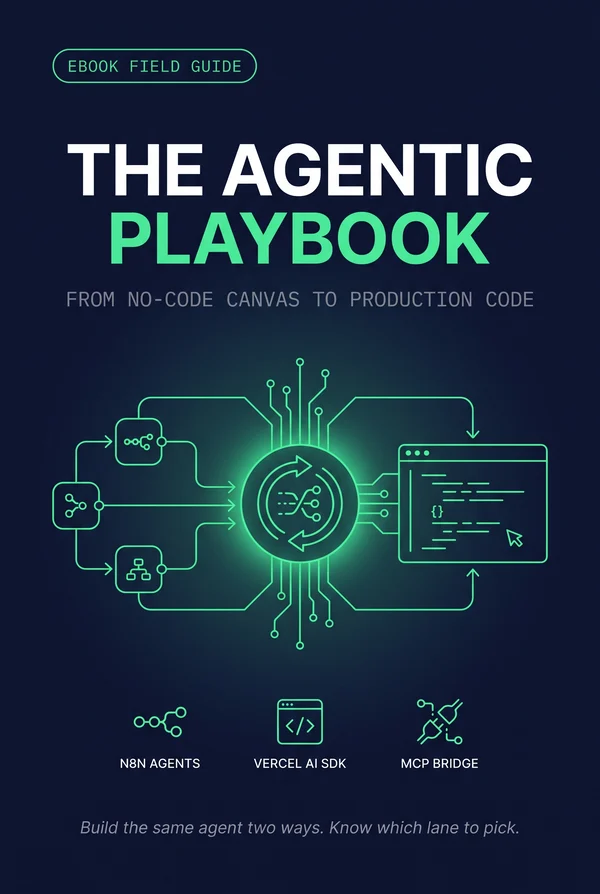
Everyone agrees you should be building agents. Nobody agrees on how. One camp says drag nodes on a canvas and ship this afternoon. The other says real agents live in code, in your repo, behind your own API. They're both right, and the argument is a distraction: the loop is the same either way. A model, a set of tools, a memory, and a stopping condition. Once you see that, the question stops being "which side is right" and becomes "which lane fits this job."
This playbook walks both lanes properly. The first half builds agents in n8n: the AI Agent node, tools it can actually call (including MCP servers), memory and RAG on the canvas, human approval gates, multi-agent patterns, and the Evaluations feature that tells you whether any of it works. The second half builds the same ideas in TypeScript with the Vercel AI SDK inside an Astro site: a streaming chat endpoint, real tool definitions with schemas, the ToolLoopAgent, approval gates in code, structured output, and MCP as the bridge that lets your n8n workflows and your code agents share the same tools.
It pairs with Mastering n8n (which covers hosting and hardening the platform itself) and Roll Your Own Coding Agent (which builds the raw loop from nothing), and once you're shipping agents, QA in the Era of AI shows what happens when you point them at your test suite. This one is about shipping: picking a lane, building the agent, and knowing when to switch lanes as the job outgrows the canvas.
This is a living document and will be updated as the tools and patterns evolve.
One Loop, Two Lanes
Strip the branding off any AI agent and you find the same machine. A model gets a goal. It looks at the tools it's been handed. It picks one, calls it, reads the result, and decides what to do next. It keeps looping until the job is done or a stopping condition says enough. That's it. A model, some tools, a memory, a loop. Claude Code is that machine. So is the support bot answering tickets, and so is the little workflow that watches your inbox.
What actually differs is where the machine lives, and that's a real decision with real consequences.
Lane one: the canvas
In n8n, the loop is a node. You drop an AI Agent node on the canvas, plug a chat model into one port, tools into another, memory into a third, and the platform runs the loop for you. You can see the whole agent at a glance, hand it to a teammate who doesn't write code, and change its behavior by dragging a new tool into place. For a huge class of jobs (internal automations, chat over your docs, triage bots, anything glue-shaped) this is genuinely the fastest path to a working agent, and often the right final destination too.
Lane two: the repo
In code, the loop is yours. With the Vercel AI SDK, you define tools as TypeScript functions with schemas, hand them to an agent, and ship the whole thing as an API route inside the site you already run. You get version control, tests, type safety, and total control over every step of the loop. When the agent is a product feature (something your users touch, something that has to feel native to your app) this lane wins.
The argument you can skip
People burn a lot of energy debating which lane is legitimate. It's the wrong question. The concepts transfer almost one to one: n8n's tool ports become tools: {} in code, its memory sub-nodes become context management, its human approval settings become an needsApproval flag on a tool definition. Learn the loop once and you can build in either lane, which means you get to pick based on the job instead of your comfort zone.
My honest rule of thumb, and we'll sharpen it through the guide: if the agent is glue between systems, start on the canvas. If the agent is the product, start in the repo. And if you're not sure, start on the canvas anyway, because you'll have something running today and nothing about it is wasted when you graduate.
So that's where we start. Next chapter we build a working n8n agent from an empty canvas, and it'll take you about ten minutes.
Your First n8n Agent
An agent in n8n is one node with friends. The AI Agent node sits in the middle of the canvas, and everything else plugs into it through dedicated ports. n8n calls this a cluster node: the root node owns the loop, and sub-nodes supply the parts.
Here's the ten-minute build.
Drop the trigger and the agent
Start with a Chat Trigger node. It gives you a hosted chat box for free and passes whatever the user types along as a field called chatInput, which the AI Agent node picks up automatically when its prompt source is set to "Take from previous node automatically." Wire the trigger into an AI Agent node and you have the skeleton.
Modern n8n gives you the Tools Agent by default (the older agent variants were folded into it), which drives the loop with the model's native tool calling and validates every call against the tool's schema. That validation matters more than it sounds: it's the difference between an agent that recovers from a malformed tool call and one that spirals.
Plug in a brain
The agent needs exactly one Chat Model sub-node. OpenAI, Anthropic, Google Gemini, Mistral, Groq, or Ollama if you're running local models on your own box. Add your credentials, pick a model, done. You can also attach a second model as a fallback, so a provider outage degrades your agent instead of killing it.
Tell it who it is
Open the agent node and write the System Message. This is the same craft as any system prompt: what the agent is for, what tone it takes, what it should refuse. Be boring and specific. "You are the support assistant for an internal tools team. Answer from the provided tools. If you can't find an answer, say so and suggest who to ask."
Two settings worth knowing on day one. Max Iterations (default 10) caps how many times the loop can run, which is your first guardrail against an agent that never stops. And Return Intermediate Steps shows you every tool call the agent made, which is how you'll debug it when it does something weird.
Say hello
Hit the chat and talk to it. What you have now is a chatbot, not an agent: it can reason but it can't do anything. It has no reach into your systems, no data of yours, nothing to act on. Honestly, that's the state most "agents" quietly stay in.
The difference between a chatbot and an agent is tools, and wiring those in is the fun part. That's next.
Giving the Agent Tools
Tools are where an n8n agent stops being a chat window and starts being useful. The agent node accepts as many tool sub-nodes as you want to plug in, and n8n ships well over a hundred of them. You only need to understand five shapes.
The HTTP Request Tool
The workhorse. Point it at any REST endpoint and the agent can call it. The trick that makes it agent-shaped is the $fromAI() expression: anywhere you'd hardcode a parameter, you write {{ $fromAI('city') }} and the model fills in the value at call time. Give the tool a clear name and description (that's what the model reads when deciding whether to call it) and you've turned any API into an agent capability in about two minutes.
The Call n8n Workflow Tool
This one changes how you build. Any workflow you already have becomes a tool: define an input schema, and the agent fills it and invokes the whole workflow as a single action. Your existing "sync a record," "send the report," "look up an order" workflows stop being automations and become verbs the agent can use. If you've been building in n8n for a while, your agent starts life with a vocabulary.
The Code Tool
Inline JavaScript or Python as a tool. Good for the small sharp things: parse this format, compute this value, transform this blob. Keep them small. A code tool that does five things is five tools wearing a trench coat, and the model will call it wrong.
The MCP Client Tool
This is the newest and maybe the most important. MCP is the open standard for exposing tools to AI apps (I wrote a whole guide on it: MCP from Scratch). The MCP Client Tool node connects your agent to any external MCP server and every tool that server exposes shows up in your agent's toolbox. Recent n8n releases even let you add popular MCP servers (Linear, Notion, PostHog and friends) straight from the nodes panel with one-click sign-in. One connection, a whole toolbox.
The Vector Store Tool
Retrieval as a tool: the agent decides when to search your documents instead of you stuffing context in up front. We'll build the full pipeline behind it in the next chapter.
The craft that carries over
A warning from the field: more tools is not better. Every tool you plug in is another description competing for the model's attention, and past a point the agent gets worse at picking. Give it the six tools the job needs, not the forty it might conceivably want. Naming, descriptions, and granularity are a deep enough craft that I wrote a separate field guide on tool design, and everything in it applies to these nodes.
An agent with tools can act. An agent with memory can remember who it's acting for. Right now yours forgets everything between messages, so let's fix that.
Memory and RAG on the Canvas
Out of the box, your agent has amnesia. Every message arrives to a blank slate, which makes multi-turn conversation impossible: ask a follow-up question and the agent has no idea what "it" refers to. Memory is another port on the AI Agent node, and filling it is a two-minute job with a couple of decisions worth getting right.
Short-term memory: pick your store
The Simple Memory (window buffer) sub-node keeps the last N messages in the n8n process itself. It's perfect for development and fine for low-stakes bots, with one catch: it lives in process memory, so a restart wipes it, and if you run n8n in queue mode with multiple workers, each worker has its own copy. The moment an agent matters, switch to Postgres Chat Memory or Redis Chat Memory. Same port, same behavior, but conversations are keyed by session ID and survive restarts, deploys, and scaling.
Keep the window sane. Fifty messages of raw history in every model call is a token bill, not a feature. For long conversations, a smaller window plus a running summary beats a giant buffer.
This is the shallow end of a deep topic. What to remember, how to get it back out, what to do when a memory goes stale: I wrote a whole field guide on agent memory, and it applies directly here.
Long-term knowledge: RAG as a tool
Memory is what the agent remembers about this conversation. RAG is what it knows about your world. The pipeline in n8n is refreshingly visual, and it comes in two halves.
The ingest half runs once (or on a schedule): a Default Data Loader pulls in your documents, a Recursive Character Text Splitter chunks them, an Embeddings node (OpenAI's text-embedding-3-small is the default choice) turns chunks into vectors, and a vector store node writes them. For the store itself, if you already run Postgres, use PGVector and skip adding a new database to your life. Pinecone, Qdrant, Weaviate, and Supabase are all first-class nodes too.
The query half is one node: the same vector store, set to "Retrieve (as Tool for AI Agent)," plugged into the agent's tool port. Now the agent searches your documents when it decides it needs to, which beats stuffing context into every prompt.
The gotcha that will eat an afternoon
Use the same embedding model at ingest time and query time. If you index with one model and query with another, nothing errors loudly. You just get garbage matches, or a dimension mismatch you'll stare at for an hour. When retrieval quality mysteriously tanks, this is the first thing to check.
At this point you have a real agent: it converses, it remembers, it knows your data, it can act. But everything so far assumes a human is sitting in a chat window. The interesting agents don't wait for you at all, and that's where we go next.
Beyond Chat: Triggers, Approvals, and Multi-Agent
A chat window is the demo. The production version of most agents never talks to a human at all, or only talks to one at the exact moment it matters. n8n makes both shapes easy because an agent is just a node, and nodes can be triggered by anything.
Swap the trigger, change the agent
Replace the Chat Trigger with a Webhook node and your agent becomes an API: any system that can POST can now hand work to it, and a Respond to Webhook node returns the answer. Replace it with a Schedule Trigger and the agent becomes a worker that wakes up on a cron, does its rounds (triage the inbox, summarize yesterday's signups, check the feeds), and goes back to sleep. The agent logic doesn't change at all. That's the payoff of the loop being a node.
The approval gate
Autonomy is great until the agent wants to do something expensive, public, or irreversible. n8n has two human-in-the-loop mechanisms, and the distinction is worth learning because you'll meet the same idea again in the code half of this playbook.
The first is per-tool approval: tool nodes can require human review, so the agent runs free until it reaches for that specific tool, then the workflow pauses and someone gets asked. Approve and it proceeds, reject and the agent has to carry on without it. Refunds, deletes, and anything that emails a customer belong behind this gate.
The second is the Send and Wait for Response operation, available on Slack, Gmail, Teams, Telegram, Discord, WhatsApp, and the chat itself. The workflow stops, a human gets approval buttons (or a form) in the channel they already live in, and execution resumes with their answer. Under the hood it's the Wait node, which will happily hold for days.
Design rule: gate by blast radius, not by vibes. Reading data needs no approval. Spending money does. My guardrails field guide goes deep on drawing that line.
When one agent isn't enough
Eventually a single agent's job description gets too long and its tool list gets too fat, and quality drops. n8n gives you two ways to split it. The routing pattern puts a classifier up front that sends each request to a specialist workflow. It's cheap and predictable, and it should be your default. The orchestrator pattern uses the AI Agent Tool sub-node so a root agent can call other agents as tools, delegating like a manager. It's more flexible and much easier to overuse. Reach for it when requests genuinely need multiple specialists to collaborate, not because it demos well.
You now have the full n8n vocabulary: agents that chat, agents that run themselves, agents that ask permission, agents that delegate. The question you can't answer yet is whether any of it actually works reliably. n8n has a real answer for that, and it's one of the best reasons to build in this lane.
Prove It Works: Evaluations and Production Habits
Here's the uncomfortable question about every agent you'll build: how do you know it works? Not "it answered my three test questions in the chat," but works, across the range of inputs real users will throw at it, after you swap the model or tweak the prompt. Most people are running on vibes. n8n shipped a feature specifically to fix that, and it deserves more attention than it gets.
Evaluations: regression tests for your agent
The Evaluations feature lets you attach a test path to a workflow: a dataset of inputs runs through the agent, outputs get scored, and you see the results as a report instead of anecdotes. Test data lives in n8n's Data Tables, one row per case, input plus expected outcome.
Use it in two gears. During development, run light evaluations: a hand-picked set of cases (the tricky ones, the edge cases, the one that embarrassed you in a demo) that you re-run after every prompt change. Before and after big changes, run metric-based evaluations across a larger dataset with real scoring. Metrics can be deterministic, like string distance against an expected answer or "did it call the right tool," or judged by another model, the LLM-as-judge pattern, for fuzzier qualities like correctness and tone.
The shift this creates is the whole point: "I swapped to the cheaper model and it feels fine" becomes "I swapped models and correctness dropped four points on the eval set, so no." Evidence instead of guesswork. When we get to the code lane, remember this feature exists, because over there you'll be assembling the same thing yourself.
Production habits that save you
A few practices separate agents that run for months from agents that page you at 2 a.m.
Cap the loop. Max Iterations defaults to 10; leave it low. A runaway loop is real money at agent prices.
Plan for failure. Set retry-on-fail on tool nodes that hit flaky APIs, and give the workflow an error branch or a global Error Trigger workflow so failures land in Slack instead of vanishing. My deeper error-handling patterns are in Mastering n8n.
Watch the token line. Memory windows and fat tool outputs quietly dominate cost. Trim both before reaching for a cheaper model.
Know your hosting tradeoff. n8n Cloud gets AI features weeks before self-hosted Community Edition, and it's the low-friction start. Self-hosting costs a small VPS and gives you unlimited executions and full data control. I self-host almost everything (that story is Self-Hosting the Agentic Stack), but Cloud is the right call while you're finding out whether the agent earns its keep.
That's the whole low-code lane: build, arm, remember, automate, gate, prove. For a lot of agents, you're done and you never need the second half of this book. But some agents belong inside your product, speaking to your users, in your codebase. For those, we're switching lanes.
The Code Lane: AI SDK in an Astro Route
Welcome to the second lane. Everything you built on the n8n canvas, we're now going to build in TypeScript, inside a site you already run. The toolkit is the Vercel AI SDK, which hit version 6 in late 2025 and has become the default way to talk to models from JavaScript. Despite the name, it isn't tied to Vercel hosting: it's an npm package that runs anywhere your server code does, including an Astro SSR route.
The five-minute chat endpoint
An agent in code starts life as an API route. In Astro, that's a file in src/pages/api/:
// src/pages/api/chat.ts
import type { APIRoute } from 'astro';
import { streamText } from 'ai';
import { createOpenAI } from '@ai-sdk/openai';
import { OPENAI_API_KEY } from 'astro:env/server';

const openai = createOpenAI({ apiKey: OPENAI_API_KEY });

export const POST: APIRoute = async ({ request }) => {
  const { messages } = await request.json();

  const result = streamText({
    model: openai('gpt-5'),
    system: 'You are the helpful assistant for a small dev blog.',
    messages,
  });

  return result.toTextStreamResponse();
};
That's a working streaming chat backend. streamText starts the model call, and toTextStreamResponse() returns a standard streaming Response, which Astro hands through untouched. Your frontend can consume it with anything that reads a stream: a few lines of fetch and a reader, Datastar, HTMX, or the SDK's own useChat hook if you're rendering React islands.
Two Astro notes. Use the typed env schema (astro:env/server) for keys so a missing secret fails loudly at build time instead of silently at runtime. And if you go deeper into the SDK's rich UI-message streaming (toUIMessageStreamResponse), test it on your actual deploy target early: Astro-on-Vercel has had at least one known rough edge there, and the plain text stream is the reliable fallback.
Providers: the one-line swap
The SDK's best trick is that models are interchangeable values. Swap createOpenAI for @ai-sdk/anthropic or @ai-sdk/google and nothing else changes. Or skip explicit providers entirely and pass a gateway string like 'anthropic/claude-sonnet-4.5', and the AI Gateway routes it. Remember the fallback-model port on n8n's agent node? Same idea, one line. This is the kind of decision you want to be cheap, because model pricing and quality shift every quarter.
What you just traded
Be clear-eyed about the trade you made by leaving the canvas. You gave up the visual overview, the built-in integrations, and the approval UI. You got back version control, code review, tests, types, and the ability to ship the agent as a feature of your product instead of a thing beside it.
Right now, though, you've only rebuilt chapter two: a chatbot that can't touch anything. Next we give it hands.
Tools and the Loop in TypeScript
In n8n you plugged tool nodes into a port. In code, a tool is an object: a description the model reads, a schema for its inputs, and a function that runs when the model calls it. The SDK's tool() helper ties those together, with Zod doing the schema work:
import { tool } from 'ai';
import { z } from 'zod';

const searchPosts = tool({
  description: 'Search blog posts by keyword. Returns title, slug, and excerpt.',
  inputSchema: z.object({
    query: z.string().describe('Keywords to search for'),
  }),
  execute: async ({ query }) => {
    const posts = await db.searchPosts(query);
    return posts.slice(0, 5);
  },
});
Notice how much of this is the same craft as the n8n tool nodes: the description decides whether the model ever calls it, the schema makes invalid input impossible, and the output should be small and useful, not a raw database dump. (Version note if you're searching old threads: the schema field was called parameters back in v4. It's inputSchema now.)
The loop, then the loop abstraction
Hand tools to generateText and the SDK runs the agent loop for you: model picks a tool, SDK executes it, result goes back to the model, repeat until it answers in plain text or hits your stopping condition.
const result = await generateText({
  model: openai('gpt-5'),
  tools: { searchPosts },
  stopWhen: stepCountIs(5),
  prompt: 'Find my posts about webhooks and summarize them.',
});
stopWhen: stepCountIs(5) is n8n's Max Iterations wearing TypeScript clothes: the guardrail that keeps a confused model from looping your API bill into orbit.
Once an agent is more than a one-off call, promote it to the ToolLoopAgent class, which is AI SDK 6's answer to "where does my agent live?":
import { ToolLoopAgent, stepCountIs } from 'ai';

export const blogAgent = new ToolLoopAgent({
  model: 'anthropic/claude-sonnet-4.5',
  instructions: 'You help readers navigate a technical blog.',
  tools: { searchPosts, getPost },
  stopWhen: stepCountIs(10),
});
Now the agent is a named, importable thing. Your chat route calls blogAgent.stream(...), a cron script calls blogAgent.generate(...), and both get the same instructions, tools, and limits. That's the canvas's "whole agent at a glance" quality, recovered in code: one definition instead of loop logic smeared across routes.
Compare this to what we did in Roll Your Own Coding Agent, where we hand-wrote this loop to understand it. The SDK is that loop, productized: same machine, less of your code on the hook for it.
The agent can act now, which means it can act wrong. Before this goes anywhere near production, it needs the same safety rails the canvas gave us, and one more superpower the canvas taught us to expect.
Approval Gates, Structured Output, and the MCP Bridge
Three things separate a demo agent from one you'd let near production: it asks before doing anything dangerous, it returns data your code can rely on, and it doesn't need a custom integration for every system it touches. The canvas gave us all three. Here they are in code.
The approval gate is one property
Remember n8n's per-tool human review? AI SDK 6 made it a first-class flag:
const issueRefund = tool({
  description: 'Refund an order. Irreversible.',
  inputSchema: z.object({
    orderId: z.string(),
    amountCents: z.number(),
  }),
  needsApproval: ({ amountCents }) => amountCents > 5000,
  execute: async (input) => refunds.process(input),
});
When the model reaches for the tool, execution pauses and the tool call surfaces to your UI in an approval-requested state; a human approves or rejects, and the loop resumes. And needsApproval takes a predicate, so small refunds flow and big ones wait for a human. Same rule as the canvas: gate by blast radius. The thinking behind where to put these gates is the whole subject of my guardrails guide.
Structured output: agents your code can call
Chat is for humans. The more interesting consumers of your agent are functions, and functions want typed data, not prose to parse. generateObject forces the model's answer through a schema:
const { object } = await generateObject({
  model: openai('gpt-5'),
  schema: z.object({
    sentiment: z.enum(['positive', 'neutral', 'negative']),
    topics: z.array(z.string()),
  }),
  prompt: `Classify this feedback: ${feedback}`,
});
For agents, the Output helper does the same at the end of a tool loop: the agent searches, reads, reasons, then hands back an object instead of an essay. This is what n8n's Structured Output Parser was doing, with actual TypeScript types on the other end.
MCP: the bridge between your two lanes
Here's the payoff for learning both halves of this playbook. The SDK's MCP client (the dedicated @ai-sdk/mcp package in v6) connects your code agent to any MCP server:
import { createMCPClient } from '@ai-sdk/mcp';

const mcp = await createMCPClient({
  transport: { type: 'http', url: 'https://automation.mysite.com/mcp' },
});
const mcpTools = await mcp.tools();
Now remember that n8n has an MCP Server Trigger, which exposes n8n workflows as MCP tools. Point createMCPClient at it and your TypeScript agent can call the workflows you built in part one as tools. The lanes stop being rivals: n8n becomes the integration layer where tools are cheap to build, and your code agent becomes the product layer that consumes them. One toolbox, both lanes. (If you want to understand the protocol itself, that's MCP from Scratch.)
You now have feature parity with the canvas, plus types. What's left is the judgment call this whole playbook has been building toward: which lane, when, and how to switch.
Picking Your Lane (and Switching)
We've built the same agent twice. Model, tools, memory, loop, approval gates, structured output: once with nodes, once with TypeScript. So let's finish with the actual playbook, the part you consult when a new agent-shaped project lands on your desk.
Start with three questions
Who maintains it? If the answer includes anyone who doesn't ship code, the canvas wins and it isn't close. An n8n workflow is legible to a whole team; your ops person can add a Slack tool without a deploy.
Where does it live? An agent that sits between systems (watches a webhook, syncs records, triages a queue) is glue, and glue belongs on the canvas. An agent your users touch inside your product needs your auth, your UI, and your deploy pipeline. That's the repo.
How custom is the loop? If the standard observe-decide-act loop fits, either lane works. The moment you need to compress context mid-run, swap models per step, or run steps in parallel with custom logic, you want the code lane, because in n8n you'd be fighting the platform.
The graduation path
Most agents that end up in code should still start in n8n, because a prototype this cheap is information: a day on the canvas tells you whether the idea survives contact with reality before you've committed a sprint to it. When one earns a promotion, the migration is mechanical, and this mapping is the cheat sheet:
| On the canvas | In the repo |
|---|---|
| AI Agent node | ToolLoopAgent |
| Chat Model sub-node | provider or gateway string |
| Tool sub-nodes | tool() definitions |
| $fromAI() | inputSchema fields |
| Memory sub-node | persisted messages you manage |
| Max Iterations | stopWhen: stepCountIs(n) |
| Require approval | needsApproval |
| Structured Output Parser | generateObject / Output |
| Evaluations | your eval script + dataset |
Nothing you learned expires. That was the promise of chapter one, and now you've seen it hold.
Don't skip the boring one
One habit from the n8n half deserves the last word: evaluations. The code lane gives you inspectability (the SDK's DevTools will happily show you every step of a loop) but nothing forces you to build a test set the way n8n's Evaluations feature nudges you to. Build one anyway. Ten hard cases in a JSON file and a script that scores the agent against them will save you from more bad deploys than any framework choice.
And keep both lanes open. My own stack runs exactly this split: n8n handles the glue agents and exposes tools over MCP, code agents live inside the products, and everything runs on hardware I control. The playbook isn't "pick the right side." It's know the loop, own the tools, gate the risky parts, prove it works, and let each agent live in the lane that fits it. Now go ship one.
Toolkit: The Lane-Picker
Print this one. It's the chapter-ten decision framework compressed into something you can run through in two minutes when a new agent idea shows up.
The six questions
Answer each one honestly, then count.
- Who maintains this after v1? Includes a non-developer → canvas. Developers only → either.
- Where does the output land? Between internal systems (Slack, email, CRM, database) → canvas. Inside your product's UI → repo.
- Does it need your app's auth, sessions, or UI state? Yes → repo. No → either.
- How weird is the loop? Standard observe-decide-act → either. Mid-run context surgery, per-step model swaps, parallel branches → repo.
- How many external systems does it touch? Three or more with existing n8n integrations → canvas, or expose them over MCP and split the difference.
- Is this a prototype or a commitment? Prototype → canvas, always. You'll know within a day whether it deserves the repo.
Mostly canvas answers: build it in n8n and don't apologize. Mostly repo: start with the AI SDK. Split roughly even: build the tools in n8n, expose them via the MCP Server Trigger, and put the agent itself in code. That hybrid is underrated and it's where my own stack landed.
Signs you picked wrong
Switch from canvas to repo when any of these show up: you're writing more Code-node JavaScript than the visual parts around it, you need a test suite for the agent's behavior and vibes aren't cutting it, the workflow has grown a second workflow whose only job is managing the first, or product requirements now touch the agent on every sprint.
Switch from repo to canvas (yes, it happens) when: the agent is internal glue that one developer maintains grudgingly, integration code is most of the file, or a non-developer keeps asking for tweaks that are one node-drag in n8n and a PR in code.
The hybrid wiring, in one paragraph
Build each integration as a small n8n workflow. Expose them with the MCP Server Trigger. In your app, createMCPClient pulls them in as tools for your ToolLoopAgent. New integration requests become n8n work (fast, visual, no deploy), while agent behavior stays in code (tested, versioned, reviewed). When someone asks where an agent should live, this is the answer that most often ends the meeting.
One more toolkit before you go: the pre-launch checklist that applies no matter which lane won.
Toolkit: The Agent Pre-Launch Checklist
Run this before any agent (either lane) gets real users, real data, or a schedule. Every line traces back to a chapter; if one makes you wince, that's the chapter to reread.
Identity and scope
- The system prompt says what the agent is for, what it should refuse, and what to do when it can't answer. Boring and specific beats clever.
- The agent has the tools the job needs and not one more. Every extra tool is a wrong-call waiting to happen.
- Each tool description says when to use it, not just what it does.
The loop
- Iteration cap set and low: Max Iterations in n8n,
stopWhen: stepCountIs(n)in code. Default to 10 or less and raise it only with evidence. - A fallback model is wired in (second chat model in n8n, gateway routing in code) so a provider outage degrades instead of kills.
- You've watched the intermediate steps of at least five real runs, not just the final answers.
Memory and data
- Memory survives a restart: Postgres or Redis, not the in-process buffer, keyed by session.
- The memory window is bounded. Unbounded history is a slow-motion cost leak.
- If RAG is involved: same embedding model at ingest and query, and you've spot-checked ten retrievals by hand.
Safety
- Every tool is sorted by blast radius, and the irreversible ones (money, deletes, anything customer-facing) sit behind an approval gate: per-tool review in n8n,
needsApprovalin code. - Credentials are scoped to what the agent needs, not your admin token. The agent's key should be one you can revoke without crying.
- Anything the agent reads from the outside world (web pages, emails, user input) is treated as untrusted. If that sentence is new to you, read the guardrails guide before launch, not after.
Proof and operations
- An eval set exists: ten or more real cases with expected outcomes, in n8n Evaluations or a JSON file plus a script. It runs after every prompt or model change.
- Failures route somewhere a human looks: error workflow to Slack in n8n, error tracking in code. Silent failure is the default; you have to opt out of it.
- You know the cost per run within an order of magnitude, and the worst-case cost of a runaway loop is one you can shrug at.
- Someone owns this agent by name. Unowned agents rot within a quarter.
All boxes ticked? Ship it. And when it misbehaves anyway (it will, eventually, in a way you didn't predict), that's not failure. That's the feedback loop that makes the next agent better.